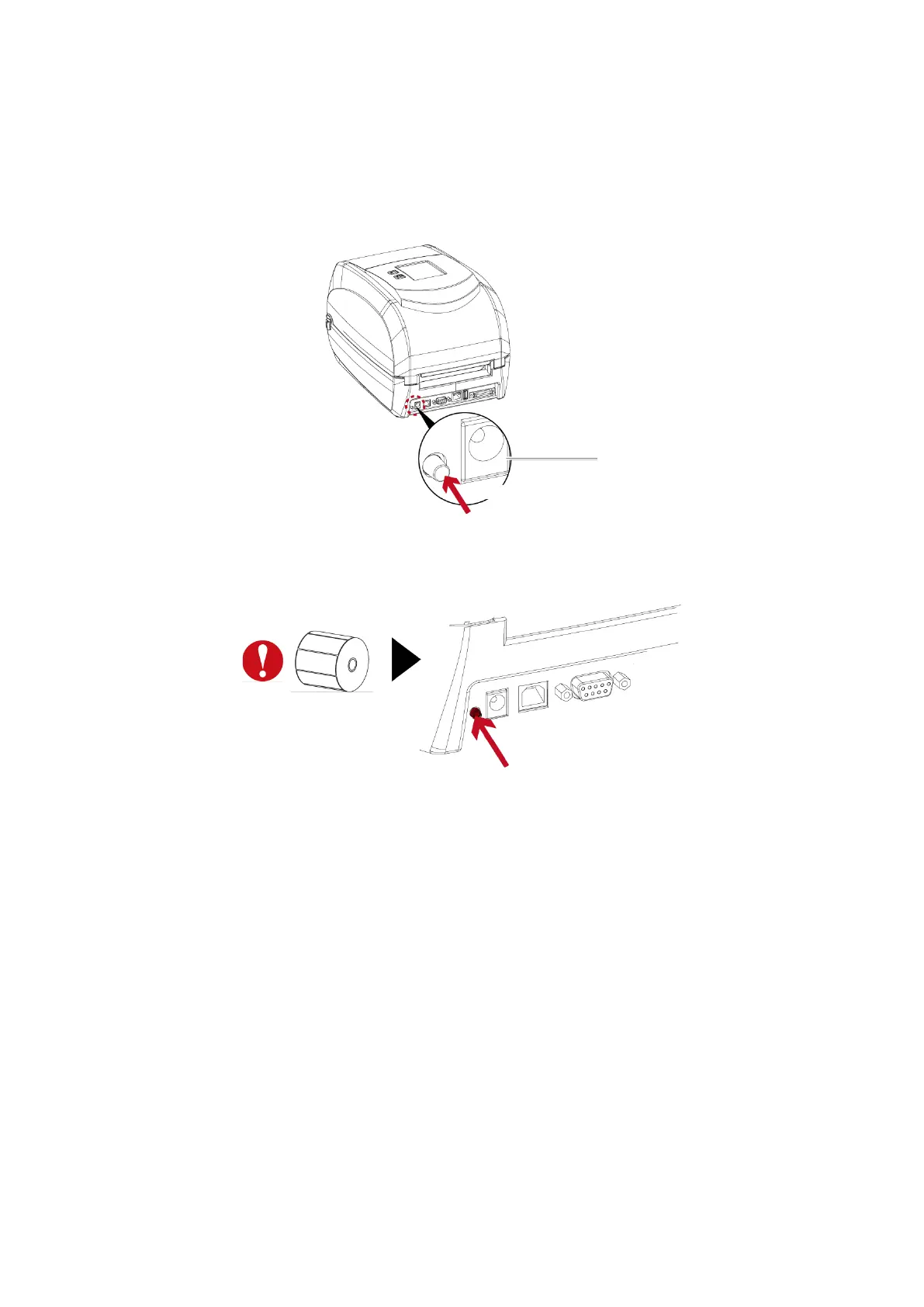
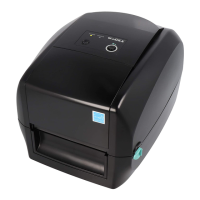
Label Calibration Button
A hardware button to make a Label Calibration while printer encountering “Media Error” during the cases
when first-time printer start up or change label to another type, such as change using gap label to continuous
or
black mark labels.
Press Calibration button for 1 ~ 2 seconds, it will make an auto-sensing to calibrate the label’s parameters.
Note
——————————————————————————————————————
* Press Calibration button is equivalent to the auto-sensing command ‘’~S,SENSOR’’ that will cancel on-printing-job and make the Label
Calibration immediately.


 To Next Page