SmartBox
®
4 / SmartBox
®
4 PRO
part no. 28 400 57 d 13 / 28
chart
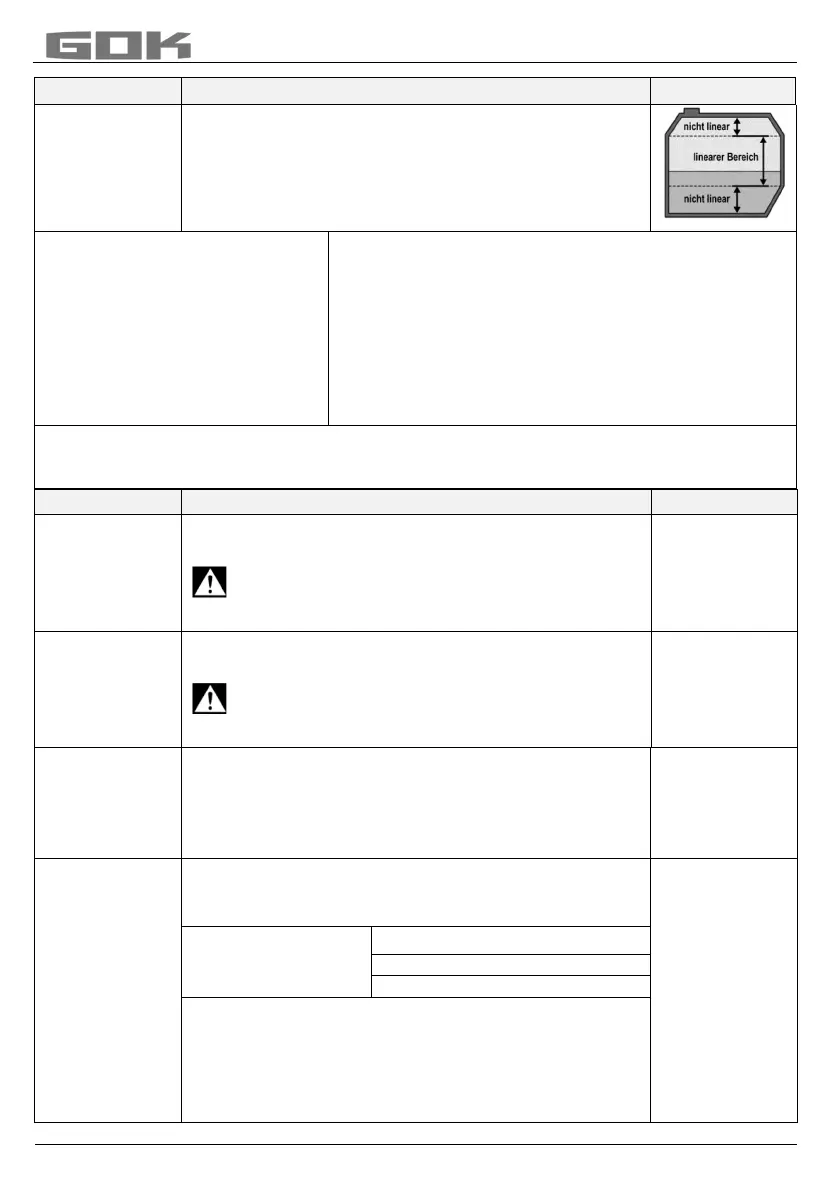
Enter a special tank shape from existing bearing chart.
For this purpose, up to 16 value pairs (height in cm +
volume in L) can be entered.
Before the value pairs are entered, the values for the
tank volumes must be entered in in steps "4.Tank
volume" and "5. Internal tank height".
Index: 1 xxx.x cm xxxx
L
Index: 2 . cm L
Index: 3 . cm L
max.
Index
:16 max. cm max. L
Specified value pair (do not have to be entered).
first value pair entered
max. inside height of tank the max
. tank volume
menu step “5.Internal tank height” is allocated
automatically and does not have to be entered.
Not all 15 intermediate value pairs (Index: 1 - 15) have to be entered.
A linear interpolation is made between 2 interpolation values. For a linear range of the tank
geometry it is sufficient to enter a lower and an upper value pair.
volume
Adjust the tank volume with [+] / [-] (100%). The default
setting is 0 L. The value must be set.
___________L
Please see a volume table for the highest value,
if available. For a 100 m³ cyl. buried tank, this
may for example be the value 100600 litres.
height
Enter inner tank height in millimetres: e. g.: 249 cm
(max. value = 999,9 cm) (height without dome)
_________mm
Please see a volume table for the highest value,
if available. For a 100 m³ cyl. buried tank, this
may for example be the value 288 cm.
limit
Set the filling limit of the tank with [+]/ [-]:
With fuel oil tanks, that is the shut-off point of the limit
indicator. The default setting is 95%. e.g. 95%=237cm.
For tanks which can be filled to the very top (e.g. water
tanks), it is necessary to set the highest value of 99%.
__________%
SmartBox 4
In the 1st line of the display, the tank name/medium and
contents are displayed (e.g. in litres).
The display in the 2nd line can be selected:
____________
e.g.
For fuel oil tanks in Germany, a free capacity display is
required according to TRwS 791-2. This is possible with
selection a) and b).


 To Next Page