CONTROL APP
PLAY TO & MUSIC
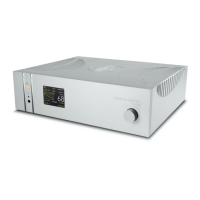
MUSIC
In the "Music" tab choose the source of the music:
INTERNET MUSIC
Deezer | vTuner | TIDAL | Qobuz | Spotify
CLOUD STORAGE SERVICES
Dropbox | OneDrive
LOCAL SERVER
Network NAS and UPnP/DLNA services
USB flash drives are listed as "IS-1000 Server"
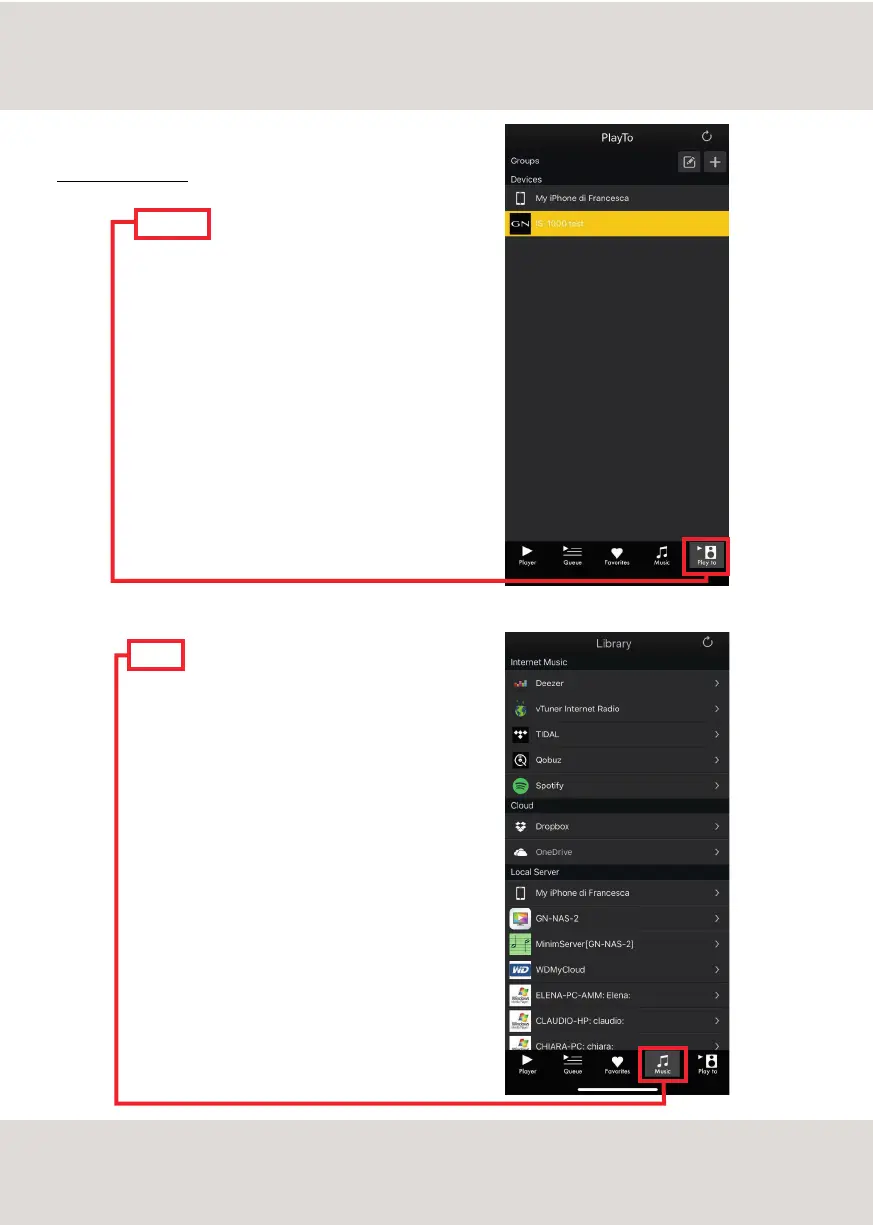
PLAY TO
Select the "Play To" tab and then select IS-1000.
Please be sure that the IS-1000 is connected to the
same network the mobile device is using.
If the App doesn't show the IS-1000 it is most likely
due to the fact the mobile device is connected to a
different network than the IS-1000.
13



 To Next Page