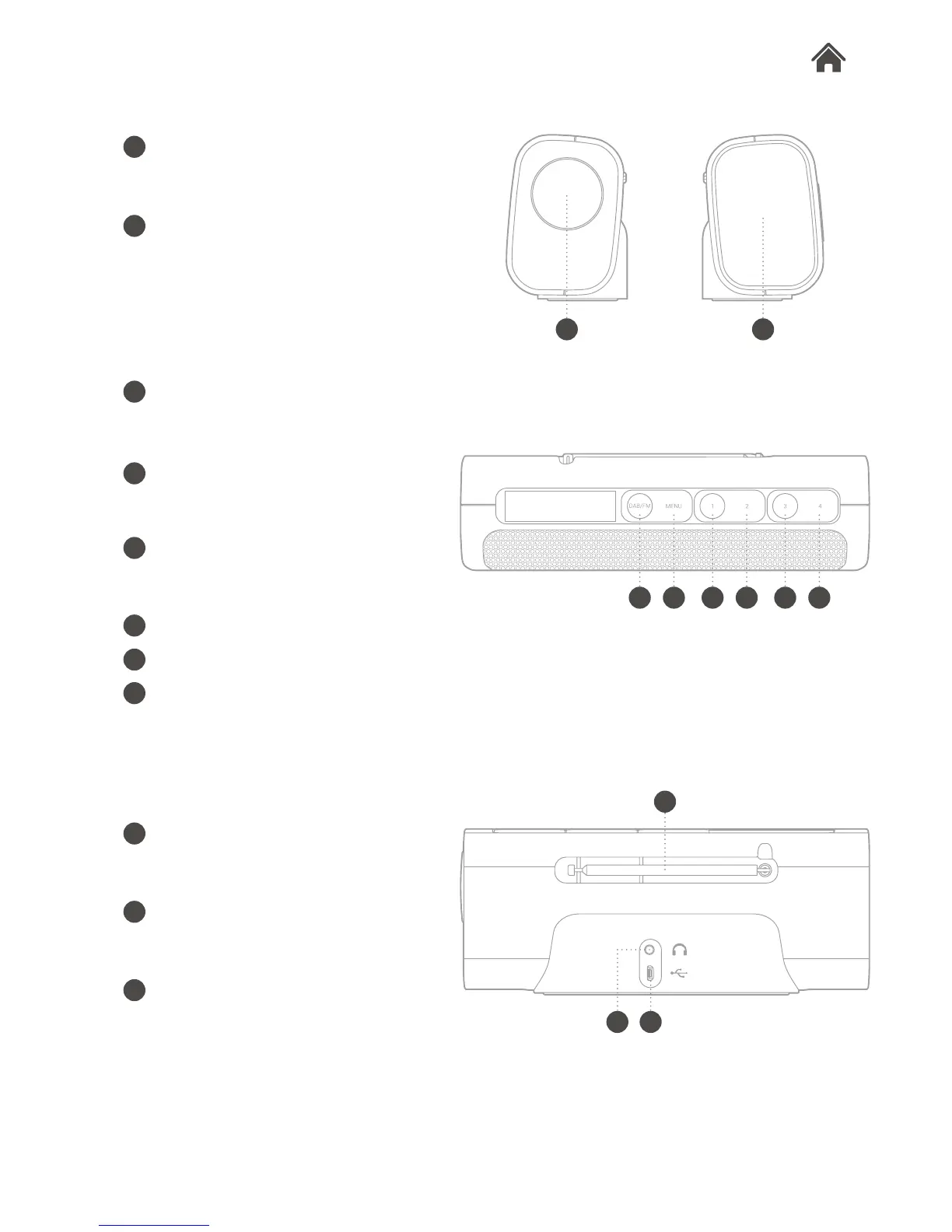
Top View
Rear View
Side View
2.2
2.3
2.3
DAB/FM button
Press to switch between DAB, FM
mode.
Menu/Info button
Press to display menu options, or
display the station info.
Preset 1
Press to select your favourite stored
stations.
Preset 2
Preset 3
Preset 4
D
F
G
H
Headphone socket
Used to connect headphones to
Rocka.
Micro USB socket
Used to connect Rocka to the mains
power supply.
Aerial
Dial
Turn: volume/tuning/select control
Press: conrm
Power On/Off button
Flick to turn Rocka on/off.
E
I
A
B
A
B
C D F G HE
K
I
K
J
J
C








 To Next Page