Quick Setup3
3.1
3.2
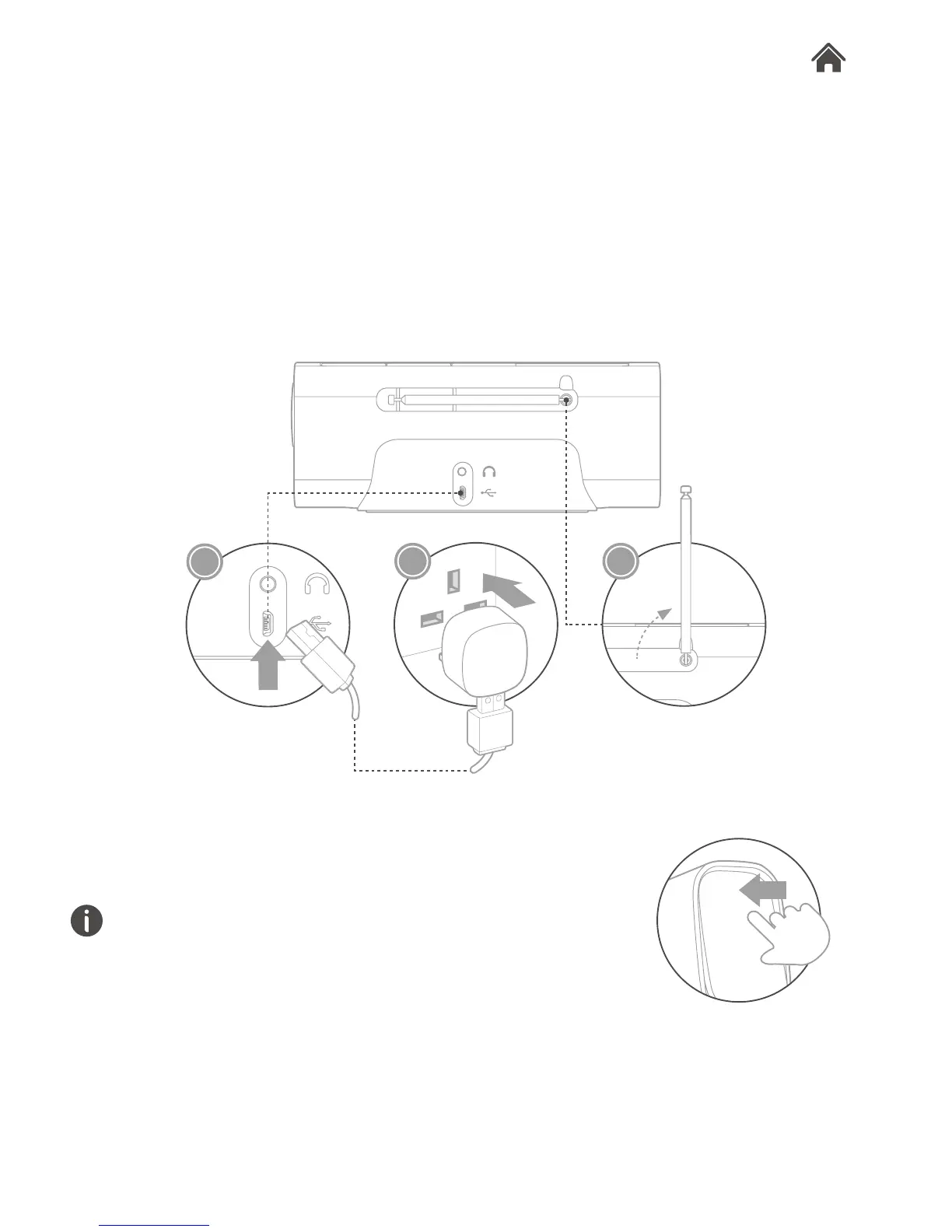
Connect Rocka to power supply
You can insert 4 x AA batteries into the battery compartment
of Rocka, or use provided USB cable and adapter to connect
Rocka to a power (mains) outlet.
1. Plug one end of the USB cable into the mains adapter, and
plug the other end into Rocka’s Micro USB socket.
2. Connect the USB mains adapter to a live AC power (mains)
outlet.
3. Raise and extend the aerial.
Power on Rocka
Turn Rocka on by simply rocking the Power On/Off button.
The rst time the radio is switched on, it will start up in DAB mode
and automatically scan for the available stations.
1
3
2








 To Next Page