EasyManua.ls Logo

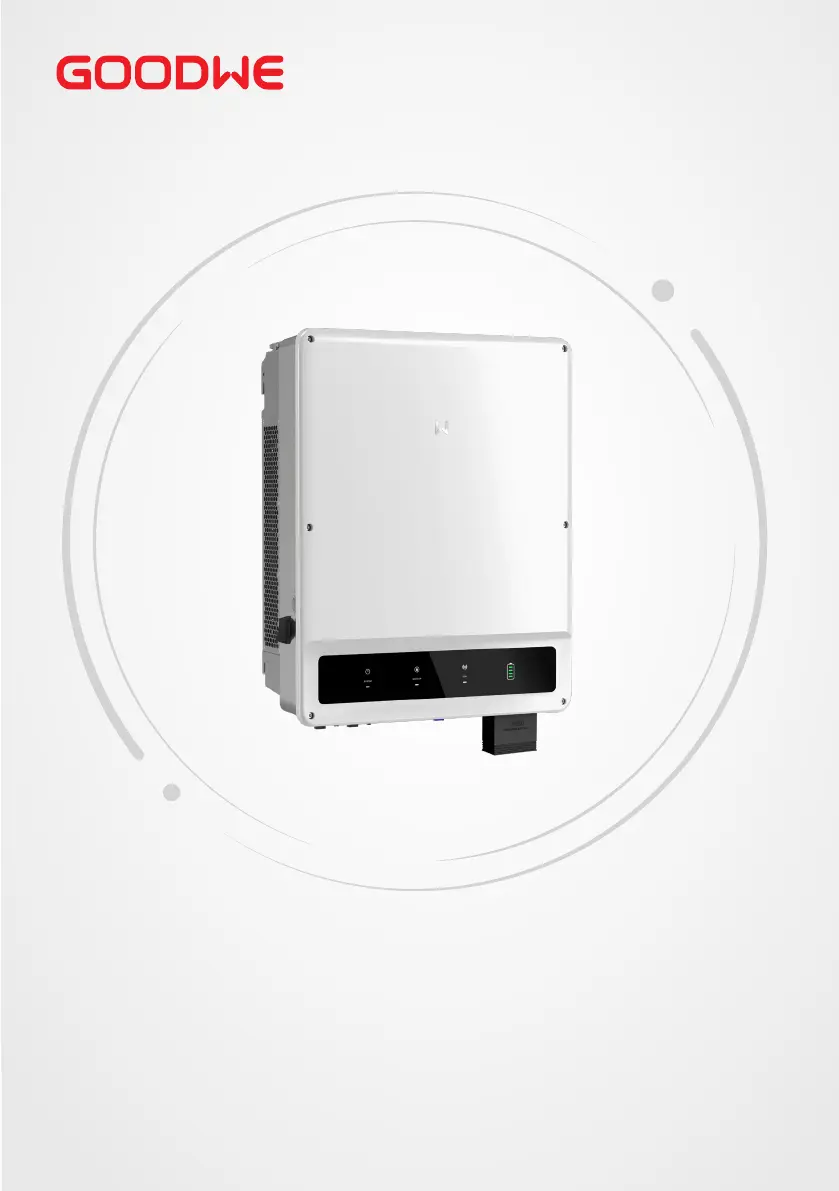
Goodwe GW15K-ET - User Manual

Goodwe GW15K-ET
78 pages
Print Icon
To Next Page IconTo Next Page
Loading...
User Manual
Hybrid Inverter
ET Series
15-30kW
V1.6-2024-03-20

Table of Contents

Other manuals for Goodwe GW15K-ET

Questions and Answers

  • S
    Stacy WhiteSep 3, 2025
    What causes PV Continuous Software Overcurrent on a Goodwe GW15K-ET?
    • S
      scottsarahSep 4, 2025
      If your Goodwe Inverter displays PV Continuous Software Overcurrent, it could be caused by an improper PV configuration or hardware damage. Disconnect the AC output switch and DC input switch, then connect them 5 minutes later.
  • T
    Travis Stafford Jr.Sep 4, 2025
    How to fix String1 PV String Reversed error on Goodwe Inverter?
    • S
      sharpwalterSep 4, 2025
      If your Goodwe Inverter displays String1 PV String Reversed, it indicates that the PV string is connected reversely. Check whether the PV1 and PV2 strings are connected reversely.
  • R
    Robert DiazSep 5, 2025
    What causes Anti Reverse power Failure in Goodwe Inverter?
    • R
      Richard GarnerSep 5, 2025
      If your Goodwe Inverter shows Anti Reverse power Failure, it could be due to an abnormal fluctuation of load. If the exception is caused by an external fault, the inverter will recover automatically after solving the problem.
  • C
    Christopher CoxSep 5, 2025
    What does Abnormal parallel CAN communication mean on Goodwe Inverter?
    • S
      sarahmeyerSep 5, 2025
      If your Goodwe Inverter displays Abnormal parallel CAN communication, it means that the parallel communication cable connection is abnormal, or an inverter in the parallel system is offline. Check whether all the inverters are powered on and whether the parallel communication cables are firmly connected.
  • D
    Dr. Heather BennettSep 6, 2025
    Why I am unable to log in to the parallel system interface in APP for Goodwe GW15K-ET?
    • J
      Juan GuerraSep 6, 2025
      If you are unable to log in to the parallel system interface in the APP with your Goodwe Inverter, it could be due to a parallel networking failure, often caused by an incorrect or unreliable communication cable connection. Connect the smart meter and Ezlink module to the same master inverter to ensure the success rate of networking. Check whether the inverter communication indicator is normal. If it is not, please check the individual inverter according to its own troubleshooting method. If the above methods cannot solve the problem, please try to restart the inverter and get networking again.
  • J
    jonathanmillerSep 6, 2025
    What to do if Goodwe GW15K-ET shows Parallel IO check fail?
    • K
      Katherine HamiltonSep 6, 2025
      If your Goodwe Inverter displays Parallel IO check fail, it indicates a communication error between parallel inverters. Check whether the parallel communication cable is connected correctly and firmly.
  • M
    Michael PorterSep 7, 2025
    What to do if Goodwe GW15K-ET Inverter shows Utility Loss?
    • A
      Andrew TrevinoSep 7, 2025
      If your Goodwe Inverter displays a 'Utility Loss' error, it could be due to a failure in the utility grid power supply or a disconnection in the AC cable. The alarm should clear automatically once the grid power is restored. Ensure the AC cable is properly connected and the AC breaker is turned on.
  • R
    Rachel DavisSep 7, 2025
    What causes Grid Undervoltage on Goodwe GW15K-ET Inverter?
    • S
      stevenbellSep 7, 2025
      A 'Grid Undervoltage' error on your Goodwe Inverter means the grid voltage is lower than the permissible range, or the duration of low voltage exceeds the requirement of LVRT. If this happens occasionally, it might be a temporary issue with the utility grid, and the inverter should recover automatically once the grid returns to normal. If it happens frequently, check if the grid voltage is within the allowed range and contact the local power company if it's not. If the grid frequency is within the permissible range, consider modifying the undervoltage protection threshold, LVRT, or disabling the undervoltage protection function after obtaining consent from the local power company. Also, ensure that the AC breaker and output cables are securely and correctly connected.

Summary

Safety Precautions

General Safety Guidelines

Essential safety rules for handling and operating the inverter.

PV String Safety

Safety measures for connecting and managing photovoltaic strings.

Inverter Safety

Critical safety instructions specific to the inverter's operation.

Product Introduction

Installation Guide

Installation Site Requirements

Environmental and location criteria for inverter installation.

Moving and Installing the Inverter

Step-by-step instructions for physical mounting.

Electrical Connections

System Wiring Overview

Diagrams illustrating system electrical connections.

Electrical Connection Safety

Crucial safety rules for making electrical connections.

DC Input (PV) Connection

How to connect photovoltaic strings to the inverter.

Battery Cable Connection

Detailed steps for connecting the battery system.

AC Cable Connection

Procedures for connecting the inverter to the AC power source.

Equipment Commissioning

Pre-Power-On Checks

Essential checks before energizing the equipment.

Power-On Procedure

Steps to safely turn on the inverter system.

System Configuration

Maintenance and Troubleshooting

Powering Off the Inverter

Safe procedure for shutting down the inverter for maintenance.

Troubleshooting Common Issues

Solutions for frequently encountered inverter faults.

Goodwe GW15K-ET Specifications

General IconGeneral
BrandGoodwe
ModelGW15K-ET
CategoryInverter
LanguageEnglish

Related product manuals