64 65
In some situations, such as when capturing content while charging Fusion,
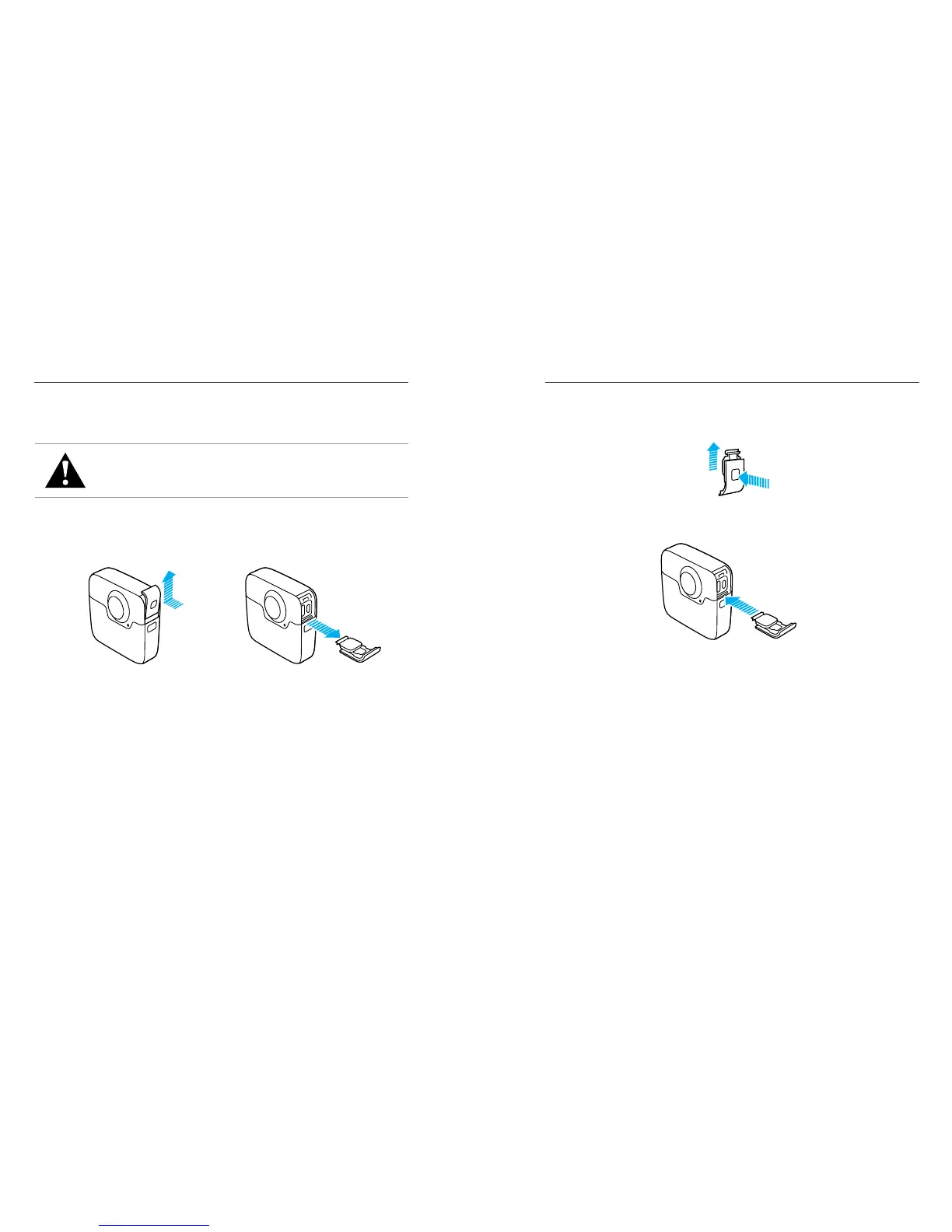
it might be useful to remove the side door to access the USB-C port.
WARNING: Remove the side door only when you are using the
camera in a dry, dust-free environment. When the door is open
or removed, the camera is not waterproof. Never operate the
camera with the battery door open.
REMOVING THE SIDE DOOR
1. Hold down the Latch Release button and slide the door open.
2. Pull the door o of the camera.
REMOVING THE SIDE DOOR REMOVING THE SIDE DOOR
REATTACHING THE SIDE DOOR
1. Hold down the Latch Release button and extend the tab on the door.
2. Press the tab onto the small silver bar.













 To Next Page