GP3D Root User Manual
3
3. SOFTWARE INSTALLATION AND INTRODUCTION:
3.1 INTRODUCTION
Please read below carefully before installation:
* The driver for software is in the SD card. Please copy the driver to your
pc.
* Please shutdown all firewalls or antivirus software before installing
Germinate.
* Please obtain administrator’s permission before installation.
* The below steps should apply to Windows 7.
3.1 Disable Driver Signature Enforcement for Windows 8 or 8.1
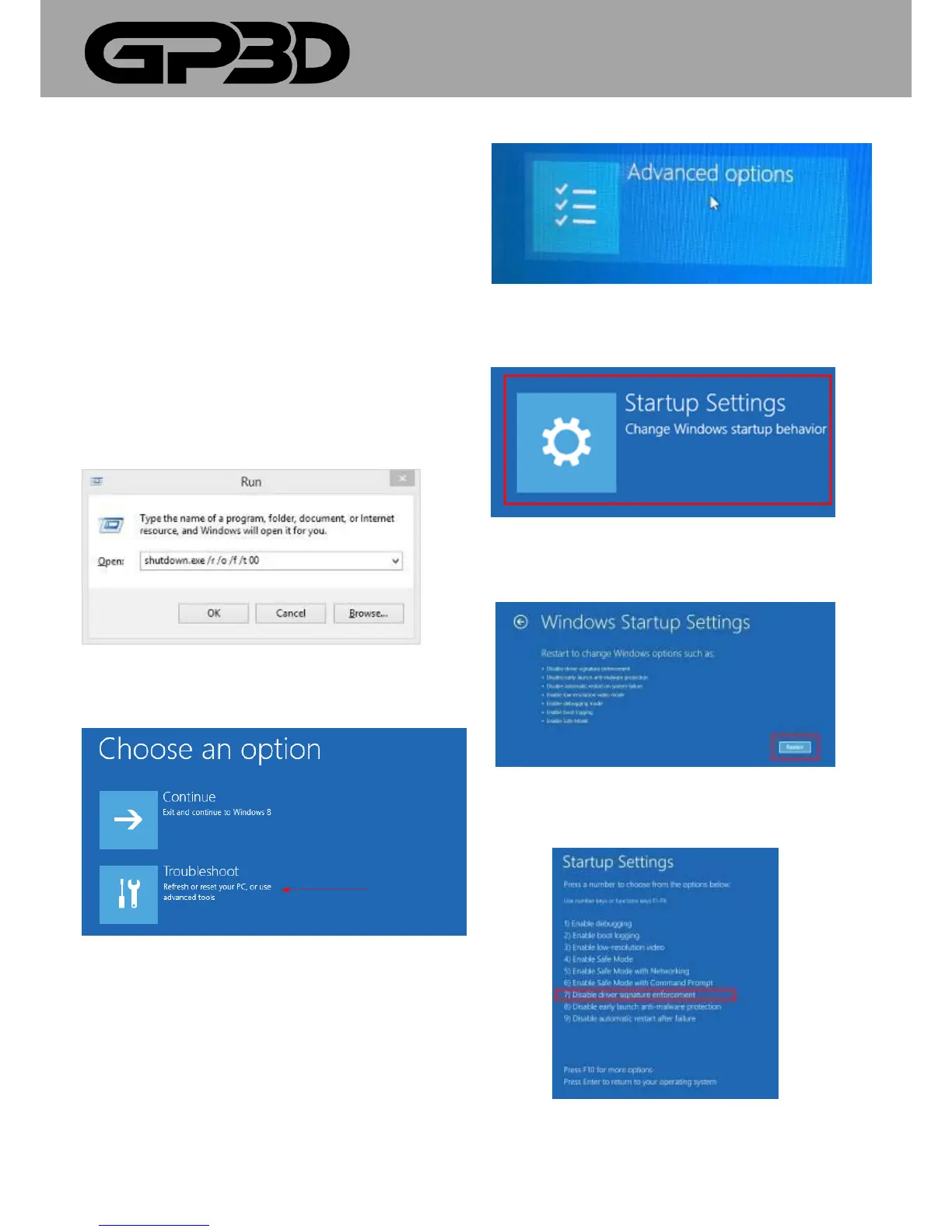
3.1.1 Press [WIN] and [R] on your keyboard, enter command
[shutdown /r /o /f /t 00], and click the [OK] button. (Figure 3.1-01)
(Figure 3.1-01)
3.1.2 System will restart to a [Choose an option] screen, and then
select [Troubleshoot]. (Figure 3.1-02)
(Figure 3.1-02)
3.1.3 Select [Advanced options] from [Troubleshoot] screen. (Figure
3.1-03)
(Figure 3.1-03)
3.1.4 Select [Startup Settings] from [Advanced options] screen.
(Figure 3.1-04)
(Figure 3.1-04)
3.1.5 Click [Restart] button System will restart to [Advanced Boot
Options] screen. (Figure 3.1-05)
(Figure 3.1-05)
3.1.6 Select [Disable Driver Signature Enforcement] or press [F7] on
your keyboard, then restart. (Figure 3.1-06)
(Figure 3.1-06)



 To Next Page