GP3D Root User Manual
4
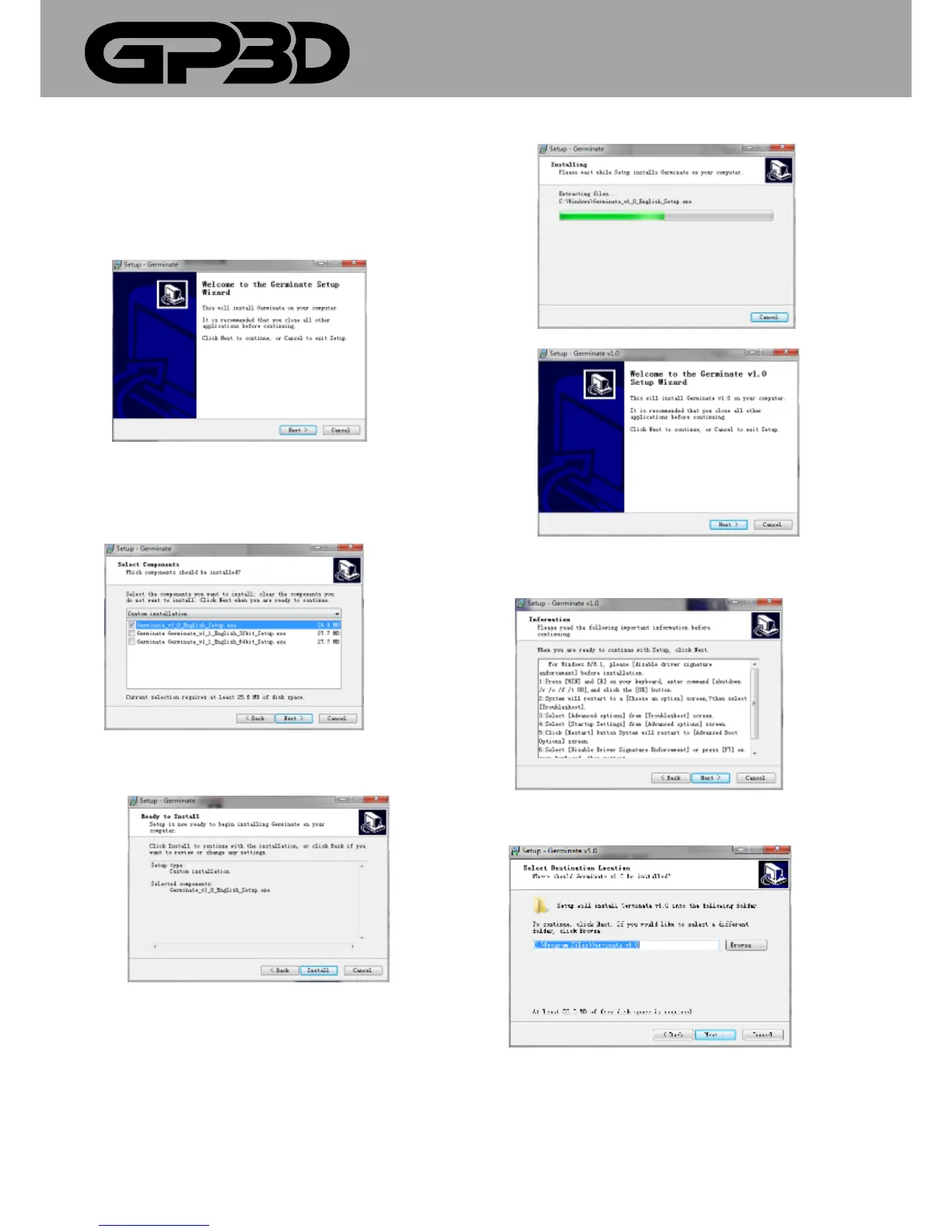
3.2 SOFTWARE INSTALLATION
The following installation of drivers and software is for Windows XP,
Win 7, 8 and 8.1 systems.
3.2.1 Select a folder, click “next”. (Figure 3.2-01)
(Figure 3.2-01)
3.2.2 Click “next”, and then select “Germinate_V1_0_English.setup.exe”.
Select a folder, click “next”. (Figure 3.2-02)
(Figure 3.2-02)
3.23 click “Install”. (Figure 3.2-03)
(Figure 3.2-03)
3.2.4 Click “next”. (Figure .3.2-04)
(Figure 3.2-04)
3.2.5 Select “next”. (Figure 3.2-05)
(Figure 3.2-05)
3.2.6 Select “next”. (Figure 3.2-06)
(Figure 3.2-06)
3.2.7 Select “next”. (Figure 3.2-07)



 To Next Page