GP3D Root User Manual
5
(Figure 3.2-07)
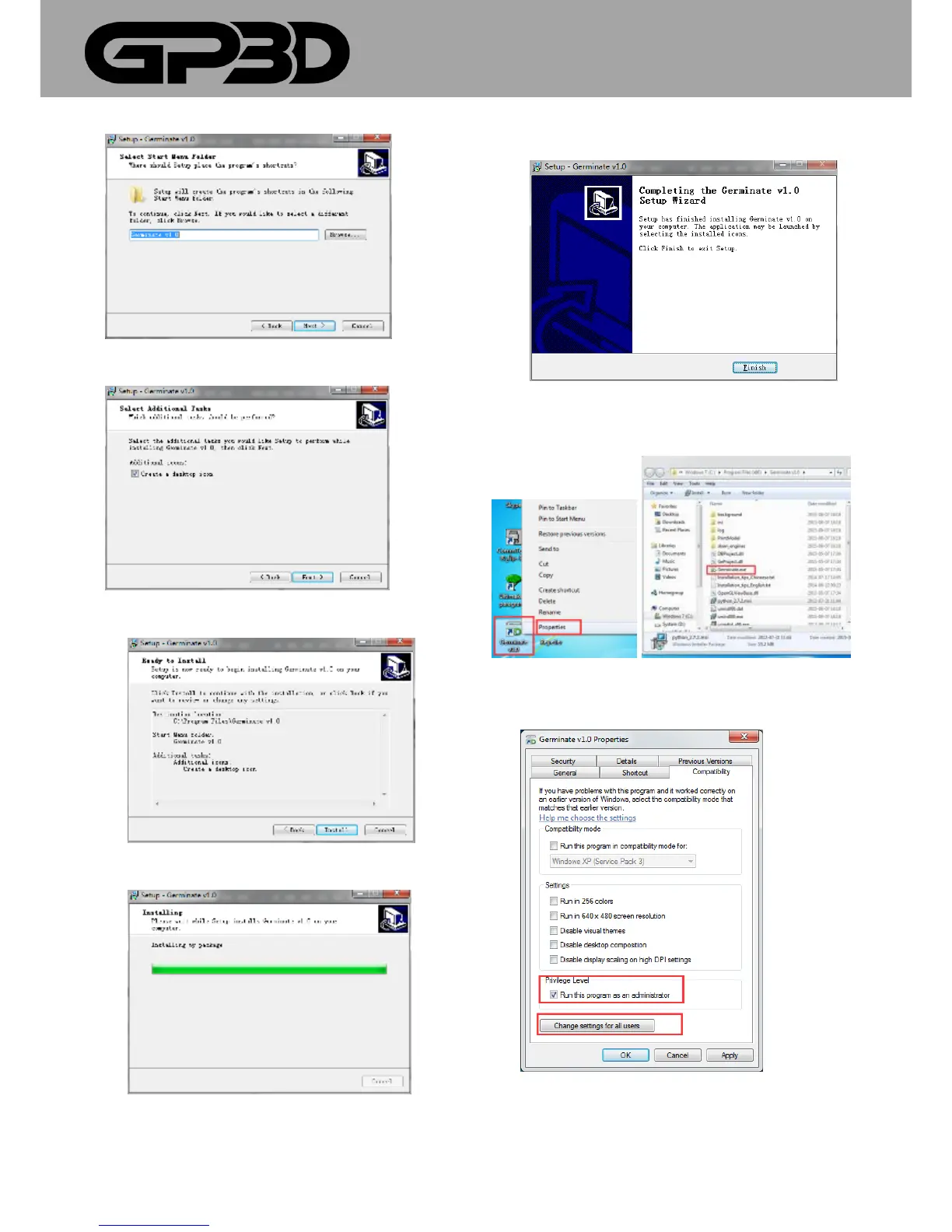
3.2.8 Select “next”. (Figure 3.2-08)
(Figure 3.2-08)
3.2.9 Click “Install”. (Figure 3.2-09)
(Figure 3.2-09)
3.2.10 Then need to wait, while installation process appeared below
(Figure 3.2-10)
3.2.11 Select “Finish” to complete software installation. (Figure 3.2-08)
(Figure 3.2-11)
3.2.12 Run as an administrator for Windows 7, 8 or 8.1.
Right-click the desktop icon or Wstk.exe under installation directory.
(Figure 3.2-12)
3.2.13 Select “Run this program as an administrator and then click
“change settings for all users” like below:
(Figure 3.2-13)
3.2.14 Select “Run this program as an administrator”, then “Apply”,
and then select ”OK”.



 To Next Page