THERMAL BARCODE PRINTER SERIES 3
3. GAP
Description
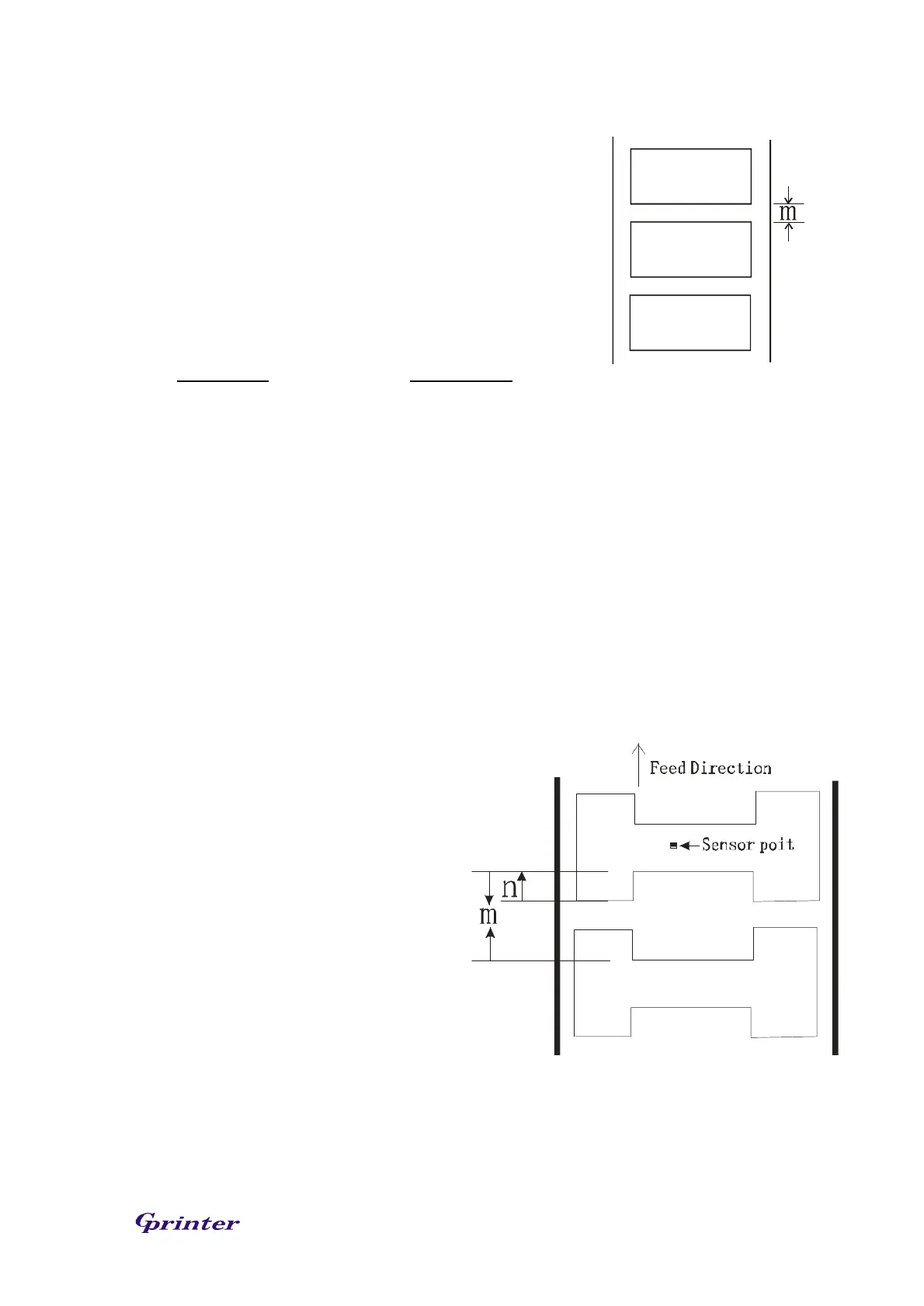
Define the gap distance between two labels
Syntax
(1). English system (inch)
GAP m,n
(2) Metric system (mm)
GAP m mm, n mm
Parameter Description
m The gap distance between two labels
0 ≤ m ≤ 1 (inch), 0 ≤ m ≤ 25.4 (mm)
n The offset distance of the gap
n ≤ label length (inch or mm)
0,0 Continuous label.
Note: For metric system, there must be a space between parameter
and mm.
When the sensor type is changed from “Black Mark” to “GAP”,
please send the “GAP” command to the printer first.
Ex: In DOS mode,
C:\>copy con lpt1 <Enter>
GAP 2 mm,0 <Enter>
<Ctrl>+<Z> <Enter>
Example
Normal gap
(1). English system (inch)
GAP 0.12,0
(2) Metric system (mm)
GAP 3 mm,0
(3). Continuous label
GAP 0,0
Special gap
(1). English system (inch)
GAP 0.30,0.10
(2). Metric system (mm)
GAP 7.62 mm, 2.54 mm
See Also
SIZE



 To Next Page