28
USB Driver
Windows
1. The EMF-390 needs a USB driver in order to communicate with Windows software. Most of Win8 or
later Windows does not need to install the USB driver. For other Windows version you need to
download and install the Windows USB driver. You can download the USB driver from GQ Electronics
website download page. OR from following link:
http://www.gqelectronicsllc.com/download/CH341SER.EXE
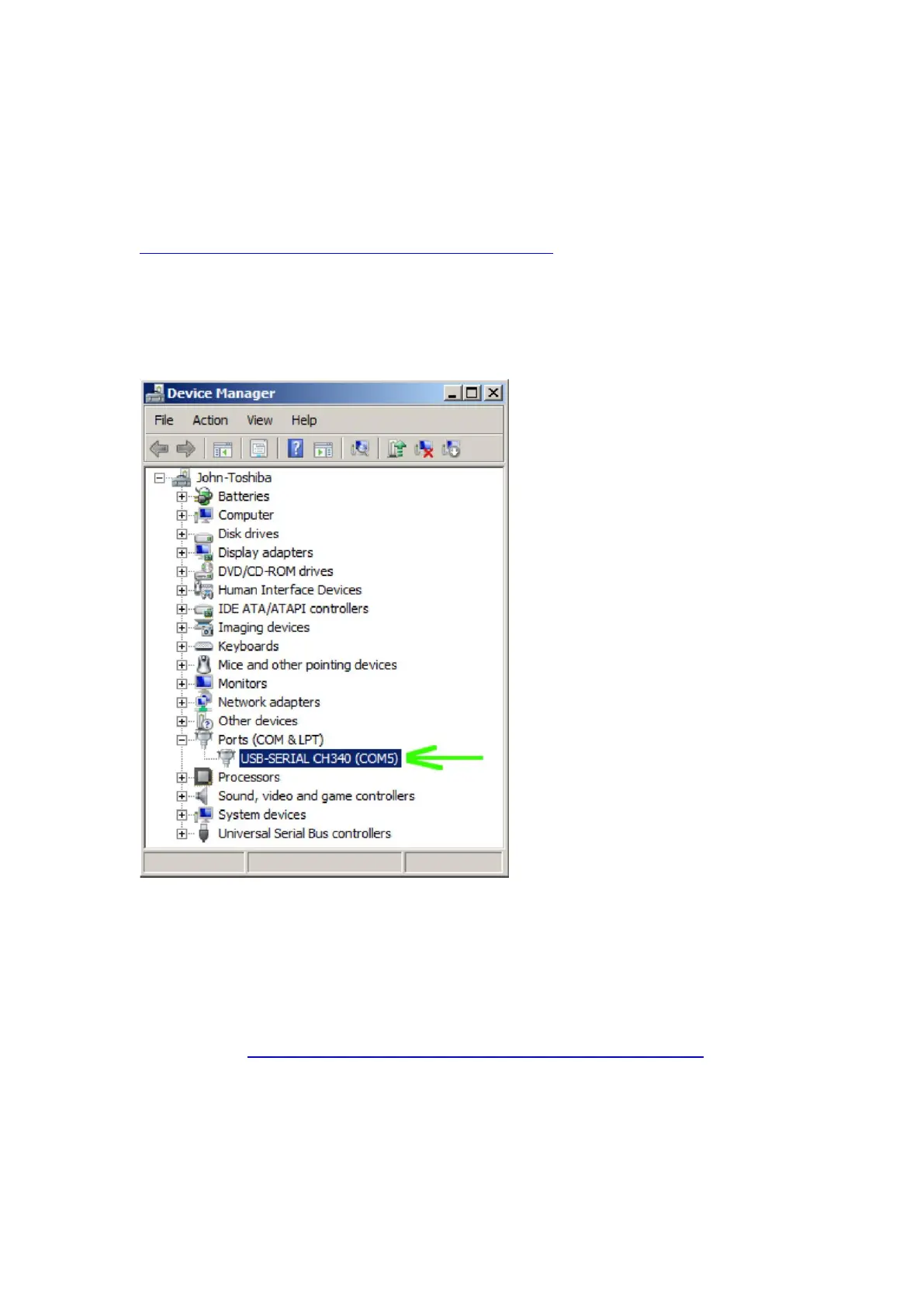
2. Connect the EMF-390 to computer and you make sure your Windows has loaded USB driver
correctly. You can verify the USB driver has been loaded correctly by Auto button to scan the
EMF390 from software to see if the EMF-Pro software is able to detect the EMF-390 or from device
manager. See:
3.
Mac
1. For Mac users please download the software in the GQ software download page. It contains
readme.pdf and the package. First, try to install the package. If it didn’t work, there are steps in the
readme file to follow.
Download Link: https://www.gqelectronicsllc.com/comersus/store/download.asp



 To Next Page