Repair
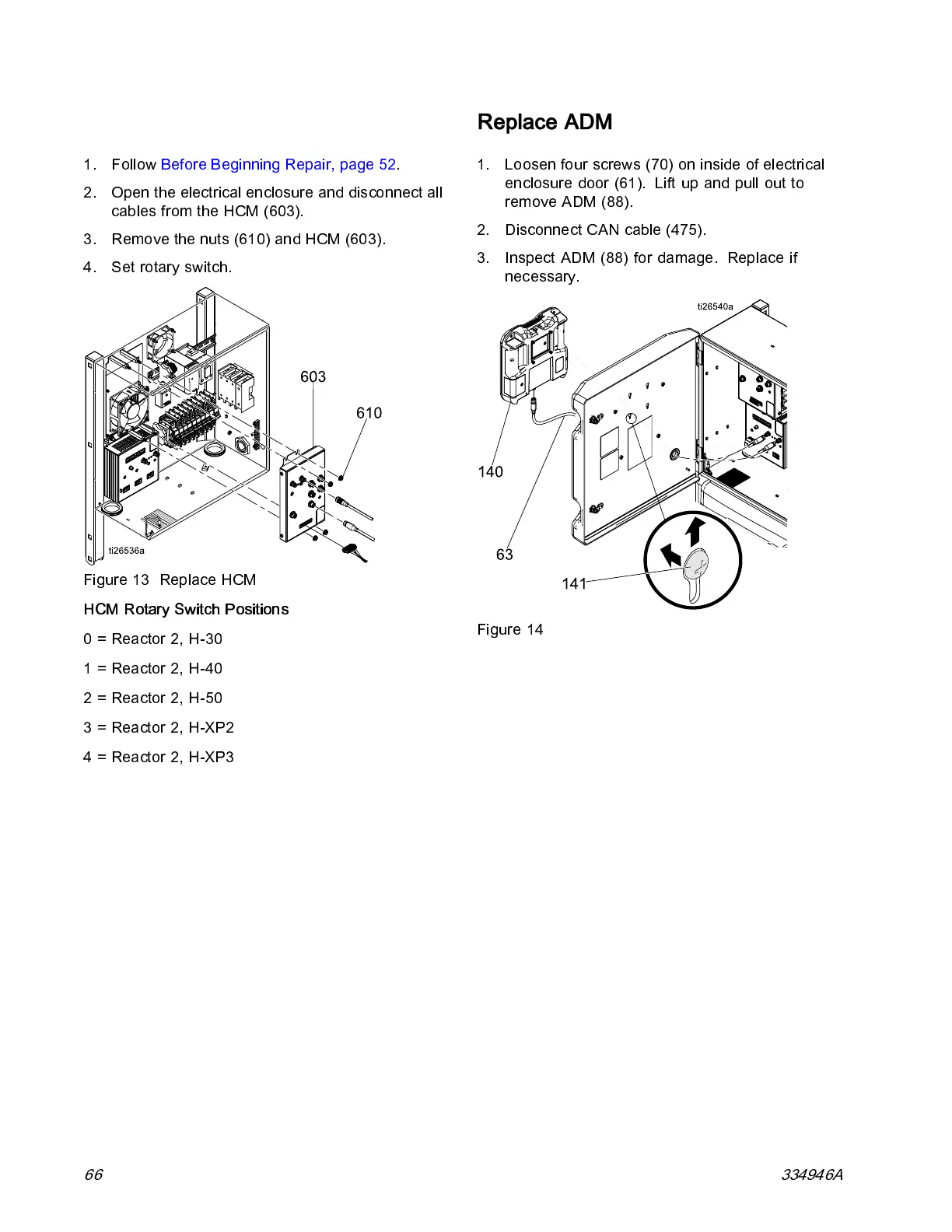
Replace HCM
1. Follow Before Beginning Repair, page 52.
2. Open the electrical enclosure and d isconnect all
cables from the HCM (603).
3. Remove the nuts (610) and HCM (603).
4. Set rotary switch.
Figure 13 Replace HCM
HCM Rotary Switch Position s
0 = Reactor 2, H-30
1 = Reactor 2, H-40
2 = Reactor 2, H-50
3=Reactor2,H-XP2
4=Reactor2,H-XP3
Replace ADM
1. Loosen four screws (70) on inside of electrical
enclosure door (61). Lift up and pull out to
remove ADM (88).
2. Disconnect CAN cable (475).
3. In sp ec t A DM (88) fo r damage. Replac e if
necessary.
Figure 14
66 334946A



 To Next Page