P a g e | 9
UCM6XXX Basic Configuration Guide
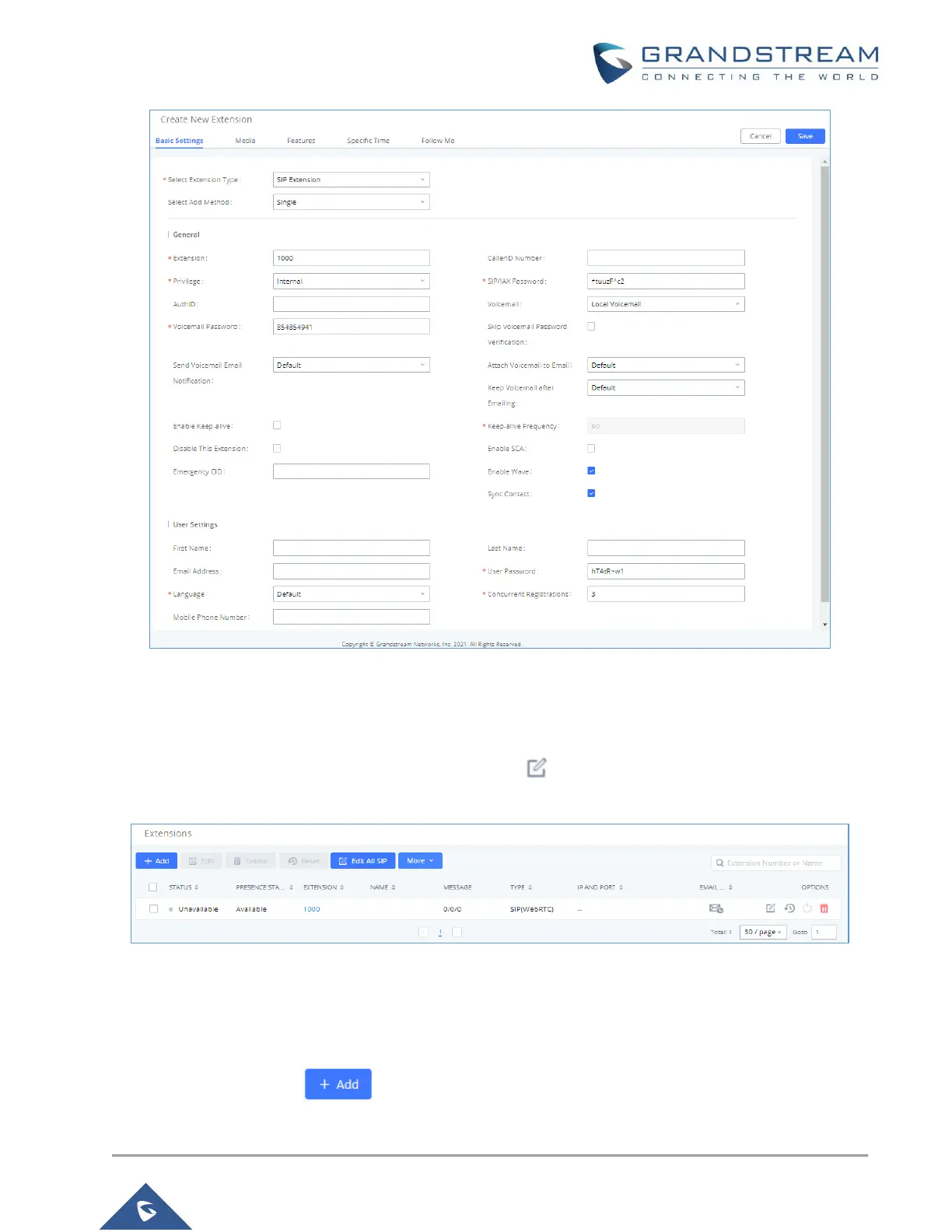
Figure 7: Create User Extension – Create New User
After clicking “Save” the Extensions page will display with the single SIP extension that was just created. Here
the user has the ability to edit the extensions by clicking the at the right.
Figure 8: Create User Extension – Created Single User
Steps on Adding Batch of Users
1. Navigate to Extension / Trunk Extensions.
2. Click on “Add” button .


 To Next Page
 Loading...