First contact
L-SOLUTION 700 / 800 / 900 machines . 35
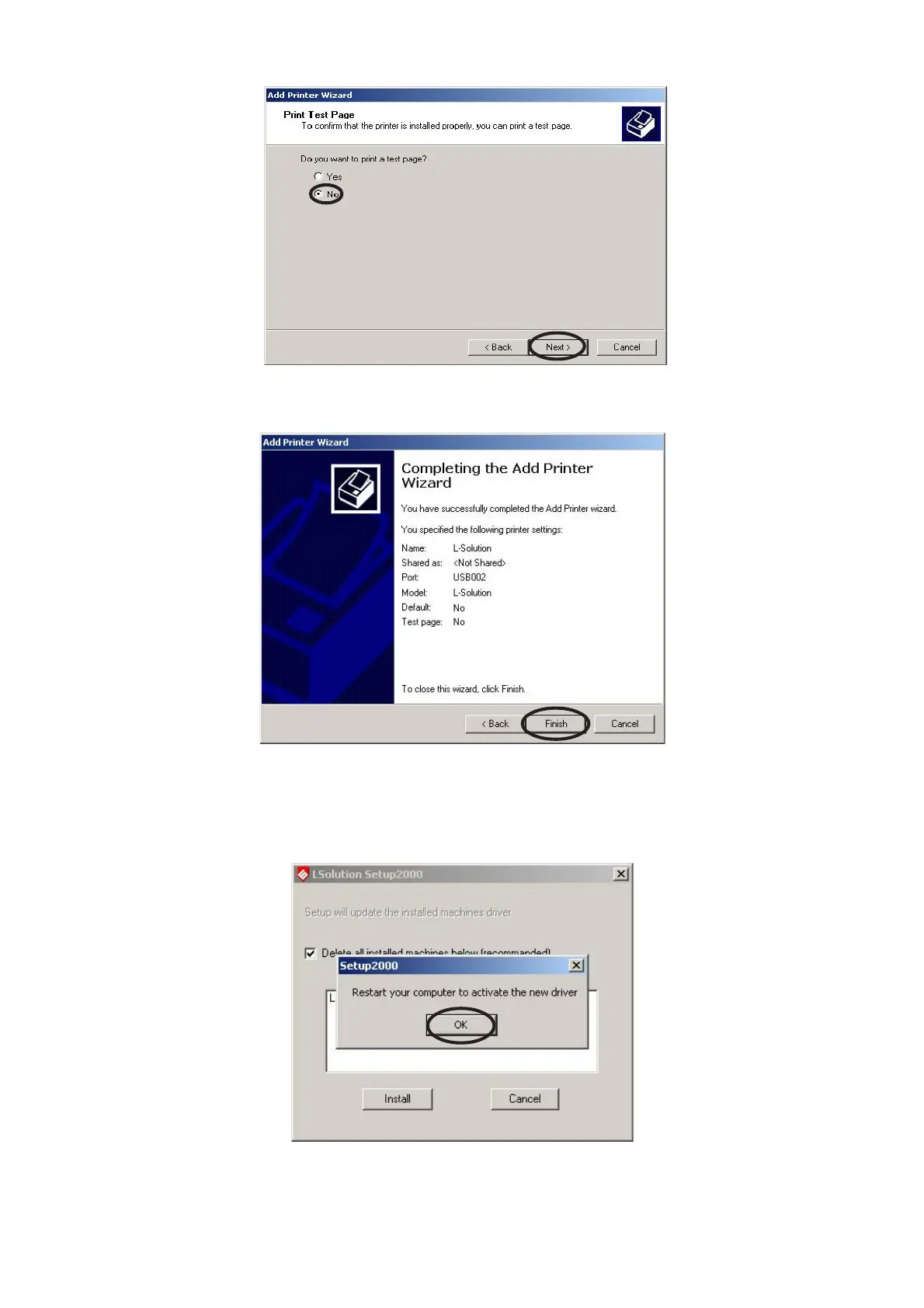
14. Select «No» when it offers to print a test page, and then click «Next».
15. An “Completing the Add Printer Wizard” window appears with a reminder of the information
about the parameters chosen for the printer driver. Click «Finish».
16. Click "OK" and restart your computer to activate the new driver :
17. Your driver installation is now complete. Store your driver disk in a safe place.
Now, to transfer the engraving to your L-SOLUTION machine, just like with a printer, all you need to select in the "Print..."
option.
Printer driver











 To Next Page