L-SOLUTION 700 / 800 / 900 machines . 36
First contact
Setting up the serial transmission
Synchronize the serial link settings between the computer and the engraving machine, each time you
- set up a printer using a COM port,
- select this printer to transfer the composition.
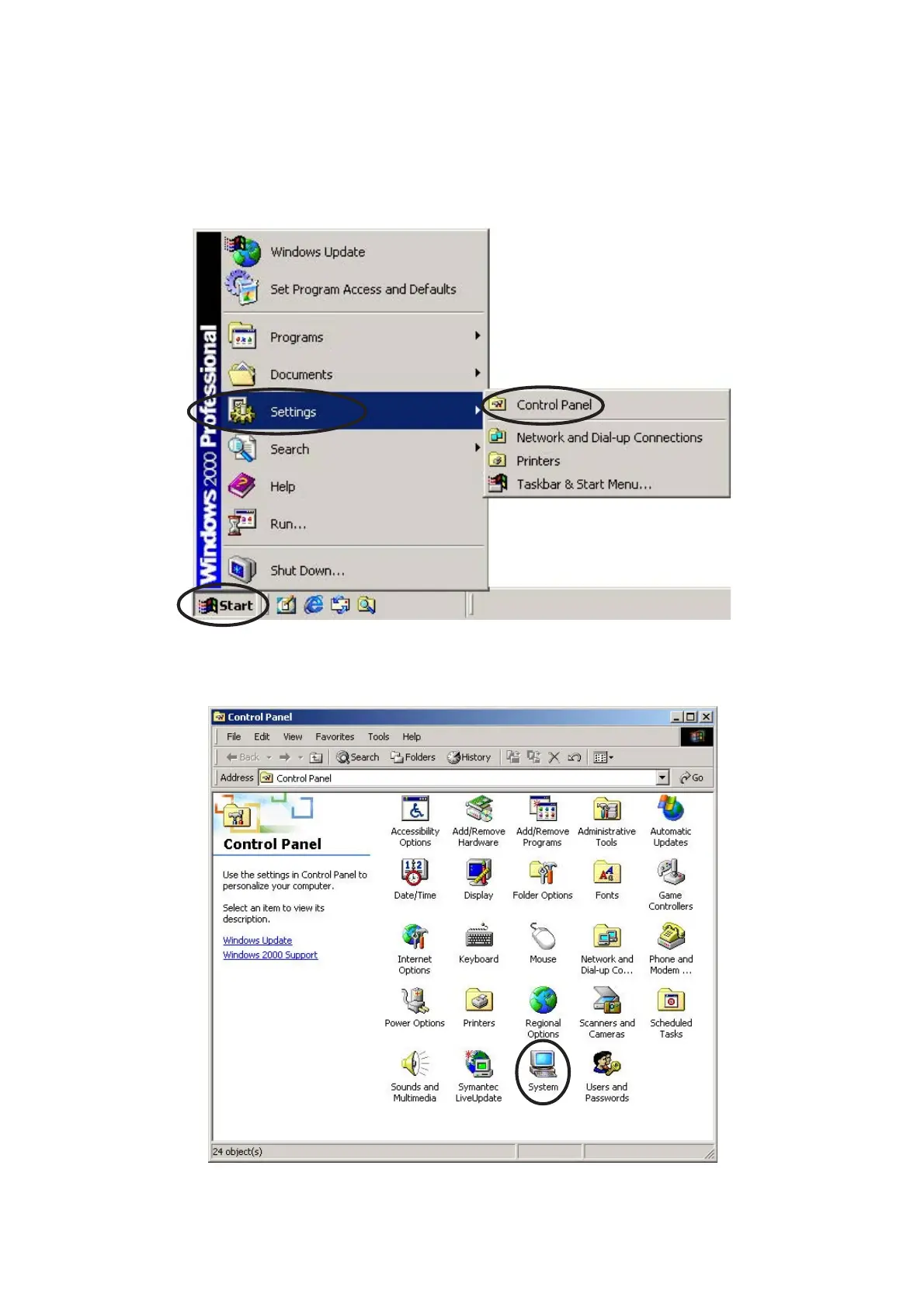
1. In the Windows 2000® Taskbar , click "Start".
2. Click the Settings option of the Start menu.
3. Click the Control Panel option of the Settings menu.
4. Click the System icon of the Control Panel.
Printer driver











 To Next Page