First contact
L-SOLUTION 700 / 800 / 900 machines . 39
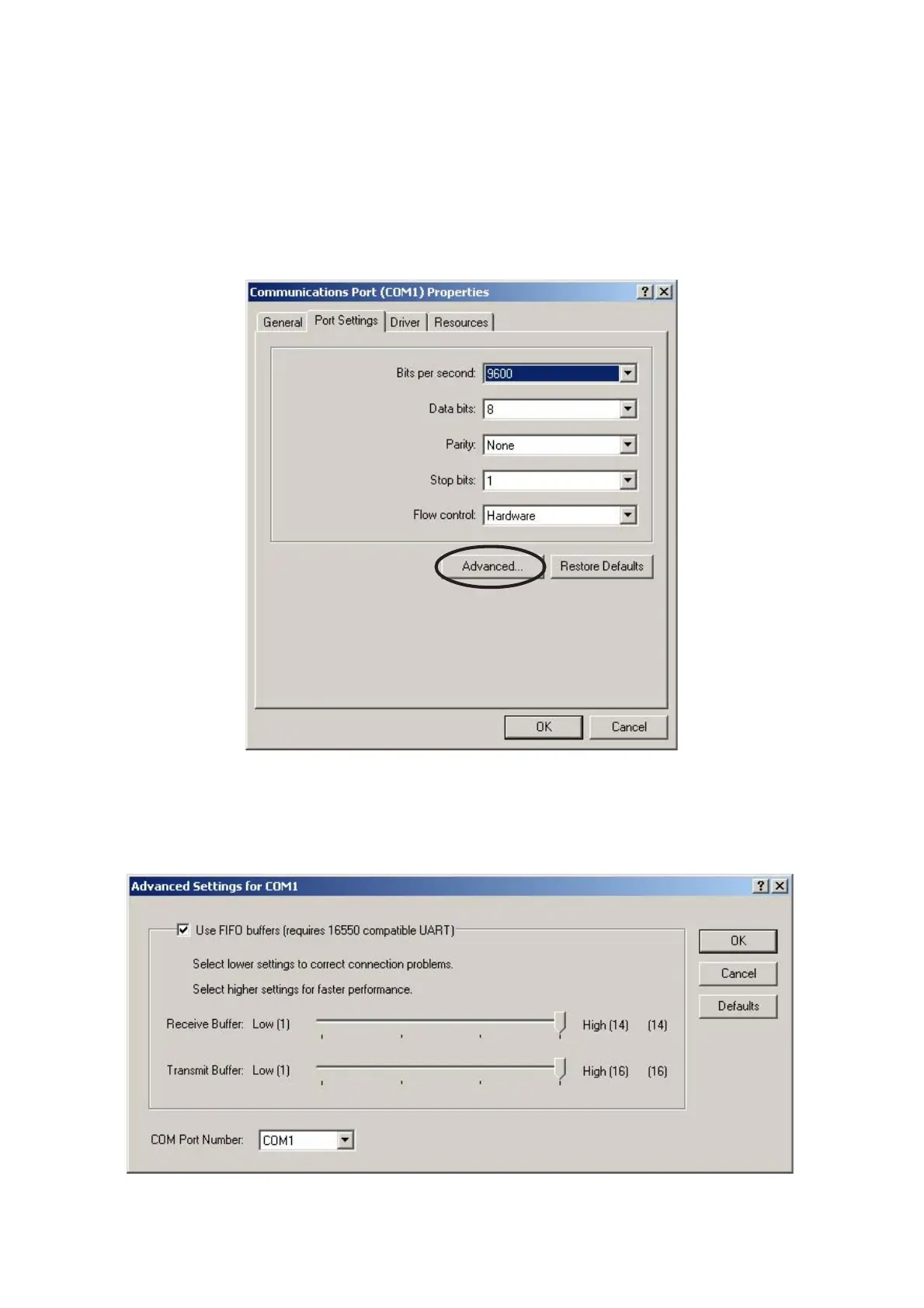
8. Click the Port settings tab of the Communication Port Properties dialog.
9. Enter the serial settings of the machine (please refer to the manufacturer's guide).
The serial link of your L-SOLUTION machine is set up as follows:
• Transfer rate : 9600 Bauds
• Number of data bits : 8
• Parity : none
• Number of stop bits : 1
• Transfer protocol : RTS/CTS (equipment)
10. Click "Advanced...".
Printer driver











 To Next Page