13
6.3 Monitor Function
When you press the [Camera1]/[Camera2] or [CCTV1]/[CCTV2]/[CCTV3]/[CCTV4]
icon on main screen, the system will enter monitor mode, and will show image from the
corresponding door station/CCTV.
Remark: The [Transfer] buttons will be in disable status under monitor mode.
6.4 Multimedia
6.4.1. Image & Video Storage
If you insert TF card, monitor can record image and video, if you do not insert TF card,
monitor can only record image.
Maximum Capacity: TF card: 1024 images and 128 videos
Built-in flash memory: 100 images
When full, the newest image/video will automatically overwrite the oldest image/video.
6.4.2. Image & Video Review
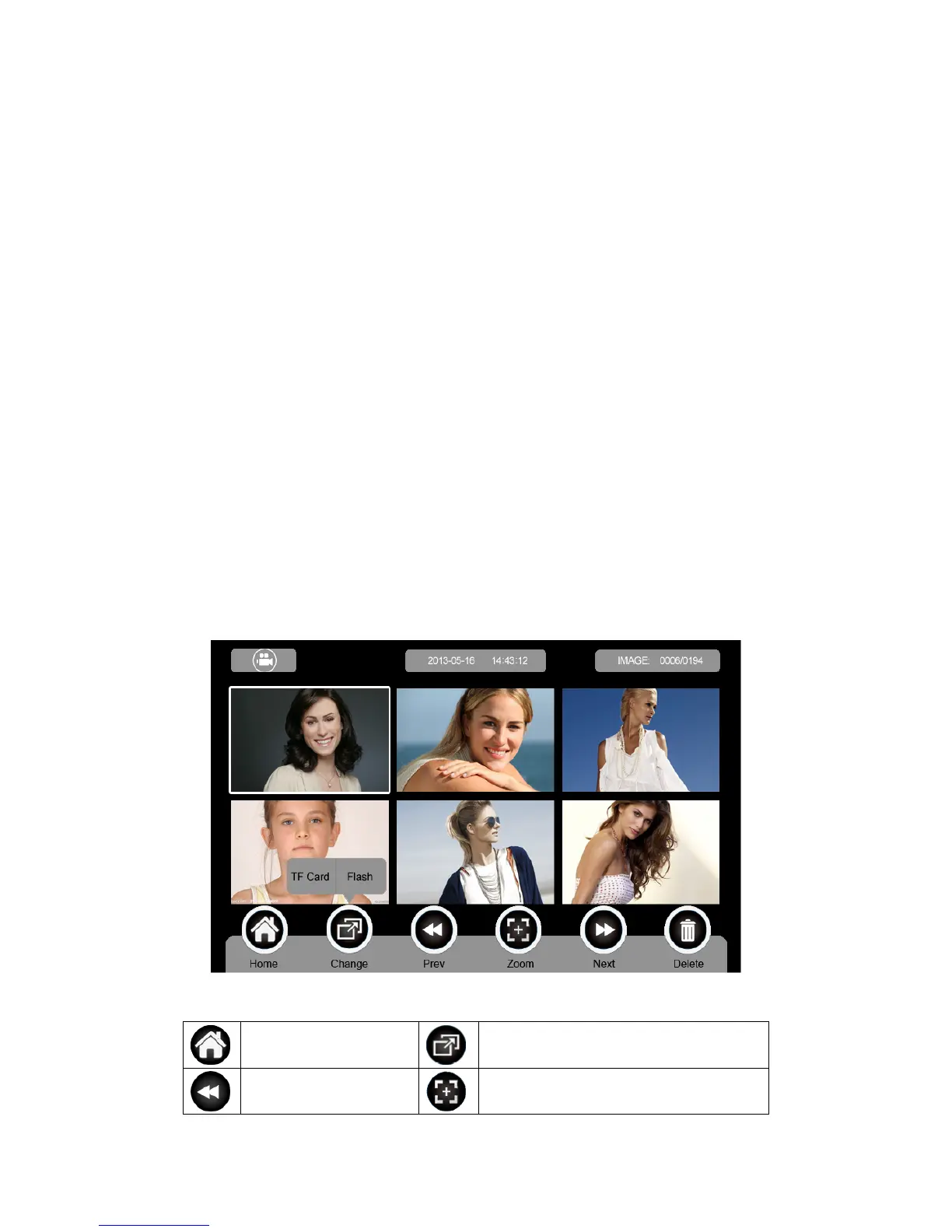
Press [Image] or [Video] on main screen, you can review the image/video. There are 6
Images/Videos in one page. The image/video with white borderlines means that the
image is selected.
Icon Definition:
return to [Main Screen]
switch between TF card and flash memory
show previous page zoom in/out image and video



 To Next Page