16
Boston Scientific (User’s Manual Template 8.5in x 11in Global, 91091755 Rev/Ver. AA), Manual, MB, XPS, Global, 50623316-01A_pretrans
Process Black ΔE ≤5.0 / CMYK ImageProcess Black ΔE ≤5.0 / CMYK Image
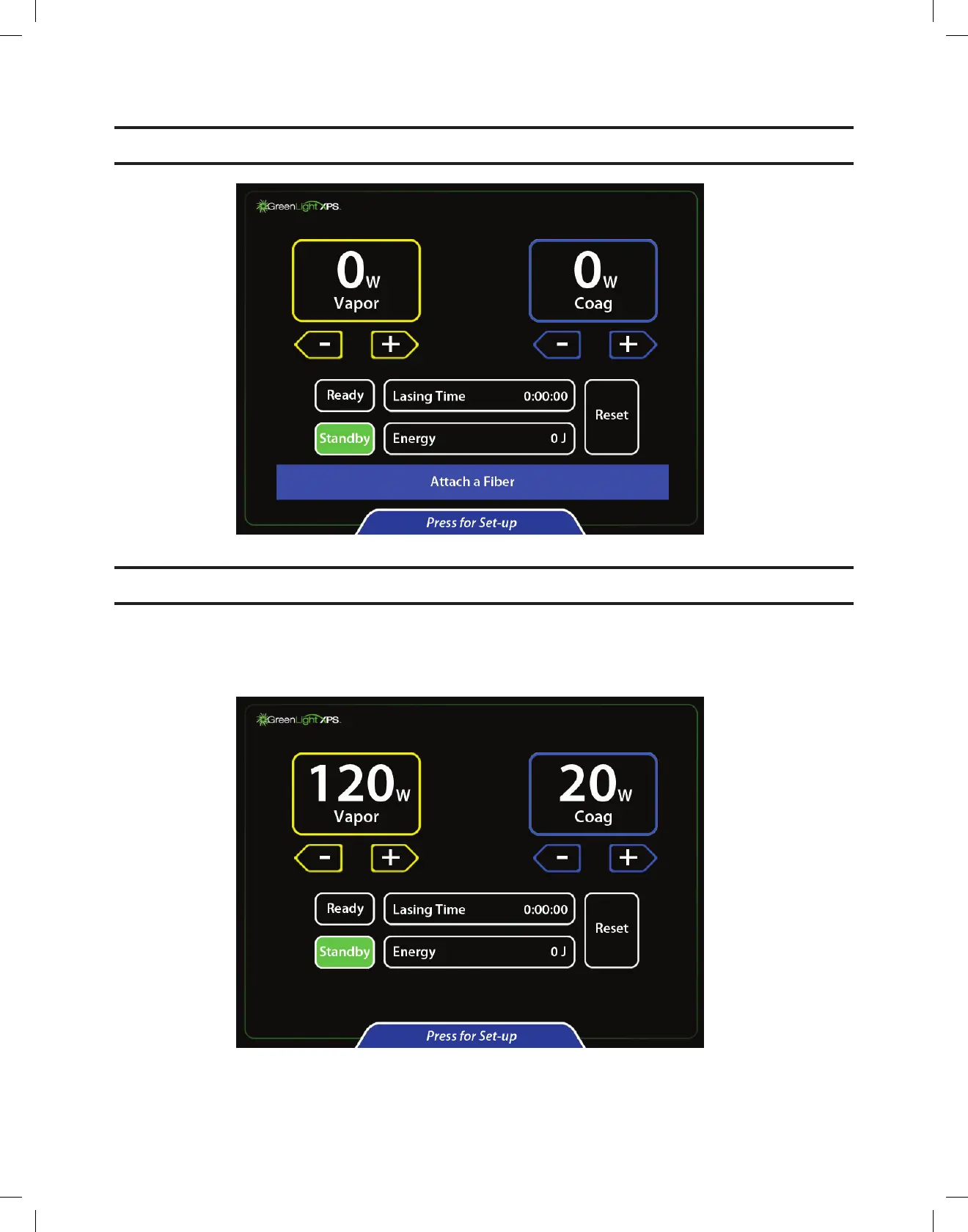
8. Open the laser fiber box. Locate the fiber card attached to the outside of the pouch. Insert the fiber card into the card reader with the chip side
facing operator. The touchscreen then prompts for fiber attachment.
CAUTION:Donotremovethefibercarduntilprocedureiscomplete.
9. Open the fiber pouch and remove the sterile fiber using aseptic technique.
Note: To protect the laser-fiber interface, the fiber connector must be kept free of lubricant, cleaners, and other contaminants.
10. Connect the fiber to the fiber port of the console by pushing the connector into the fiber port (arrow on connector facing up) and turning it
¼-turn clockwise until it locks.
11. Follow additional instructions from the fiber package insert.
12. On the console, select the desired vaporization and coagulation setting by pressing the arrow keys.


 To Next Page