-32-
Model G7943/G7944 (Mfd. Since 09/17)
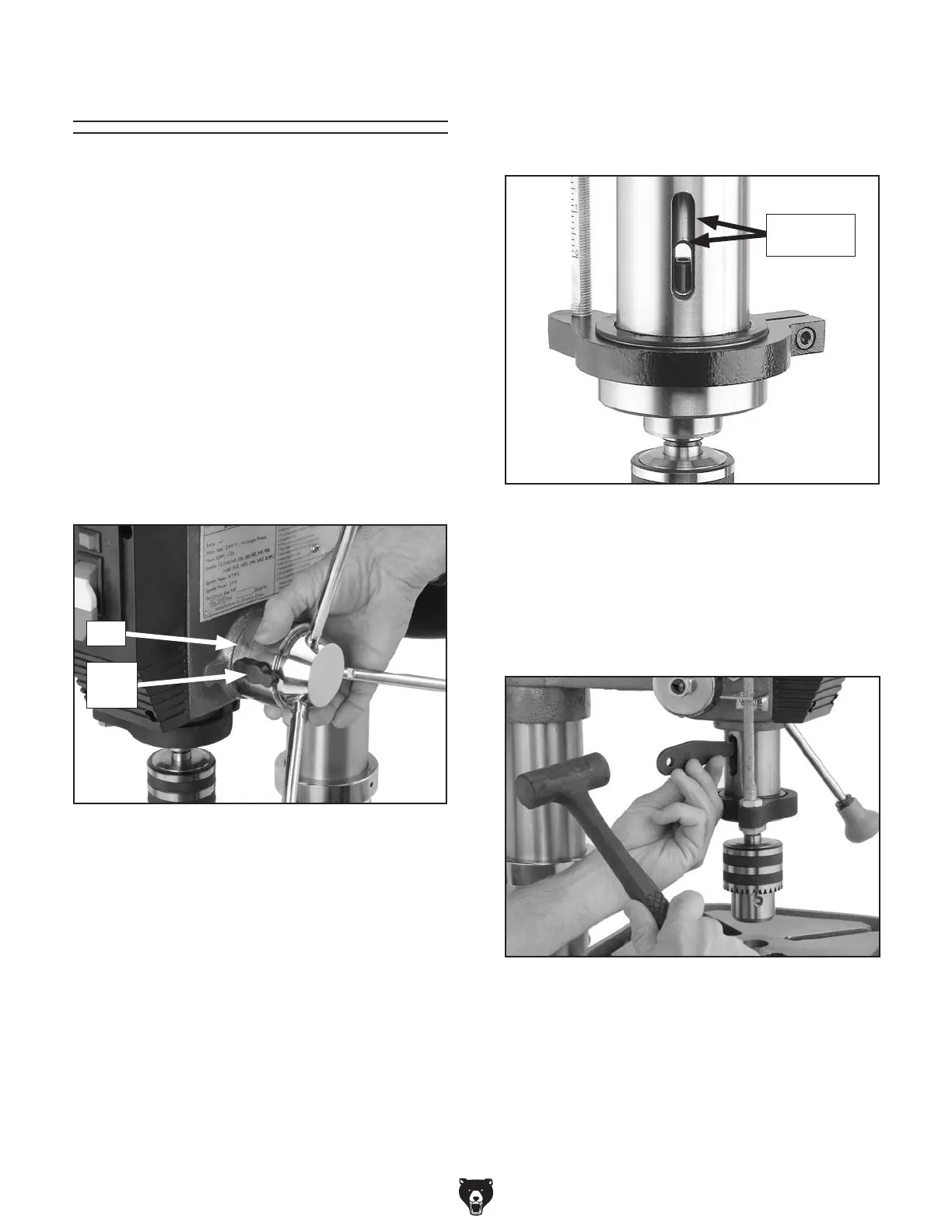
Figure 35. Using drift key to remove arbor.
Figure 34.
Inner and outer drift-key slots aligned.
Both Slots
Aligned
The arbor can be removed to install other Morse
Taper tooling in the spindle. A drift key is included
to help remove the arbor or other tooling from
the spindle. Usually, once the chuck and arbor
have been properly mounted together, they are
considered semi-permanent connections. (If
you would like to install a different chuck, we
recommend getting a new arbor for that chuck.)
To remove the drill chuck and arbor:
1. DISCONNECT MACHINE FROM POWER!
2. Rotate the spindle handles until the drift-key
slot is exposed in the side of the quill.
3. Loosen the lock knob and rotate the hub
clockwise (see Figure 33) until it stops.
Removing Arbor
8. Tap the drift key with a rubber or wooden
mallet, as shown in Figure 35, until the chuck
releases.
7. Insert the drift key into the drift-key slot, and
allow the quill to rise, trapping the drift key.
9.
Hold a downfeed handle with one hand, and
loosen the depth stop lock with the other
hand.
10.
Carefully retract the quill into the headstock.
6. Rotate the spindle until the inner drift-key slot
is aligned with the outer slot, as shown in
Figure 34. You will see through the spindle
when the slot is properly aligned.
4. Tighten the lock knob. The quill should not
return up into the head casting when the
depth stop is adjusted this way.
5. Move the table up until it is
1
⁄4" below the bot-
tom of the chuck, and place a towel or cloth
under the chuck.
Figure 33. Rotating hub.
Hub
Lock
Knob


 To Next Page