EasyManua.ls Logo

Grizzly G0725 - User Manual

Grizzly G0725
48 pages
Print Icon
To Next Page IconTo Next Page
Loading...
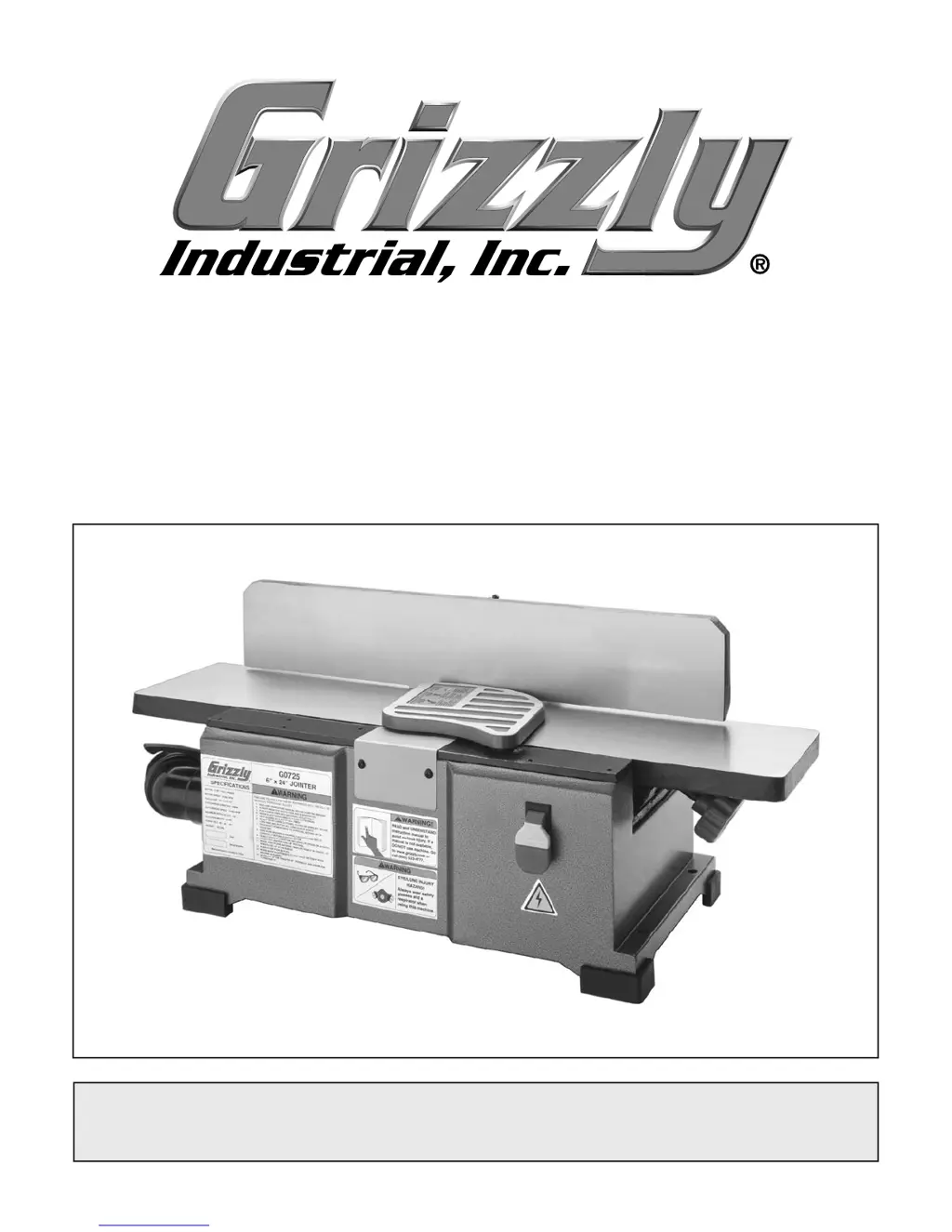
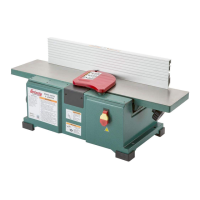
MODEL G0725
6" JOINTER
OWNER'S MANUAL
(For models manufactured since 03/18)
COPYRIGHT © SEPTEMBER, 2011 BY GRIZZLY INDUSTRIAL, INC. REVISED FEBRUARY, 2018 (HE)
WARNING: NO PORTION OF THIS MANUAL MAY BE REPRODUCED IN ANY SHAPE
OR FORM WITHOUT THE WRITTEN APPROVAL OF GRIZZLY INDUSTRIAL, INC.
#KN14361 PRINTED IN CHINA

Questions and Answers

  • L
    Lauren MatthewsAug 19, 2025
    Why is my Grizzly G0725 causing chipping?
    • M
      Matthew BrownAug 19, 2025
      If you notice chipping when using your Grizzly Power Tool, several factors could be at play. It might be due to knots or grain issues in the wood. Inspect the workpiece for these imperfections and opt for cleaner stock. Alternatively, the knives might be nicked or chipped; in this case, adjust the nicked knife sideways, sharpen, or replace the blade. Feeding the workpiece too fast or taking too deep of a cut can also cause chipping. Slow down the feed rate and ensure you're not cutting more than 1/8" per pass, reducing depth further for hardwoods.
  • E
    eguerraAug 21, 2025
    What to do if my Grizzly G0725 Power Tool leaves long lines or ridges?
    • A
      Amber GillAug 21, 2025
      If your Grizzly Power Tool is producing long lines or ridges along the length of the board, the knives might be nicked or chipped. You can try adjusting the nicked knife sideways, or you might need to sharpen or replace the blade.
  • E
    Emily WillisAug 23, 2025
    Why is the cut quality poor with my Grizzly G0725 Power Tool?
    • L
      Laura SmithAug 25, 2025
      If your Grizzly Power Tool's cut quality is poor, with inconsistent snipe problems or difficulty feeding the workpiece, it could be due to a few reasons. The knives might be out of alignment, or the cutterhead height might not be even with the outfeed table; in this case, reset the knives to the correct height and alignment with the cutterhead assembly. Also, ensure the fence stops are correctly set by recalibrating them. Finally, check and tighten the fence bracket fasteners, as loose or misaligned parts can also cause these issues.
  • D
    Douglas FaulknerAug 26, 2025
    How to fix uneven cutter marks from my Grizzly G0725?
    • T
      trobbinsAug 26, 2025
      If your Grizzly Power Tool is leaving uneven cutter marks, creating a wavy surface, or causing chatter marks on the board, it could be due to feeding the workpiece too fast, so try slowing down the feed rate. Alternatively, the knives might not be adjusted evenly with each other in the cutterhead, so ensure the knives are set up evenly with the cutterhead.
  • R
    Robert WilliamsAug 28, 2025
    How to prevent snipe with my Grizzly G0725 Power Tool?
    • K
      Kathleen ColemanAug 28, 2025
      If your Grizzly Power Tool is causing excessive snipe (a gouge at the end of the board uneven with the rest of the cut), it could be that the outfeed table is out of alignment with the cutterhead. Another possible cause is that the operator is pushing down on the trailing edge of the workpiece. To resolve this, reduce or eliminate downward pressure on that end of the workpiece.
  • B
    Bethany MatthewsAug 30, 2025
    Why is my Grizzly Power Tool leaving a concave or convex edge?
    • K
      kweberAug 30, 2025
      If your Grizzly Power Tool causes the board edge to be concave or convex after jointing, it could be due to several factors. First, ensure the board is held with even pressure on both the infeed and outfeed tables during the cut. Second, if the board started too uneven, take partial cuts to remove the extreme high spots before doing a full pass. Also, consider if the board has excessive bow or twist along its length. Finally, it may take 3 to 5 passes to achieve a perfect edge, depending on the starting condition of the board and the depth of cut.
  • M
    millerrobertSep 1, 2025
    Why does my Grizzly G0725 have chipping?
    • B
      Brittney FosterSep 1, 2025
      Chipping can occur due to several reasons: * Knots or conflicting grain direction in the wood. To resolve this, inspect the workpiece for knots and grain, and only use clean stock. * Nicked or chipped knives. You can adjust one of the nicked knives sideways, or sharpen or replace the blade. * Feeding the workpiece too fast. Try slowing down the feed rate. * Taking too deep of a cut. Reduce the depth of cut, never exceeding 1/8" per pass, and further reduce it when working with hardwoods.
  • M
    Mckenzie Brewer MDSep 3, 2025
    What to do if my Grizzly G0725 Power Tool has uneven cutter marks?
    • B
      brianbarronSep 3, 2025
      Uneven cutter marks, a wavy surface, or chatter marks can appear on the face of the board if you are feeding the workpiece too fast. Try slowing down the feed rate. Another cause can be that the knives are not adjusted evenly with each other in the cutterhead. In this case, adjust the knives so they are set up evenly with the cutterhead.
  • J
    johngarciaSep 5, 2025
    Why does my Grizzly G0725 Power Tool have excessive snipe?
    • J
      justin00Sep 5, 2025
      Excessive snipe (a gouge in the end of the board that is uneven with the rest of the cut) can occur if the outfeed table is out of alignment with the cutterhead. To fix this, align the cutterhead with the outfeed table. It can also happen if the operator is pushing down on the trailing edge of the workpiece; in this case, reduce or eliminate downward pressure on that end of the workpiece.
  • E
    ericwagnerSep 8, 2025
    Why does my Grizzly Power Tool produce long lines or ridges?
    • D
      Dr. Crystal GlassSep 8, 2025
      Long lines or ridges that run along the length of the board are caused by nicked or chipped knives. To solve this, adjust one of the nicked knives sideways, or sharpen or replace the blade.

Summary

SECTION 1: SAFETY

Safety Instructions for Machinery

Outlines essential safety rules for operating machinery.

General Operational Safety

Covers crucial safety practices related to apparel, environment, and user alertness.

Additional Safety for Jointers

Provides specific safety guidelines tailored for jointer operations.

SECTION 2: POWER SUPPLY

Availability and Requirements

Details required power supply circuit specifications and availability.

Grounding and Plug Requirements

Specifies mandatory grounding and plug connection requirements.

SECTION 3: SETUP

SECTION 4: OPERATIONS

SECTION 6: MAINTENANCE

SECTION 7: SERVICE

Troubleshooting

Provides solutions for common machine problems and operational issues.

SECTION 8: WIRING

Wiring Safety Instructions

Essential safety precautions when working with the machine's electrical system.

SECTION 9: PARTS

Grizzly G0725 Specifications

General IconGeneral
TypeBenchtop Jointer
Cutterhead Speed10, 000 RPM
Number of Knives2
Maximum Depth of Cut1/8 inch
Dust Port2-1/2 inches
Voltage110V

Related product manuals