EasyManua.ls Logo

Grizzly G0945 - User Manual

Grizzly G0945
60 pages
Print Icon
To Next Page IconTo Next Page
Loading...
COPYRIGHT © JULY, 2021 BY GRIZZLY INDUSTRIAL, INC.
WARNING: NO PORTION OF THIS MANUAL MAY BE REPRODUCED IN ANY SHAPE
OR FORM WITHOUT THE WRITTEN APPROVAL OF GRIZZLY INDUSTRIAL, INC.
#KS21841 PRINTED IN TAIWAN
V1.07. 21
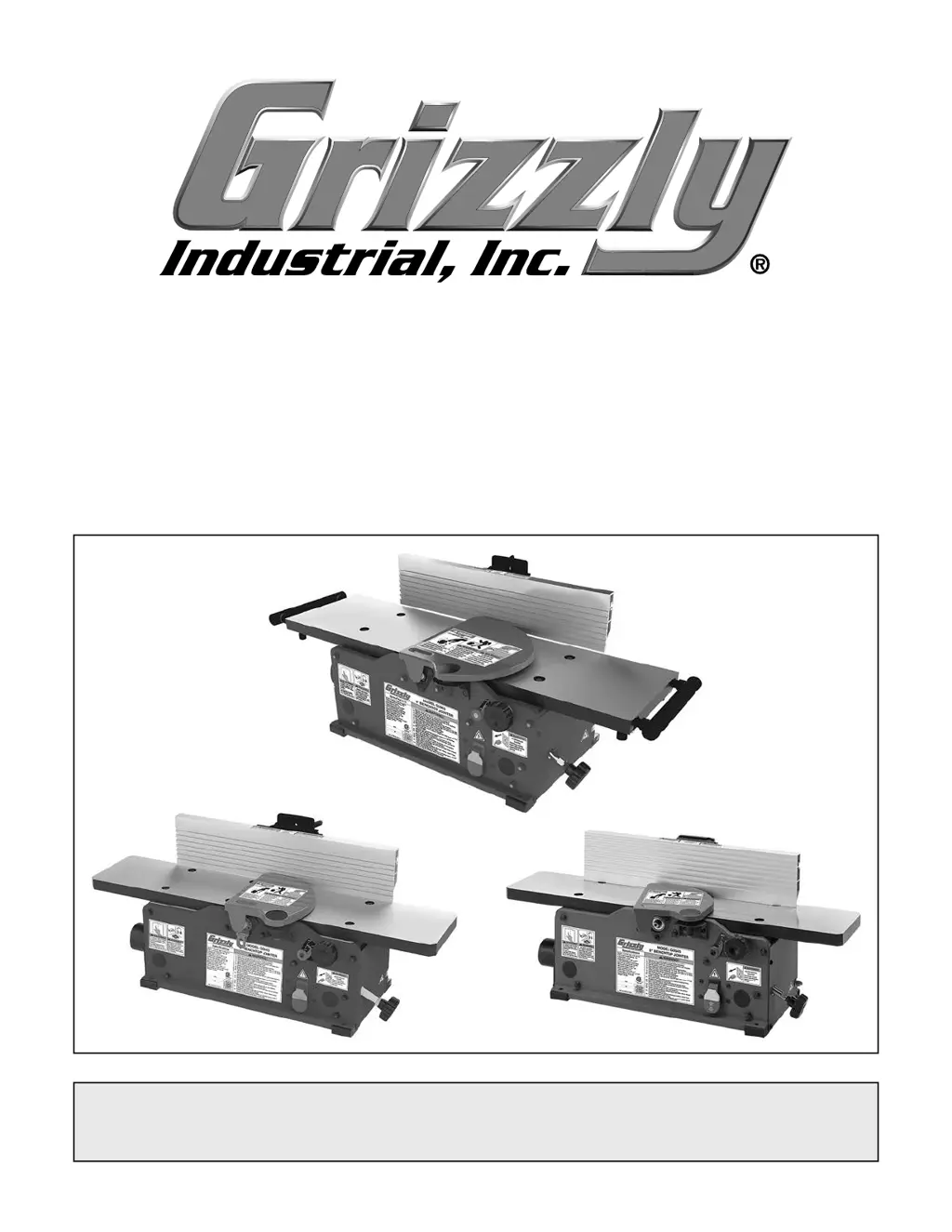
MODEL G0945/G0946/G0947
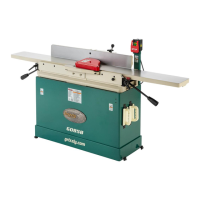
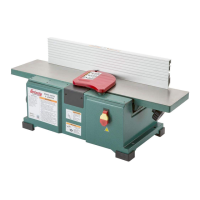
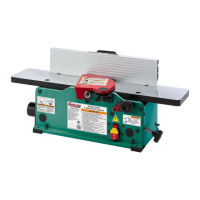
6" & 8" BENCHTOP JOINTERS
OWNER'S MANUAL
(For models manufactured since 06/21)
(G0946)
(G0945)
(G0947)

Questions and Answers

  • H
    Hannah OlsonAug 18, 2025
    What to do if my Grizzly Power Tool produces uneven cutter marks?
    • S
      Sandra StewartAug 18, 2025
      Uneven cutter marks, wavy surfaces, or chatter marks across the face of the workpiece can be caused by several factors. Try reducing the feed rate if you are feeding the workpiece too fast. Ensure that knives/inserts are adjusted at even heights in the cutterhead. Also, check for dirt or debris under the carbide inserts and clean if necessary.
  • S
    scisnerosAug 21, 2025
    Why does my Grizzly Power Tool leave a glossy surface on the workpiece?
    • C
      Cheryl HallAug 21, 2025
      A glossy surface, scorching, or burn marks on the workpiece can be attributed to dull knives/inserts. You should sharpen or replace the knives, or rotate/replace the inserts. Another cause could be a feed rate that is too slow, in which case you should increase the feed rate.
  • T
    Timothy BondAug 25, 2025
    How to fix excessive snipe on my Grizzly Power Tool?
    • D
      Daniel MossAug 26, 2025
      Excessive snipe (gouge in the end of the board that is uneven with the rest of the cut), where the back of the workpiece is concave, can be resolved by aligning the outfeed table with the cutterhead knives/inserts at top dead center. Also, focus most of the workpiece pressure against the outfeed table while cutting, instead of pushing down on the trailing end of the workpiece as it leaves the cutterhead.
  • C
    curtisandersonAug 28, 2025
    Why does my Grizzly Power Tool leave fuzzy grain in the workpiece?
    • C
      Cindy PachecoAug 28, 2025
      Fuzzy grain left in the workpiece can be caused by wood with a high moisture content. Ensure the wood moisture content is less than 20% and allow it to dry if necessary. It can also be caused by dull knives/inserts, so sharpen or replace the knives, or rotate/replace the inserts.
  • J
    Jamie StoneAug 31, 2025
    How to correct workpiece edges that are not square on Grizzly Power Tool?
    • C
      Christopher BakerSep 1, 2025
      If workpiece edges are not square, resulting in a tapered cut, ensure the fence is square to the table(s) and that the fence is locked. If the infeed or outfeed table is warped, consider regrinding or replacing the table. Also, check that the knives/inserts are adjusted at even heights in the cutterhead. Finally, verify that the table extensions are parallel with the tables.
  • J
    Jordan RobinsonSep 4, 2025
    What causes long lines or ridges on a Grizzly Power Tool?
    • T
      Teresa CervantesSep 4, 2025
      Long lines or ridges that run along the length of the board can be caused by nicked or chipped knives/inserts. Replace the knives or rotate/replace the inserts. For models G0946/G0947 only, it could be due to loose or incorrectly installed inserts, so remove/replace the inserts and reinstall them properly. Also for G0946/G0947, dirt or debris under the carbide inserts can be the cause; remove the inserts, clean the bottom of the insert/cutterhead mounting pocket, and reinstall properly.
  • H
    Henry VegaSep 7, 2025
    Why is my Grizzly Power Tool workpiece concave or convex after jointing?
    • S
      Scott HorneSep 7, 2025
      If the workpiece is concave or convex along its length after jointing, ensure that the workpiece is held with even pressure against the outfeed table during the cut. Apply even downward pressure against the workpiece throughout its entire travel along the outfeed side during the cut. If the workpiece is too uneven at the start of the operation, take partial cuts to remove extreme high spots before doing a full pass. Check and adjust table parallelism and table extension parallelism if necessary.
  • E
    Erica LynchSep 12, 2025
    How to fix a hard to adjust table on Grizzly Power Tool?
    • M
      munozchristianSep 12, 2025
      If the table is hard to adjust, it may be due to the table lock being engaged or partially engaged. Completely loosen the table lock.
  • T
    Thomas CookNov 14, 2025
    Why is my Grizzly Power Tool workpiece chipping?
    • A
      Angela PettyNov 14, 2025
      Workpiece chipping, tear-out, indentations, or overall rough cuts can occur for several reasons. The workpiece may be rough, have loose knots or surface flaws, and is not suitable for jointing, so you should inspect the workpiece and use smooth stock without these issues. Another reason could be that you are not feeding the workpiece to cut "with" the grain, so try flipping the workpiece 180° before feeding again. Dull, nicked, or chipped knives/inserts can also cause this, so sharpen/replace knives or rotate/replace inserts. Feeding the workpiece too fast or using an excessive depth of cut can also cause chipping; reduce the feed rate and depth of cut. Finally, a lack of proper dust collection or a clogged dust port can contribute, so clear any blockages and ensure your dust collection is...

Summary

INTRODUCTION

Contact Information

Provides contact details for technical support and feedback.

Manual Accuracy and Updates

Discusses manual accuracy, obtaining updated versions, and providing feedback.

IDENTIFICATION OF COMPONENTS

Jointer Component Identification

Familiarizes users with the controls and features of the jointer through diagrams.

CONTROLS AND COMPONENTS

Main Jointer Components

Details the primary components of the jointer, labeled A through H.

Fence and Support Components

Details the fence and support components of the jointer, labeled I through M.

SECTION 1: SAFETY

General Safety Instructions

Covers essential safety guidelines, symbols, and precautions for operating machinery.

Jointer-Specific Safety Precautions

Provides jointer-specific safety measures to prevent serious injury, including kickback.

SECTION 2: POWER SUPPLY

Power Supply Availability and Requirements

Details power supply availability, voltage, and circuit requirements for the machine.

Full-Load Current Rating

Explains the machine's current draw and its implications for circuit sizing.

Grounding and Plug Requirements

Details essential grounding and plug requirements for safe operation of the machine.

Extension Cord Usage Guidelines

Advises on the use of extension cords, including gauge and length limitations.

SECTION 3: SETUP

Needed for Setup

Lists items required but not included for machine setup.

Unpacking the Machine

Provides instructions for unpacking the machine and inspecting for damage.

Inventory Check of Included Parts

Lists all parts included in the box for inventory checking.

Machine Cleaning Procedures

Details how to clean the machine, especially rust preventative.

Site Considerations: Workbench and Location

Covers workbench load capacity and placement location for the machine.

Bench Mounting Options

Explains methods for securely mounting the jointer to a workbench.

Assembly Instructions

Provides step-by-step instructions for assembling the jointer.

Dust Collection System Setup

Details connecting and using a dust collection system with the jointer.

Test Run Procedure

Guides users through testing the machine after assembly to ensure proper function.

SECTION 4: OPERATIONS

Operation Overview

Gives a basic understanding of the jointer's operational steps and necessary precautions.

Stock Inspection and Preparation

Explains how to inspect and select suitable workpieces for jointing.

Setting and Calibrating Depth of Cut

Details how to adjust and calibrate the depth-of-cut scale and infeed table.

Squaring Stock Procedure

Explains the process of preparing a workpiece for accurate cuts by squaring it.

Surface Planing Technique

Describes how to create a flat surface on a workpiece using the jointer.

Edge Jointing Technique

Explains how to create a flat and true edge on a workpiece.

Bevel Cutting Procedure

Details how to set up and perform bevel cuts on the jointer.

SECTION 5: ACCESSORIES

Recommended Jointer Accessories

Details specific accessories such as inserts, knives, and workbenches.

Dust Collection and Protective Products

Lists dust port adaptors, dust collectors, and protective products for the machine.

SECTION 6: MAINTENANCE

Maintenance Schedule and Lubrication

Outlines the maintenance schedule and lubrication procedures for the jointer.

Cleaning and Protecting the Jointer

Guides on cleaning and protecting the jointer's surfaces to prevent rust and ensure smooth operation.

SECTION 7: SERVICE

Troubleshooting Machine Issues

Provides troubleshooting guidance for common machine problems and symptoms.

Troubleshooting Operation and Performance

Addresses issues like stalling, underpowering, vibration, and noisy operation.

Troubleshooting Surface Finish and Alignment

Solves problems related to cutter marks, workpiece shape, and alignment.

Rotating and Replacing Inserts (G0946;G0947)

Explains how to rotate or replace indexable carbide inserts on specific models.

Checking and Setting Jointer Knives (G0945)

Details the process of checking and setting jointer knives for proper operation.

Checking and Setting Knife Height

Guides on checking the height of each knife relative to the cutterhead and setting them.

Checking and Adjusting Table Parallelism

Explains how to check and adjust table parallelism for optimal cutting results.

Checking Outfeed and Infeed Table Parallelism

Details the procedures for checking the parallelism of the outfeed and infeed tables.

Adjusting Table Parallelism Procedure

Provides detailed instructions for adjusting table parallelism to ensure accuracy.

Checking;Adjusting Extension Parallelism (G0947)

Guides on adjusting table extension parallelism for the G0947 model.

Checking and Adjusting Fence Positive Stops

Explains how to check and adjust the fence's 90° and 45° positive stops.

Replacing and Tensioning the Drive Belt

Covers the procedure for replacing and tensioning the drive belt for optimal power transmission.

Replacing Motor Brushes

Details the steps for replacing worn motor brushes to restore motor power.

SECTION 8: WIRING

Wiring Safety Instructions

Covers crucial safety precautions related to electrical wiring, components, and modifications.

Wiring Diagram and Overview

Illustrates the electrical wiring schematic and provides an overview of the wiring connections.

SECTION 9: PARTS

G0945 Main Parts List

Provides a parts list and diagrams for the G0945 model.

G0946 Main Parts List

Provides a parts list and diagrams for the G0946 model.

G0947 Main Parts List

Provides a parts list and diagrams for the G0947 model.

Labels and Cosmetics

Details the various labels and cosmetic parts of the machine for identification and safety.

WARRANTY AND RETURNS

Warranty Policy and Return Procedures

Outlines the warranty policy, registration, and procedures for returning products.

Grizzly G0945 Specifications

General IconGeneral
BrandGrizzly
ModelG0945
CategoryPower Tool
LanguageEnglish

Related product manuals