Model 613-VS2-LES, Log End Slicer Setup
R-1176866 613-VS2-LES_CJL20160114.doc: 1/15/2016 4:21 PM Grote Company 14
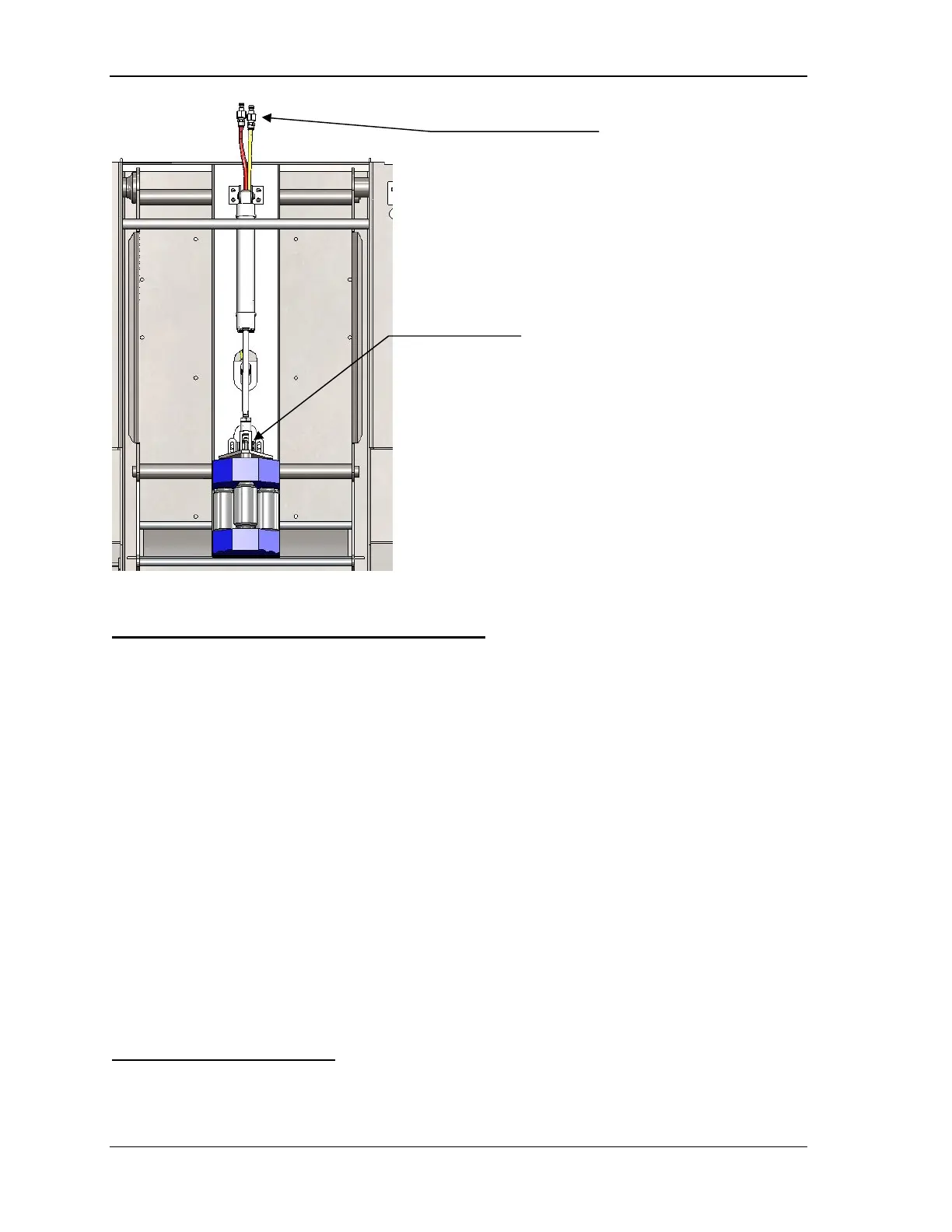
Figure 12. Inside (back) product holder with weight installed
Detailed Product Holder Installation
1. Ensure product holder clamp weldment is in the unlocked position towards the entrance side of
machine.
2. Lower product holder through the opening in the top of the machine. If the product holder is a
two-piece design, install the product holder “back” section first.
3. Hook product holder on the two mount shafts of the product box weldment. Adjust the product
holder from side to side by sliding it on the mount shafts. Ensure that both upper and lower
hooks are located on the mount shafts.
4. Attach the weight assembly to the lift cylinder clevis using the pull pin.
5. Install the outter (front) product holder on the mounting shafts
6. Set the two-piece shaft collars set product holder location. This will prevent the product holder
for shifting side to side, which result in misalignment between the product guides on the feed
conveyor and the product holder. Jams will occure if the product is not loaded correctly into the
product holder
7. Lock product holder clamp arms. Pull towards the exit side of the machine and place the holes
in the arms over the weld pins on the product box weldment.
8. Upon installation of a new product holder, follow the dry stroke procedure to ensure proper
product holder clearance throughout the stroke.
Dry Stroke Procedure
Follow this procedure to check product holder height clearance:
1. Set Lockout/Tagout switch to the closed (power off) setting.
Lift Cylinder airline quick connects
Note:
• Red airline should be to the top
of the air cylinder
• Yellow airline to the bottom of
the air cylinder
Weight Assembly attached to
Lift Cylinder using pin & clevis



 To Next Page