EasyManua.ls Logo

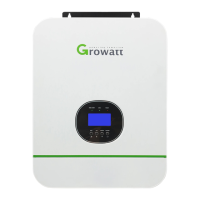
Growatt SPF 5000TL HVM-WPV - User Manual

Growatt SPF 5000TL HVM-WPV
40 pages
Print Icon
To Next Page IconTo Next Page
Loading...
Off Grid Solar Inverter
SPF 5000TL HVM-WPV
Version: 1.0
User Manual

Questions and Answers

  • S
    Sean EllisAug 13, 2025
    What to do if Growatt Inverter has no response after power on?
    • D
      Duane ArmstrongAug 13, 2025
      If your Growatt Inverter isn't responding after you power it on, it might be due to the following reasons: * The battery voltage is extremely low (less than 1.4V/Cell). Check if the batteries and wiring are properly connected. * The battery polarity is reversed. Re-charge the battery. * The battery might need to be replaced.
  • M
    Mr. Brian PalmerAug 19, 2025
    How to fix Growatt SPF 5000TL HVM-WPV Inverter that shuts down during startup?
    • L
      Lawrence WilsonAug 19, 2025
      If the Growatt Inverter shuts down automatically during the startup process, it's likely because the battery voltage is too low (less than 1.91V/Cell). Try re-charging the battery. If that doesn't work, you may need to replace the battery.
  • M
    Melanie ZimmermanAug 26, 2025
    What to do if Growatt SPF 5000TL HVM-WPV relay is switching on and off repeatedly?
    • W
      watsoncollinAug 26, 2025
      If the internal relay of your Growatt Inverter is repeatedly switching on and off when turned on, it's likely that the battery is disconnected. Ensure that the battery wires are securely connected.
  • T
    Tammy VaughanAug 31, 2025
    Why is my Growatt SPF 5000TL HVM-WPV Inverter running on battery when mains are available?
    • Q
      qcarrollAug 31, 2025
      If your Growatt Inverter works in battery mode even when mains exist, it could be due to several reasons: * The input protector might be tripped. Check if the AC breaker is tripped and the AC wiring is connected well. * The AC power quality might be insufficient. Check if the AC wires are too thin or too long. * The generator (if used) might not be working correctly, or the input voltage range setting might be incorrect. (UPS Appliance) * The output source priority might not be set correctly. Change the output source priority to Utility first.
  • B
    Brittany SchroederNov 6, 2025
    Why is my Growatt SPF 5000TL HVM-WPV Inverter beeping and the red light is on?
    • J
      joseph69Nov 6, 2025
      If the Growatt Inverter is beeping continuously and the red LED is on, there could be several reasons: * Fault code 01: Replace the fan. * Fault code 02: Check for blocked airflow or high ambient temperature. * Fault code 03, 08/09/53/57, or 51: Return the unit to a repair center (if error 51 happens again after restart). * High battery voltage: Check if the battery specifications and quantity meet requirements. * Fault code 05: Check wiring and remove abnormal loads. * Fault code 06/58 or 07: Reduce the connected load. * Fault code 56: If the battery is well connected, return the unit to a repair center. * Fault code 60: Check if the AC output is connected to the grid. * Fault code 80: Check if the parallel communication cables are connected well. * For other codes or...

Summary

Information on this Manual

Validity

Manual validity for specific devices.

Scope of Manual

Manual covers assembly, installation, operation, troubleshooting.

Target Audience and Skills

Intended audience and required skills.

Safety Instructions

Important safety and operating instructions.

Introduction

Key Features

Lists key features of the inverter.

Product Overview

High-level description of the inverter's function.

Installation

Unpacking and Inspection

Inspecting the unit and package contents.

Mounting the Unit

Guidelines for selecting installation location and mounting.

Battery Connection Procedures

Steps for connecting lead-acid and lithium batteries.

Lithium Battery Communication and Settings

Setting up communication and LCD for lithium batteries.

Parallel Battery BMS Communication

Connecting BMS in parallel systems using RS485/CAN HUB.

AC Input;Output Connection

Procedures for connecting AC input and output.

PV Connection

Connecting PV modules to the inverter.

Final Assembly

Steps for final assembly after wiring.

Communication Connection

Connecting communication cables to inverter and PC.

Dry Contact Signal

Description and configuration of dry contact signals.

Operation

Power ON;OFF

Instructions for turning the unit on and off.

Operation and Display Panel Overview

Overview of the inverter's display and function keys.

LCD Display Icons Explained

Explanation of various icons on the LCD display.

LCD Panel Settings

Configuration options available on the LCD panel.

Display Information

How to navigate and view information on the LCD.

Operating Mode Description

Explains different operational modes of the inverter.

Parallel Installation Guide

Introduction to Parallel Operation

Overview of parallel operation modes.

Parallel Board Installation

Steps for installing the parallel board.

Mounting Multiple Units

Guidelines for mounting multiple units in parallel.

Wiring Connection for Parallel Units

Cable and breaker specifications for parallel wiring.

Single Phase Parallel Operation

Detailed guide for single-phase parallel installation.

Three Phase Parallel Operation

Detailed guide for three-phase parallel installation.

PV Connection in Parallel

PV connection instructions for parallel units.

LCD Setting and Display for Parallel

LCD settings and display for parallel operation.

Fault Reference Code

Warning Indicator

Specifications

Line Mode Specifications

Technical specifications for Line Mode.

Inverter Mode Specifications

Technical specifications for Inverter Mode.

Charge Mode Specifications

Specifications for utility and MPPT solar charging.

General Specifications

General technical and safety specifications.

Trouble Shooting

Growatt SPF 5000TL HVM-WPV Specifications

General IconGeneral
ModelSPF 5000TL HVM-WPV
CategoryInverter
Rated Power5000W
Max PV Input Power6000W
Number of MPPT Trackers2
AC Output Voltage230V
AC Output Frequency50/60Hz
Battery Voltage48V
Max Charging Current100A
Max Discharging Current100A
Protection DegreeIP20
Cooling MethodFan Cooling
Peak Efficiency93%
Max PV Input Voltage450V
CommunicationUSB
Operating Temperature Range-10°C to +50°C
Dimensions330 x 485 x 135 mm

Related product manuals