EasyManua.ls Logo

Growatt SPF3000TL HVM - User Manual

Growatt SPF3000TL HVM
22 pages
Print Icon
To Next Page IconTo Next Page
Loading...
1
Troubleshooting guide for
Growatt SPF3k-5kTL HVM off-grid Inverter
VERSION
DATE
NOTE
MADE BY
VER.1.0
2018-6-04
First Draft
Darren
VER. 2.0
2020-04-30
SPF3000-5000TL HVM
汪齐锐
Question and Answer IconNeed help?

Do you have a question about the Growatt SPF3000TL HVM and is the answer not in the manual?

Summary

General Information

Off Grid SPF Inverter Logic Diagram

Logic diagram illustrating the SPF off-grid inverter's internal components and connections for system understanding.

Off-grid System Wiring Diagram

Warning Messages

Warning 01: Fan Locked

Fault description for a locked fan, analysis of causes, and troubleshooting suggestions for fan issues.

Warning 02: Over Temperature

Addresses over-temperature faults, NTC cable issues, and environmental factors affecting heat dissipation.

Warning 03: Battery Overcharged

Explains battery overcharging due to voltage, connection issues, or high battery voltage.

Warning 04: Low Battery

Covers low battery warnings, communication protocols with lithium batteries, and low voltage states.

Warning 07: Overload

Details overload faults, high output load, inductive loads, and short circuits.

Warning 10: Output Power Derating

Explains power derating due to low AC input voltage and how to manage load.

Warning 13: Solar Charger High PV Voltage

Addresses solar charger stoppage caused by incorrect PV panel configuration or high PV voltage.

Warning 14: Solar Charger Overload

Discusses solar charger stoppage due to excessive AC output load exceeding inverter capacity.

Warning 15: Parallel Grid Mismatch

Covers issues with parallel grid connections and phase differences in three-phase systems.

Warning 16: Parallel Input Phase Error

Addresses phase errors in parallel grid connections, emphasizing correct wiring.

Warning 17: Parallel Output Phase Loss

Explains phase loss in parallel output configurations and correct wiring practices.

Warning 20: BMS Communication Error

Details BMS communication errors, protocol differences, and software/firmware upgrades.

Warning 33: BMS Communication Loss

Focuses on loss of communication between the inverter and the Battery Management System (BMS).

Warning 34: Cell Over Voltage

Addresses cell over-voltage issues, checking PV configuration, and battery specifications.

Warning 35: Cell Under Voltage

Covers cell under-voltage issues, checking load capacity, and special load requirements.

Warning 36: Total Over Voltage

Explains total over-voltage conditions, PV configuration, and battery suitability.

Warning 37: Total Under Voltage

Addresses total under-voltage conditions, checking load capacity, and disconnecting loads.

Warning 38: Discharge Over Current

Details discharge over-current faults and checking load capacity against battery limits.

Warning 39: Charge Over Current

Covers charge over-current issues, PV configuration, and battery charging specifications.

Warning 40: Discharge Over Temperature

Explains discharge over-temperature faults and checking load capacity against battery limits.

Warning 41: Charge Over Temperature

Addresses charge over-temperature issues, PV configuration, and battery charging specifications.

Warning 43: Battery Over Temperature

Covers battery over-temperature faults, PV configuration, and battery suitability.

Warning 44: Battery Under Temperature

Explains battery under-temperature faults and checking battery suitability for site conditions.

Warning 45: System Shut Down

Addresses system shutdown events, checking battery SOC and voltage against program settings.

Inverter Faults

Error 01: Fan Locked

Fault description for a locked fan, analysis of causes, and troubleshooting suggestions for fan issues.

Error 02: Over Temperature

Fault description for over-temperature, analysis of NTC cable and environment, and suggestions.

Error 03: Battery Voltage Too High

Fault description for high battery voltage, analysis of voltage and connection, and suggestions.

Error 04: Low Battery Voltage;SOC

Fault description for low battery voltage/soc, analysis of communication and voltage, and suggestions.

Error 05: Output Short Circuit

Fault description for output short circuit detected by internal components, and suggestions.

Error 06: Output Voltage Too High

Fault description for high output voltage, analysis, and suggestions for clearing the error.

Error 07: Overload Time Out

Fault description for overload time out, analysis of load and inductive loads, and suggestions.

Error 08: Bus Voltage Too High

Fault description for high bus voltage, analysis, and suggestions for settings and upgrades.

Error 09: Bus Soft Start Failed

Fault description for bus soft start failure, analysis of settings and component damage, and suggestions.

Error 51: Over Current or Surge

Fault description for over current or surge, analysis of load and circuit damage, and suggestions.

Error 52: Bus Voltage Too Low

Fault description for low bus voltage, analysis of load startup, and suggestions for managing loads.

Error 53: Inverter Soft Start Failed

Fault description for inverter soft start failure, analysis of MPPT voltage and components, and suggestions.

Error 55: Over DC Voltage in AC Output

Fault description for over DC voltage in AC output, analysis of unbalanced voltage, and suggestions.

Error 56: Battery Connection Open

Fault description for open battery connection, analysis of communication and battery status, and suggestions.

Error 58: Output Voltage Too Low

Fault description for low output voltage, analysis, and suggestions for load management.

Error 60: Negative Power Fault

Fault description for negative power fault, analysis of wiring and phase difference, and suggestions.

Error 80: CAN Fault

Fault description for CAN fault, analysis of communication cable connection, and suggestions.

Error 81: Host Loss

Fault description for host loss in three-phase systems, and suggestions for startup sequence.

Error 20: BMS Communication Error

Fault description for BMS communication error, analysis of protocols and software, and suggestions.

Contact Information

Summary

General Information

Off Grid SPF Inverter Logic Diagram

Logic diagram illustrating the SPF off-grid inverter's internal components and connections for system understanding.

Off-grid System Wiring Diagram

Warning Messages

Warning 01: Fan Locked

Fault description for a locked fan, analysis of causes, and troubleshooting suggestions for fan issues.

Warning 02: Over Temperature

Addresses over-temperature faults, NTC cable issues, and environmental factors affecting heat dissipation.

Warning 03: Battery Overcharged

Explains battery overcharging due to voltage, connection issues, or high battery voltage.

Warning 04: Low Battery

Covers low battery warnings, communication protocols with lithium batteries, and low voltage states.

Warning 07: Overload

Details overload faults, high output load, inductive loads, and short circuits.

Warning 10: Output Power Derating

Explains power derating due to low AC input voltage and how to manage load.

Warning 13: Solar Charger High PV Voltage

Addresses solar charger stoppage caused by incorrect PV panel configuration or high PV voltage.

Warning 14: Solar Charger Overload

Discusses solar charger stoppage due to excessive AC output load exceeding inverter capacity.

Warning 15: Parallel Grid Mismatch

Covers issues with parallel grid connections and phase differences in three-phase systems.

Warning 16: Parallel Input Phase Error

Addresses phase errors in parallel grid connections, emphasizing correct wiring.

Warning 17: Parallel Output Phase Loss

Explains phase loss in parallel output configurations and correct wiring practices.

Warning 20: BMS Communication Error

Details BMS communication errors, protocol differences, and software/firmware upgrades.

Warning 33: BMS Communication Loss

Focuses on loss of communication between the inverter and the Battery Management System (BMS).

Warning 34: Cell Over Voltage

Addresses cell over-voltage issues, checking PV configuration, and battery specifications.

Warning 35: Cell Under Voltage

Covers cell under-voltage issues, checking load capacity, and special load requirements.

Warning 36: Total Over Voltage

Explains total over-voltage conditions, PV configuration, and battery suitability.

Warning 37: Total Under Voltage

Addresses total under-voltage conditions, checking load capacity, and disconnecting loads.

Warning 38: Discharge Over Current

Details discharge over-current faults and checking load capacity against battery limits.

Warning 39: Charge Over Current

Covers charge over-current issues, PV configuration, and battery charging specifications.

Warning 40: Discharge Over Temperature

Explains discharge over-temperature faults and checking load capacity against battery limits.

Warning 41: Charge Over Temperature

Addresses charge over-temperature issues, PV configuration, and battery charging specifications.

Warning 43: Battery Over Temperature

Covers battery over-temperature faults, PV configuration, and battery suitability.

Warning 44: Battery Under Temperature

Explains battery under-temperature faults and checking battery suitability for site conditions.

Warning 45: System Shut Down

Addresses system shutdown events, checking battery SOC and voltage against program settings.

Inverter Faults

Error 01: Fan Locked

Fault description for a locked fan, analysis of causes, and troubleshooting suggestions for fan issues.

Error 02: Over Temperature

Fault description for over-temperature, analysis of NTC cable and environment, and suggestions.

Error 03: Battery Voltage Too High

Fault description for high battery voltage, analysis of voltage and connection, and suggestions.

Error 04: Low Battery Voltage;SOC

Fault description for low battery voltage/soc, analysis of communication and voltage, and suggestions.

Error 05: Output Short Circuit

Fault description for output short circuit detected by internal components, and suggestions.

Error 06: Output Voltage Too High

Fault description for high output voltage, analysis, and suggestions for clearing the error.

Error 07: Overload Time Out

Fault description for overload time out, analysis of load and inductive loads, and suggestions.

Error 08: Bus Voltage Too High

Fault description for high bus voltage, analysis, and suggestions for settings and upgrades.

Error 09: Bus Soft Start Failed

Fault description for bus soft start failure, analysis of settings and component damage, and suggestions.

Error 51: Over Current or Surge

Fault description for over current or surge, analysis of load and circuit damage, and suggestions.

Error 52: Bus Voltage Too Low

Fault description for low bus voltage, analysis of load startup, and suggestions for managing loads.

Error 53: Inverter Soft Start Failed

Fault description for inverter soft start failure, analysis of MPPT voltage and components, and suggestions.

Error 55: Over DC Voltage in AC Output

Fault description for over DC voltage in AC output, analysis of unbalanced voltage, and suggestions.

Error 56: Battery Connection Open

Fault description for open battery connection, analysis of communication and battery status, and suggestions.

Error 58: Output Voltage Too Low

Fault description for low output voltage, analysis, and suggestions for load management.

Error 60: Negative Power Fault

Fault description for negative power fault, analysis of wiring and phase difference, and suggestions.

Error 80: CAN Fault

Fault description for CAN fault, analysis of communication cable connection, and suggestions.

Error 81: Host Loss

Fault description for host loss in three-phase systems, and suggestions for startup sequence.

Error 20: BMS Communication Error

Fault description for BMS communication error, analysis of protocols and software, and suggestions.

Contact Information

Overview

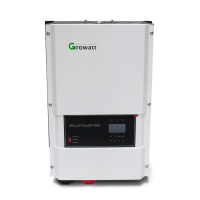
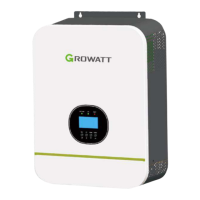
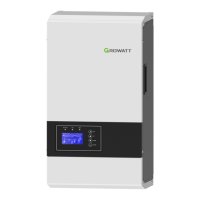
The Growatt SPF3000TL HVM and SPF5000TL HVM models are off-grid inverters designed to power common household appliances, including inductive loads like lights and refrigerators. These inverters can also integrate with diesel generators and the power grid to compensate for insufficient solar energy and to charge the battery.

Function Description

The inverter operates as a hybrid power system, drawing energy from solar panels, a battery bank, and optionally from a utility grid or generator. The core logic involves an EMI filter for AC input, a DC/DC converter with MPPT (Maximum Power Point Tracking) for solar input, a BUS for internal power distribution, and a DC/AC inverter for AC output. Relays (SFTL, OPL, SFTN) manage the power flow and switching between different sources. The main board controls these components, ensuring efficient power conversion and distribution to the loads.

Usage Features

The inverter is designed for off-grid applications, providing a reliable power supply for homes. It supports various power sources and can charge batteries from solar, grid, or generator input. The system is monitored via a WiFi/GPRS module, allowing users to access information through a monitoring web interface or a dedicated mobile application.

When operating, the inverter displays error and warning messages on its LCD screen. Error codes indicate critical faults that stop power generation, accompanied by a solid red LED. Warning messages, on the other hand, indicate less severe issues, allowing the inverter to continue operating while a red LED flashes. This distinction helps users quickly identify the severity of a problem.

For optimal performance, it's crucial to ensure correct PV panel configuration. For instance, the SPF5000TL HVM model suggests connecting 3 panels in series and 4 in parallel (using 330W panels), ensuring the PV open circuit voltage remains below 145V. Proper battery selection and connection are also vital, with specific communication protocols for lithium-ion batteries like Dyness and Pylon. The inverter supports different battery types, and incorrect settings can lead to communication errors or improper charging.

The inverter includes protection mechanisms against various issues such as fan lock, over-temperature, battery over/under-charge, low battery voltage, overload, and high/low output voltage. In cases of overload, especially with inductive loads, it's recommended to reduce the connected load or restart the inverter to prevent excessive shock current.

For parallel systems, careful wiring of AC input/output cables and communication lines is essential to ensure all inverters operate in sync and maintain proper phase alignment. The neutral lines of all inverters should be connected together, and phase inverters (P1, P2, P3) should connect to their respective lines (L1, L2, L3).

Maintenance Features

Maintenance primarily involves monitoring the inverter's status via the LCD and addressing any displayed error or warning messages.

  • Fan Issues (Warning 01, Error 01): If a fan is locked, users should first turn off DC and AC power, then check for obstructions and clean the fan. If the problem persists, the fan may need to be replaced. This involves removing the protective baffle and disconnecting the fan cables.
  • Over Temperature (Warning 02, Error 02): Ensure the inverter's installation environment allows for proper heat dissipation. Check if the air flow is blocked or if the ambient temperature is too high. Internally, the NTC (Negative Temperature Coefficient) cable connection should be checked. If an NTC cable is faulty, the inverter may need replacement.
  • Battery Issues (Warning 03, 04, 33, 34, 35, 36, 37, 38, 39, 40, 41, 43, 44, Error 03, 04, 56, 80): Regular checks of battery voltage with a multi-meter are recommended. Ensure battery specifications match the inverter's requirements. For lithium-ion batteries, verify communication cable connections and ensure the correct protocol is selected in the inverter's settings (e.g., L01 for Dyness B4850, L02 for Pylon US2000/US3000). Firmware and BMS software upgrades may be necessary for compatibility or to resolve persistent communication errors. If battery voltage is too low, contact the battery supplier for assistance. Over-charging or over-discharging can damage batteries, so proper charging current and load management are crucial.
  • Overload (Warning 07, 14, Error 07, 51): Monitor the output load and ensure it does not exceed the inverter's capacity (e.g., 5500W). Reduce connected loads, especially inductive ones, to prevent excessive shock current during startup.
  • Output Voltage Issues (Warning 10, Error 06, 58): Check AC input voltage to ensure it's within the acceptable range (e.g., above 170V). If output voltage is abnormal (below 190Vac or above 260Vac), check the output voltage with a multi-meter. If the issue persists after restarting the inverter, the main board may need replacement.
  • Bus Voltage Issues (Error 08, 09, 52): These errors often point to internal component damage (e.g., DC-DC diode, IGBT) or incorrect battery mode settings. Restarting the inverter and checking battery settings are initial steps. If the problem persists, main board replacement might be necessary. For lithium-ion batteries, upgrading software and adjusting specific program settings (e.g., program 02, 05, 19, 20) can help.
  • System Shutdown (Warning 45): Check battery SOC and voltage relative to the program 21 setting.
  • Parallel System Faults (Warning 15, 16, 17, Error 60, 81): In parallel installations, ensure correct AC input/output wiring and communication cable connections. Verify that all inverters are properly phased and that the current sharing cable is correctly connected. If only one inverter is running, ensure AC input and output wiring are correct. In three-phase systems, follow the specified startup sequence for P1, P2, and P3 phase inverters.

In all cases where troubleshooting steps do not resolve the issue, users are advised to contact Growatt Service, providing detailed information about the inverter, the error/warning message, and the problem description. If a replacement is needed, the unit should be shipped in its original box.

Growatt SPF3000TL HVM Specifications

General IconGeneral
Rated Power3000W
Input Voltage230V AC
Output Voltage230V AC
Efficiency93%
Dimensions330 x 485 x 135 mm
Weight12 kg
Max. PV Array Power4000W
Max. Charging Current60A
Max. AC Charging Current30A
Max. Solar Charging Current60A
Number of MPP Trackers1
Output Frequency50/60Hz
CommunicationRS232

Related product manuals