11
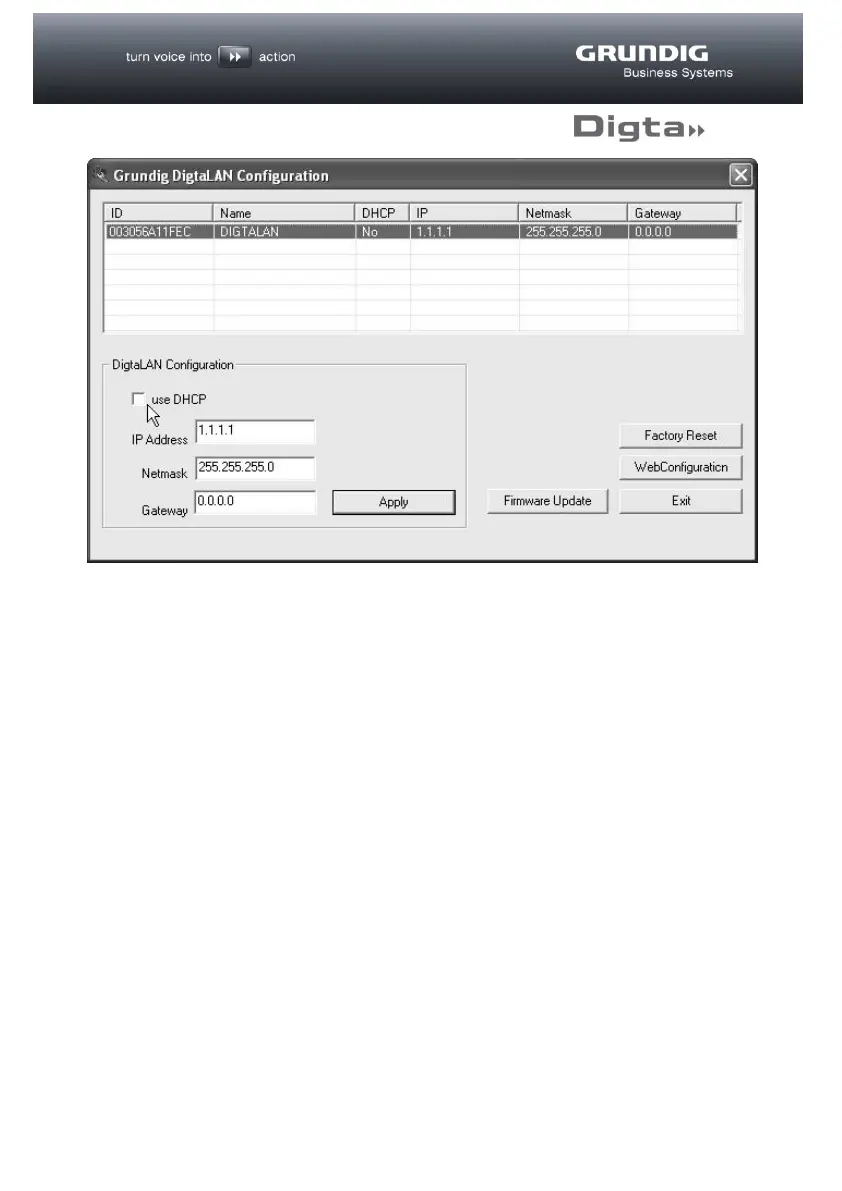
Using this tool all stations in the LAN can be displayed and configured with an IP
address. If there is a DHCP server in your network environment, highlight the station
to be configured in the list and activate the “use DHCP” option. The fixed allocation
of an IP address through the DHCP server (recommended), requires the MAC
address shown in the “ID” column.
You will find information on this in the documentation of your DHCP server.
Alternatively, a fixed IP address may also be allocated to each station. Enter the
relevant data for this in the “DigtaLAN Configuration” field.
Finally, activate the settings by clicking on the “Apply” button. The settings are then
transferred to the Digta W/LAN-Adapter and activated.
The new IP address for the configured station should now appear in the list.
Following successful basic configuration, the Digta W/LAN-Adapter is available in
the LAN and all further settings may now be made via web browser.



 To Next Page