12
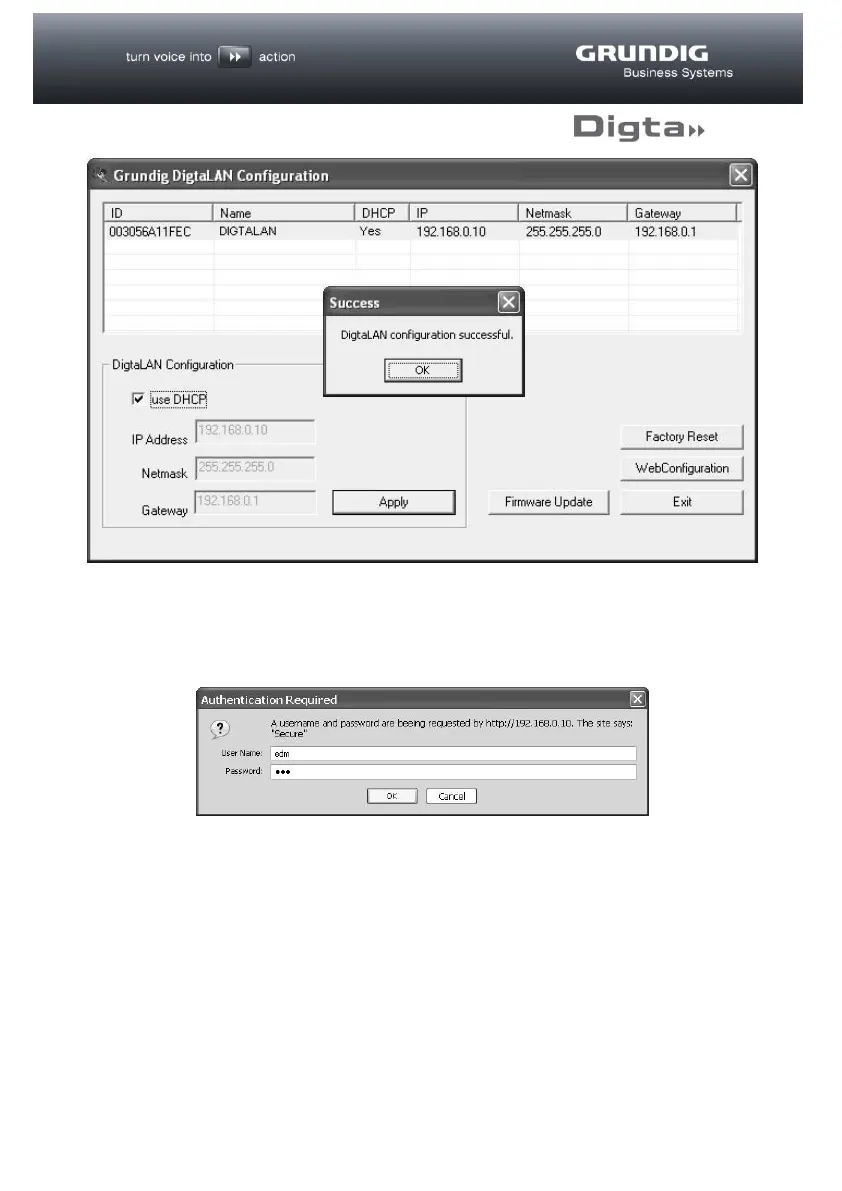
To do this, highlight the station to be configured in the list.
Pressing the “WebConfiguration” button should open your web browser and a
window will appear asking for “User Name” and “Password”.
The factory settings for the user name and password are both “edm” and can be
changed individually in the following stages of the procedure via the web
configuration.
Enter “edm” in the “Name” field and again in the “Password” field and confirm with
the “OK” button.
The following web interface then appears for further configuration.



 To Next Page