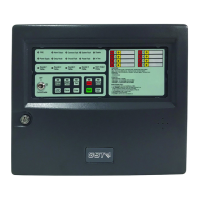
GST200-2 Intelligent Fire Alarm Control Panel
Installation and Operation Manual
Page 34
zone.
Zone Part Disabled // The zone is partially disabled.
6.2.3 Silencing the panel
Pressing ACK/MUTE can stop the sound of speaker; pressing ACK/MUTE again, the
FACP is still in mute state. It will only sound by priority when new event appears.
6.3 Instructions for Operator (Operator Password Required)
6.3.1 Resetting the system
Pressing RESET can turn off all the control modules, local outputs and reset all the
detectors, but will leave the disabled devices as they are. The LCD displays “RESET IN
SYSTEM”. LEDs will be turned off (Except for “POWER ON”, “TEST MODE”, “DELAY
MODE” LEDs). The reset information will be written into running log. If there is still fire
alarm, fault and action not acknowledged after pressing the RESET key, the FACP will
remain relative sound indications. If all messages have been acknowledged by pressing
RESET key, the system returns to normal display state.
6.3.2 Alarm Silence
Pressing SILENCE key can silence all sounders in the system, and light the SILENCE
indicator.
The silenced sounders will re-sound on receiving new alarms. SILENCE indicator will
go out when RESET key is pressed for reset, when EVAC key is pressed for evacuation,
or when system sounders gives new alarm sound.
6.3.3 Evacuation
Pressing EVAC key can start all system sounders, and light EVAC LED until SILENCE
or RESET key is pressed. After EVAC key is pressed, the LCD will display “EVAC IN
SYSTEM Press ENTER confirm”. Pressing ENTER in 10 seconds will start evacuation.
If ENTER key is not pressed in 10 seconds, the FACP will resume the state before
EVAC key is pressed.
6.3.4 Disable/Enable
The disabling/enabling of devices is mainly used when the trouble condition of a device
cannot be removed immediately. This device can then be temporarily disabled, and
enabled after it’s repaired.
The disabling/enabling of alarm output can be set as needed either to start or not to start
SOUNDER CIRCUIT OUTPUT and FPE OUTPUT automatically.
The disabling/enabling of delay can be set as needed. For example, if there is person
on duty, the system delay can be enabled, so that the system can select delay by C&E
equation or by the pre-set default local delay in case of an alarm. If there is nobody on
duty, the delay can be disabled and the system outputs immediately.
Pressing ENABLE/DISABLE, the screen will be shown as in Fig. 6-14.



 To Next Page