EasyManua.ls Logo

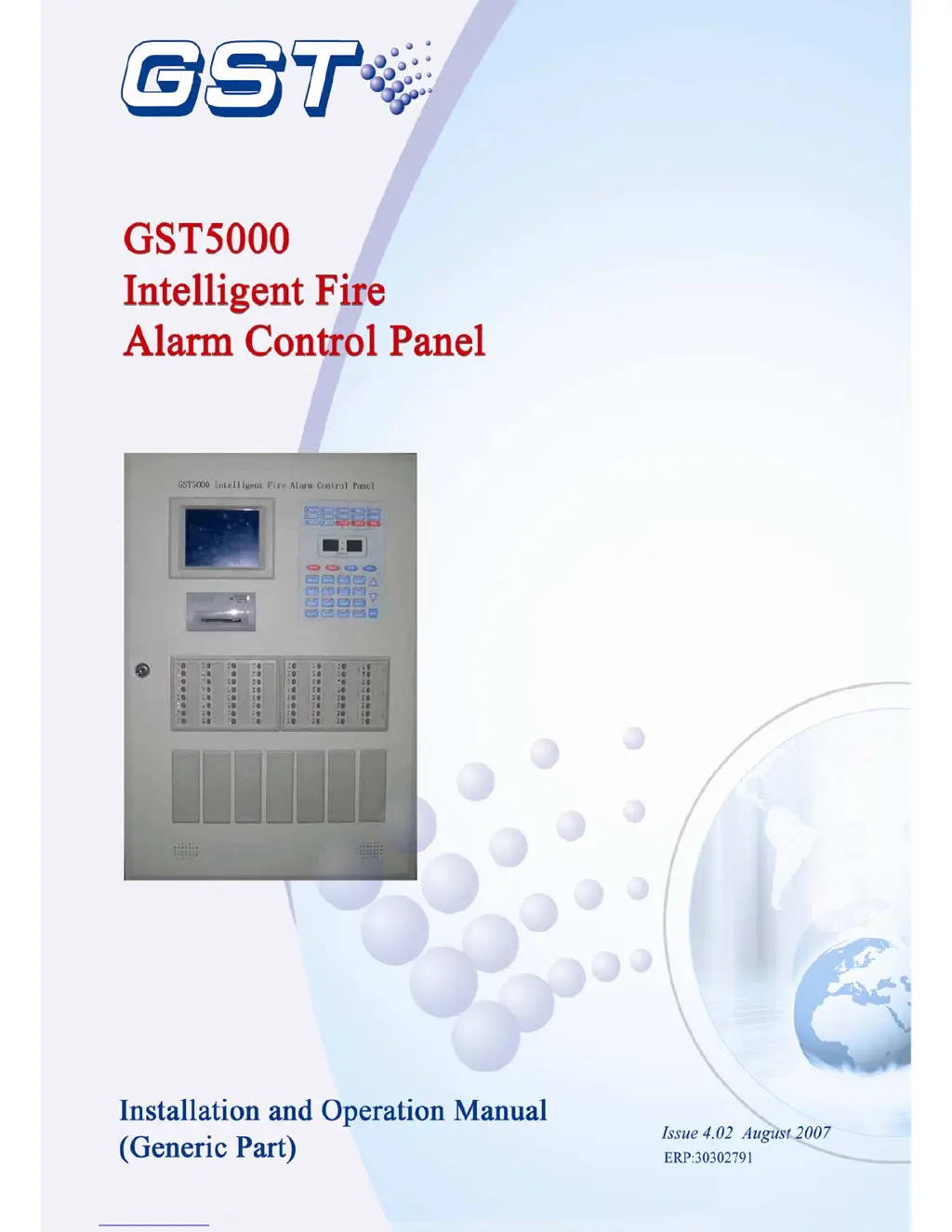
GST GST5000 - User Manual

GST GST5000
70 pages
Print Icon
To Next Page IconTo Next Page
Loading...

Table of Contents

Questions and Answers

  • A
    alexanderpatriciaAug 16, 2025
    Why does my GST GST5000 Control Panel show 'AC Fault' when I turn it on?
    • B
      Brett CarterAug 16, 2025
      If the GST Control Panel displays 'AC Fault' upon powering up, first ensure the mains supply is active. If the issue persists, the AC fuse might be blown. In this case, replace the fuse, referring to the label for the correct specification.
  • W
    William SanchezAug 19, 2025
    What to do if my GST GST5000 displays 'Battery Fault' when powered up?
    • M
      Mr. Aaron GrayAug 19, 2025
      If your GST Control Panel shows 'Battery Fault' after powering up, try these steps: 1. Check the fuse and replace it if it's blown, using the label for specifications. 2. Inspect all connections inside the power box for any looseness and secure them. 3. Allow the panel to charge via AC power for at least 8 hours. If the fault persists after this charging period, the batteries may be damaged and require replacement.
  • L
    Lori MorenoAug 22, 2025
    How to troubleshoot a GST Control Panel with no display or an abnormal display?
    • Y
      ymooreAug 22, 2025
      If the GST Control Panel display is blank or showing unusual characters, it could be due to two reasons. First, the power supply to the display might be abnormal, so check the +24V power supply. Second, the connection between the display and the display board may be loose. Inspect the display connection cable to ensure it is properly connected.
  • N
    Nichole FrostAug 25, 2025
    Why aren’t my loop cards registering correctly on the GST GST5000 Control Panel?
    • D
      Dylan BergerAug 26, 2025
      If the loop cards aren't registering correctly on your GST Control Panel, it may be due to incorrect insertion or wrongly set addresses. First, check that the loop cards are properly inserted. If they are, verify that the addresses of the loop cards are correctly configured.
  • J
    Jessica DillonAug 28, 2025
    What to do if the display panel can’t be registered on my GST GST5000?
    • K
      Kevin HuangAug 28, 2025
      If the display panel is not registering with the GST Control Panel, the communication cable might not be properly connected. Check the cables connected to the display panel to ensure they are securely attached.
  • G
    Gerald CastanedaAug 31, 2025
    Why is my GST GST5000 Control Panel not printing?
    • K
      keithreillyAug 31, 2025
      If your GST Control Panel isn't printing, there could be a few reasons. First, ensure that the print mode is properly set. Next, check the printer cable to make sure it's securely connected. Finally, if neither of those solutions work, the printer itself might be broken and need replacement.
  • K
    Kenneth PonceSep 3, 2025
    What to do if the keys on the GST GST5000 Control Panel zone indication panel don't respond?
    • W
      wendy78Sep 3, 2025
      If pressing a key on the zone indication panel of your GST Control Panel doesn't produce a response, there are two potential causes. The panel may be in manual disable mode, so set it to manual enable mode. Alternatively, the cable connecting the zone indication panel might be loose; check the cable and ensure it's properly connected.
  • R
    Renee AdamsSep 6, 2025
    What does it mean when my GST Control Panel shows a 'Device fault'?
    • S
      stephaniemooreSep 6, 2025
      If the GST Control Panel indicates a device fault, it could be due to a broken cable or a damaged device. First, check the cable for any damage. If the cable is intact, the device itself may be damaged and require replacement.
  • S
    sgomezSep 9, 2025
    What causes a 'Loop fault' on my GST GST5000 Control Panel?
    • T
      Tamara DavisSep 9, 2025
      If the GST Control Panel displays a loop fault, the loop might be shorted or broken. Check the cable to resolve the issue.
  • J
    Jamie JohnsonSep 12, 2025
    Why is my GST Control Panel showing clock, memory, and loop faults?
    • C
      Cristina BrownSep 12, 2025
      If your GST Control Panel experiences clock, memory, or loop faults, it might be due to environmental interference. Check whether the ground is properly connected. It could also be due to aging parts; in this case, inform GST.

Summary

Chapter 2 Technical Specifications

Chapter 3 Structure and Configuration

3.4 Field Devices

Lists and describes various field devices compatible with the FACP.

Chapter 4 Mounting

4.4 Connections of Field Devices

Explains connections for field devices, loop interface board, and terminals.

4.5 Connection Inspection and Device Registration

Covers inspection of connections and the process of device registration.

4.6 Definition of Devices

Explains how to define devices and C&E equations using configuration software.

4.7 Field Devices Commission

Lists steps for commissioning field devices after cable connection, definition, and download.

Chapter 5 Display and Disposal of System Information

5.2 Information of Fire Alarm

Explains how fire alarm information is displayed, including zone and device modes.

5.3 Fault Information

Describes fault signals and how different LEDs indicate fault types.

5.4 Disable and Enable

Explains the process of disabling and enabling devices for maintenance.

5.6 Resetting and Silencing of the System

Details the procedures for resetting and silencing the system.

Chapter 6 Description of System Operation

6.4 Instructions for System Administrator

Covers administrator functions like password modification and communication setup.

Chapter 7 Commissioning Functions

7.1 Getting into Commission Mode

Describes how to enter the system's commissioning mode.

Chapter 8 Troubleshooting and Regular Checks

8.1 General Fault Treatment

Provides a table of common faults, reasons, and solutions.

GST GST5000 Specifications

General IconGeneral
BrandGST
ModelGST5000
CategoryControl Panel
LanguageEnglish

Related product manuals