GST5000 Intelligent Fire Alarm Control Panel
Installation and Operation Manual (Generic Part)
The Intelligent Solution
Page 18
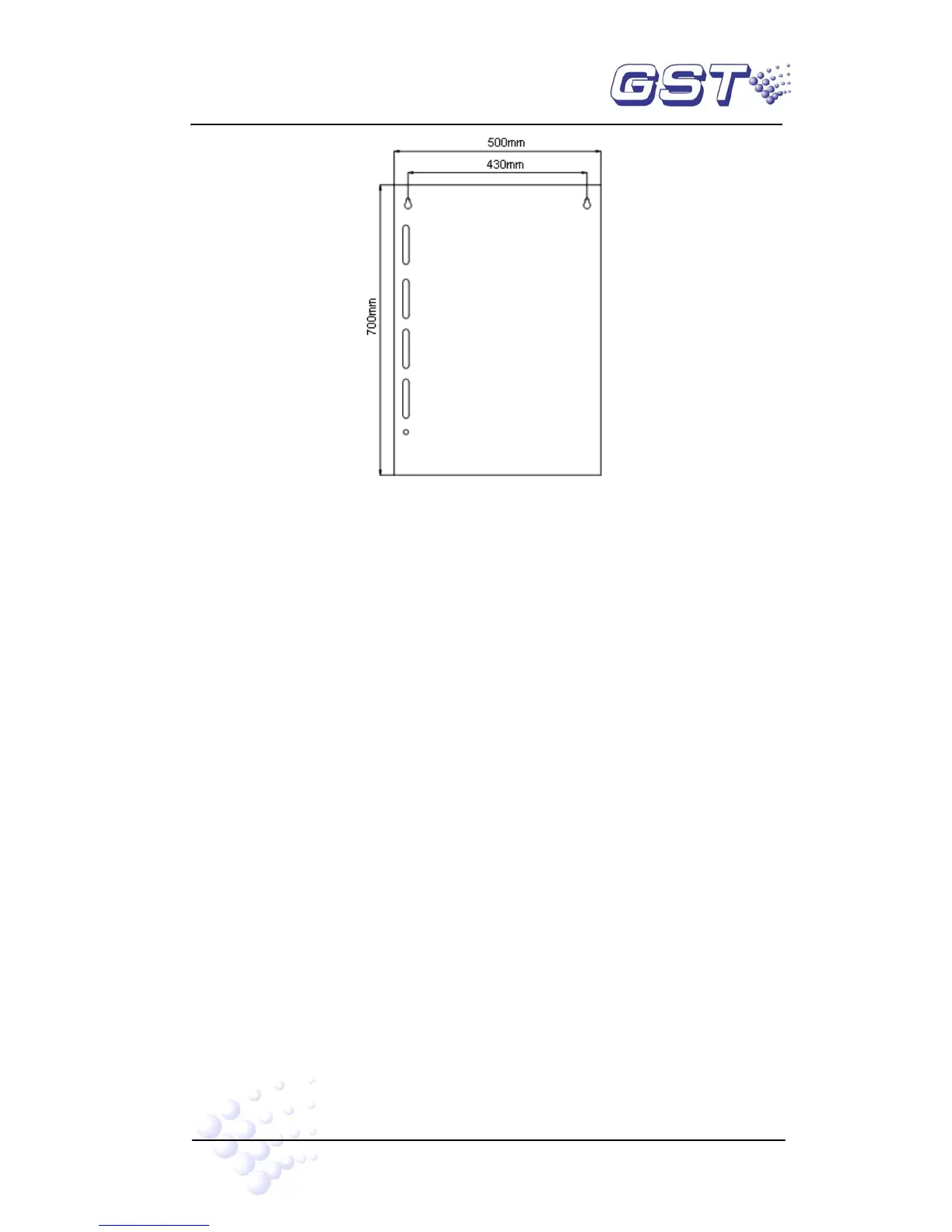
Fig. 4-1
4.2.2 Installation condition and method of rack type and console-typed FACP.
Rack (L×W×H): 580mm×520mm×1540mm (or 1715mm)
Console(L×W×H, single unit): 555mm×933mm(with table)×1350mm
Console(L×W×H, double unit):1045mm×933mm (with table)×1350mm
Ambient Temperature: 0℃~+40℃
Relative Humidity≤95%, non-condensing
Installation Space: Width of maintenance of the FACP should be more than 1000mm.
4.3 Start-up Check
After mounting GST5000, apply power to it as shown in Fig. 4-2. Turn on the mains and
battery switch in the cabinet and check if the FACP can self-test. The procedures are
as follows.
(1) Check LCD, digitron and indicators.
(2) Check self-test on the stored running records, disablement information and
C&E equations.
(3) Observe whether the indicators, and digitron on the FACP and ZCP can all be lit
and whether the speaker gives three continuous alarm sounds and “beep” tone.



 To Next Page