STRUCTURE AND FUNCTION COBOSAFE-CBSF
18
CoboSafe-CBSF325-2810-012US15
7.4 Setting the Date and Time
The date and time are set using the CoboSafe-Vision software. Before first use, connect the
CBSF devices to the PC and start the software. Use the 'CBSF Sync.' function to program and
update. Follow the instructions in CoboSafe-Vision to synchronize the date and time.
7.5 Measured Value Display
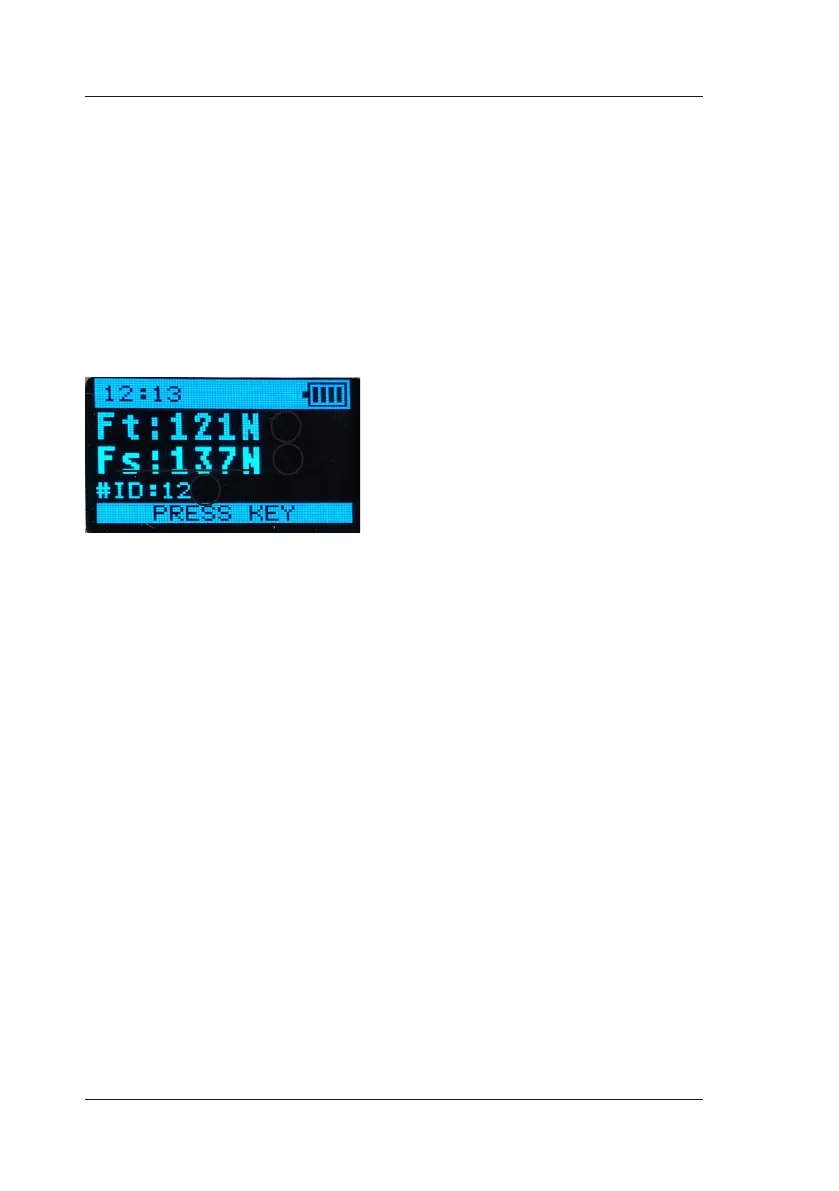
The CoboSafe-CBSF force sensor outputs the measured values in the display after the measu-
rement has been completed:
■ Ft = maximum transient force[1]
■ Fs= maximum quasistatic force [2]
■ Number of the current measurement [3]
1
2
3
Fig. 9: Measured value display


 To Next Page