0MNMPMK10NPENUB 00 Pag. 43 / 57
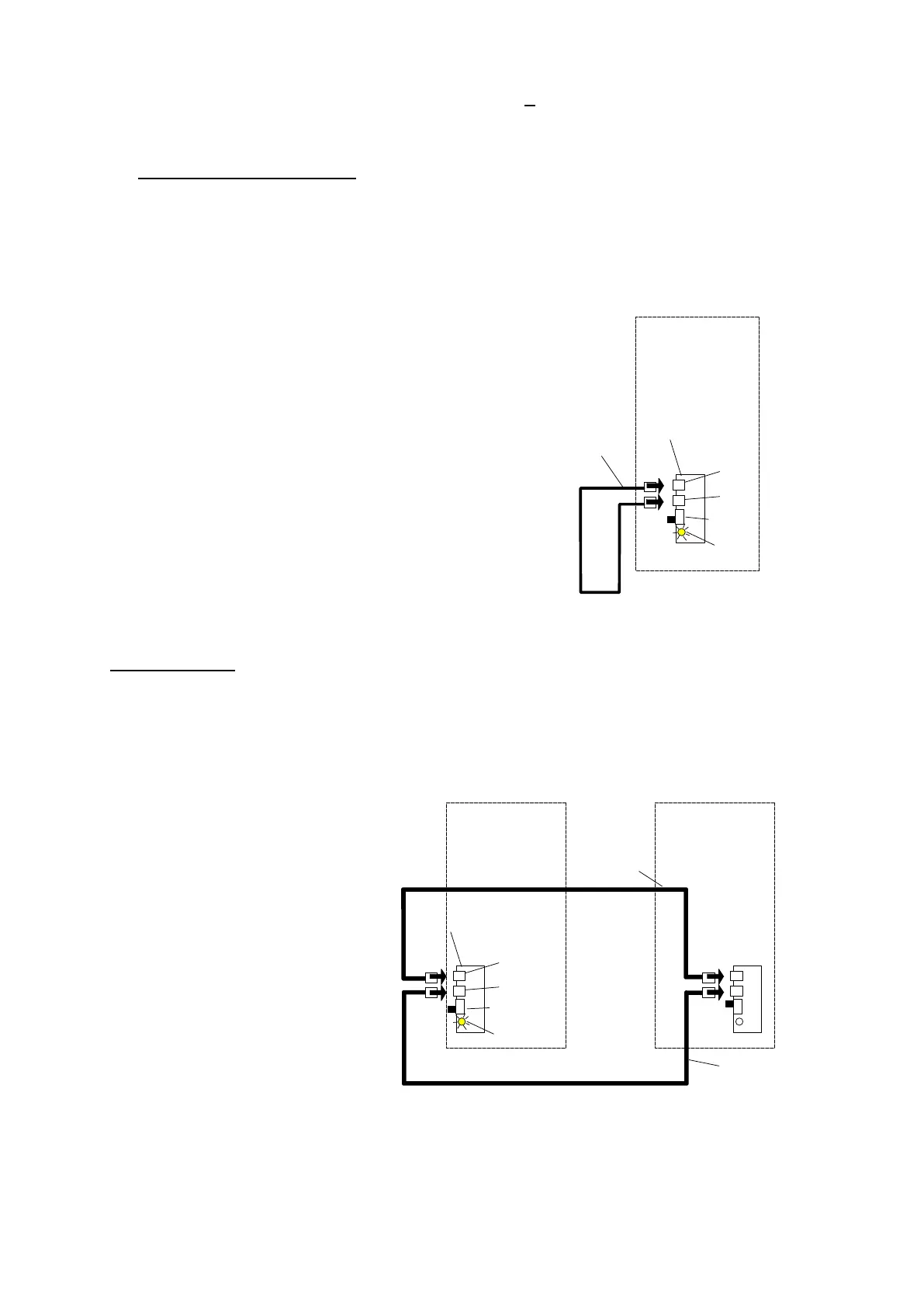
Using the cable with two RJ45 terminals provided with each UPS (A), make the connections as shown below:
single UPS configured in parallel
If it is required to use a UPS that has been configured as a parallel unit on its own, the signal card must be
jumpered with the cable provided as shown below.
A UPS PARALLEL CABLE
B RJ45 type connector
C RJ45-flat-adapter signal parallel card
D LED on
E SW1 start position.
----------------------------------------------------------------------------------------------------------
two UPS in parallel
D UPS1 LED on, UPS2 LED off
E SW1 start position. UPS1, SW1 cont position UPS2.
B
B
C
A
UPS
D
E
B
B
C
A
UPS 1
D
A
UPS 2
E



 To Next Page