22
ENGLISH
3.3 Switching the device on and o ----------
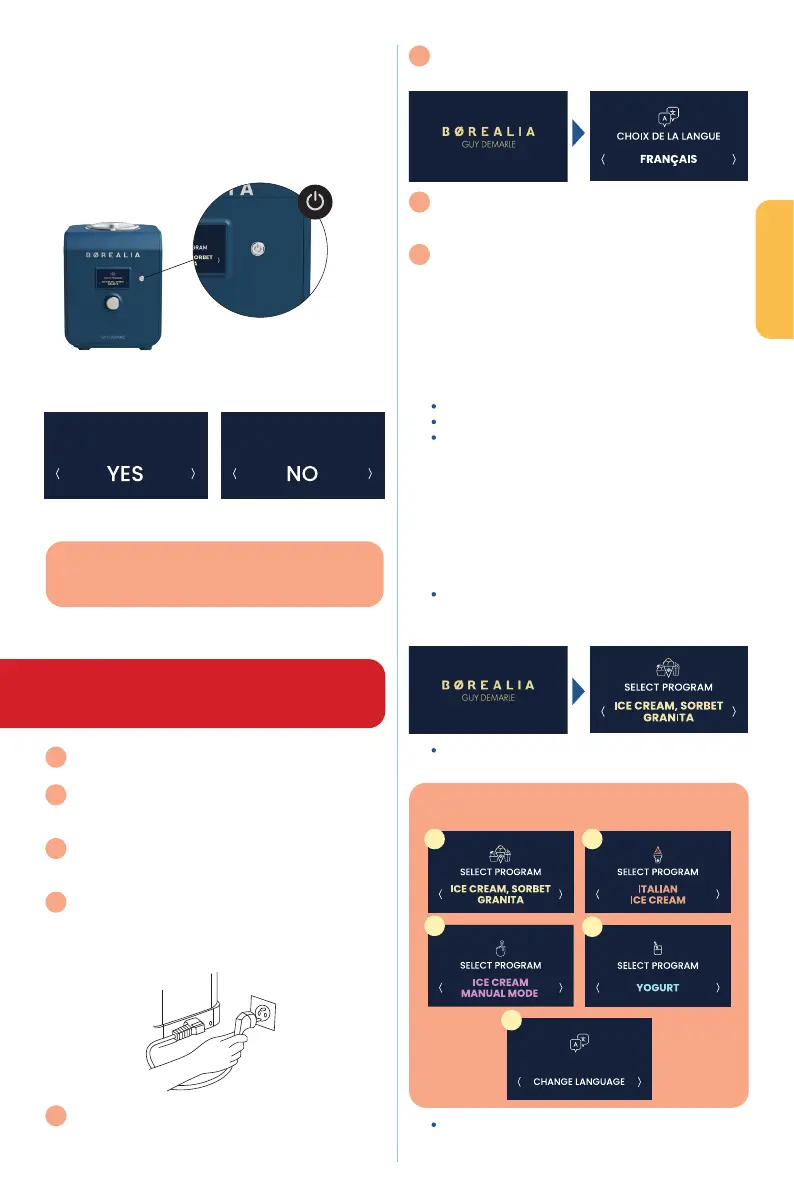
Once connected to the mains, press the switch on the left
side of the device (8) then turn the device on using
the , located to the right of the screen.
Always switch o the device after use
Here is the :
Select YES or NO using the knob then click on your selection.
3.4 First use of the device ---------------------
WARNING: before your rst use, it is essential
to have left the device in a vertical position
for at least 4 hours
1
Remove any protective lm, labels or other packaging
from the device
2
Clean with warm soapy water all the accessories
supplied with the device: the blade (2) , removable
stainless-steel bowl (3), lids (1 & 11) and spatula (12).
3
Choose a at, stable surface with an easily accessible
electrical socket and leave a minimum space (approx.
8cm) at the sides of the device.
4
Unwind and straighten the power cord then insert
the plug into the socket on the left side of the device
when facing it. Insert the cord's other plug into a wall
socket with a suitable voltage.
5
Press the on/o button
6
The home screen is displayed for a few seconds,
then the language selection appears
7
Turn the wheel to the right to scroll through
the available languages, and short-press the wheel
to select your language
8
The rst programme appears on the screen
3.5 Screen display -----------------------------
The rotary control (or dial) is used to select and modify
the various functions of the device.
to change the programme and set the
preparation time (for manual programmes)
the dial to:
Select the chosen programme
Start the programme
Select the dierent commands (pause, stop)
3.5.1 Language setting
The language setting is oered automatically by the device
on rst use; refer to section 3.4 First use of the device.
You can access it again and change the desired language
at any time via the drop-down menu; see the following
section 3.5.2 Programme order.
When the device is turned on, a BOREALIA
®
welcome
screen appears for a few seconds, then the rst
programme appears
Turn the dial to the right to scroll through the
programmes
click to select the desired programme
Confirm stop
Confirm stop
GOOD TO KNOW
When the appliance is in standby mode (switch set to 1
and screen o), the power consumption is 0.18 W/h.
GOOD TO KNOW
The programmes will appear on the screen in this order:
1
3
5
2
4


 To Next Page