25
ENGLISH
1
Follow the process for preparing the device described
in section 4.1 Preparing the device
NOTE: The YOGHURT programme doesn't require
use of the blade.
2
Select the required manual programme by clicking
on the knob
3
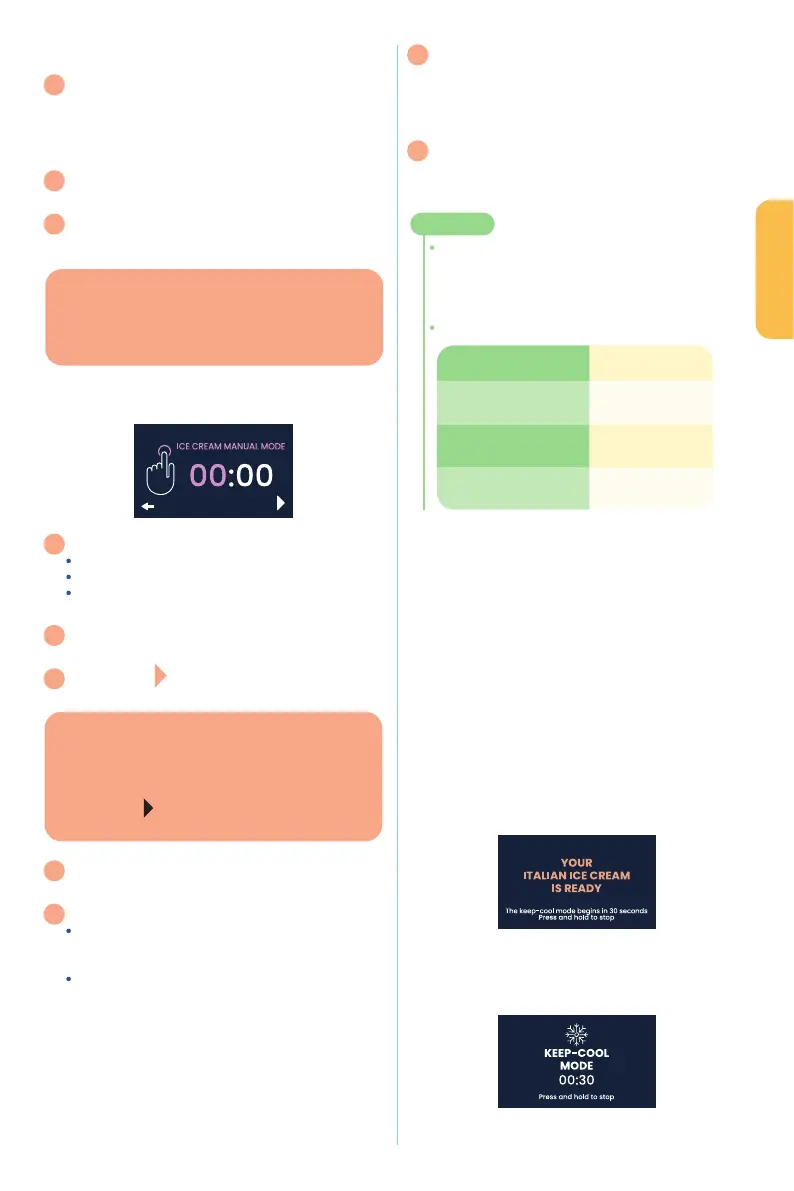
The selected programme and its time count are
then displayed on the screen
Screen example
4
Hours are automatically selected:
Click on the dial to access the time settings
Turn the dial to set the desired time
Click the dial again to conrm the hour and access
the minutes settings
5
Turn the wheel to set the required number of minutes,
then click the wheel to freeze the minutes
6
The pictogram at the bottom right of the screen
is then automatically pre-selected.
7
Click the dial one last time
.
8
The programme runs, and when it's nished:
the dial to return to the screen of the
programme initially chosen, you can then take out your
bowl and get your mixture
If you don't do anything at the end of the programme,
Conservation mode will be activated
after and for a duration of 30 minutes
(for further information on Conservation mode,
refer to section 4.4. Conversation mode).
9
Once the programme has nished and you've got
your mixture, you can switch o your appliance using
the on/o button.
Once the screen goes o, you can press the switch
to turn o the power.
10
After each use, clean your stainless steel removable
bowl and the blade.
Use a clean cloth to dry the removable stainless steel
bowl's slot to eliminate all traces of humidity.
TIPS!
A is provided so you can close your removable
stainless-steel bowl and store your ice cream
in the freezer or the yoghurt in the refrigerator directly
in the same bowl.
●
:
4.4 Conservation mode ------------------------
A conservation mode is provided at the end of each
programme, its duration depending on the preparation
selected
WHAT’S IT FOR?
To keep your preparation cool while waiting for action on
your part
At the end of each frozen preparation, a beep sounds every
to let you know that the device has nished its
cycle.
The following is displayed on the screen:: Your XXXX is ready,
Conservation mode in 00: 30, Long press to stop
Screen example
the device automatically switches to CONSERVATION
mode (see screen below)
GOOD TO KNOW
An automatic display is provided
when these two manual programmes are selected:
For ice cream - 00:30
For yoghurt - 08:00
GOOD TO KNOW
Make sure you lock your lid correctly, otherwise
the words "Lock your lid" will appear on the screen
- you will then not be able to launch your programme
without locking it properly.
The pictogram
only appears on the screen
when the lid is locked.
YOGHURT Cycle
WHOLE MILK
between 8 hours
and 10 hours
between 10 hours
and 12 hours
SKIMMED OR
between 12 hours
and 14 hours


 To Next Page
 Loading...