12
Using the remote control
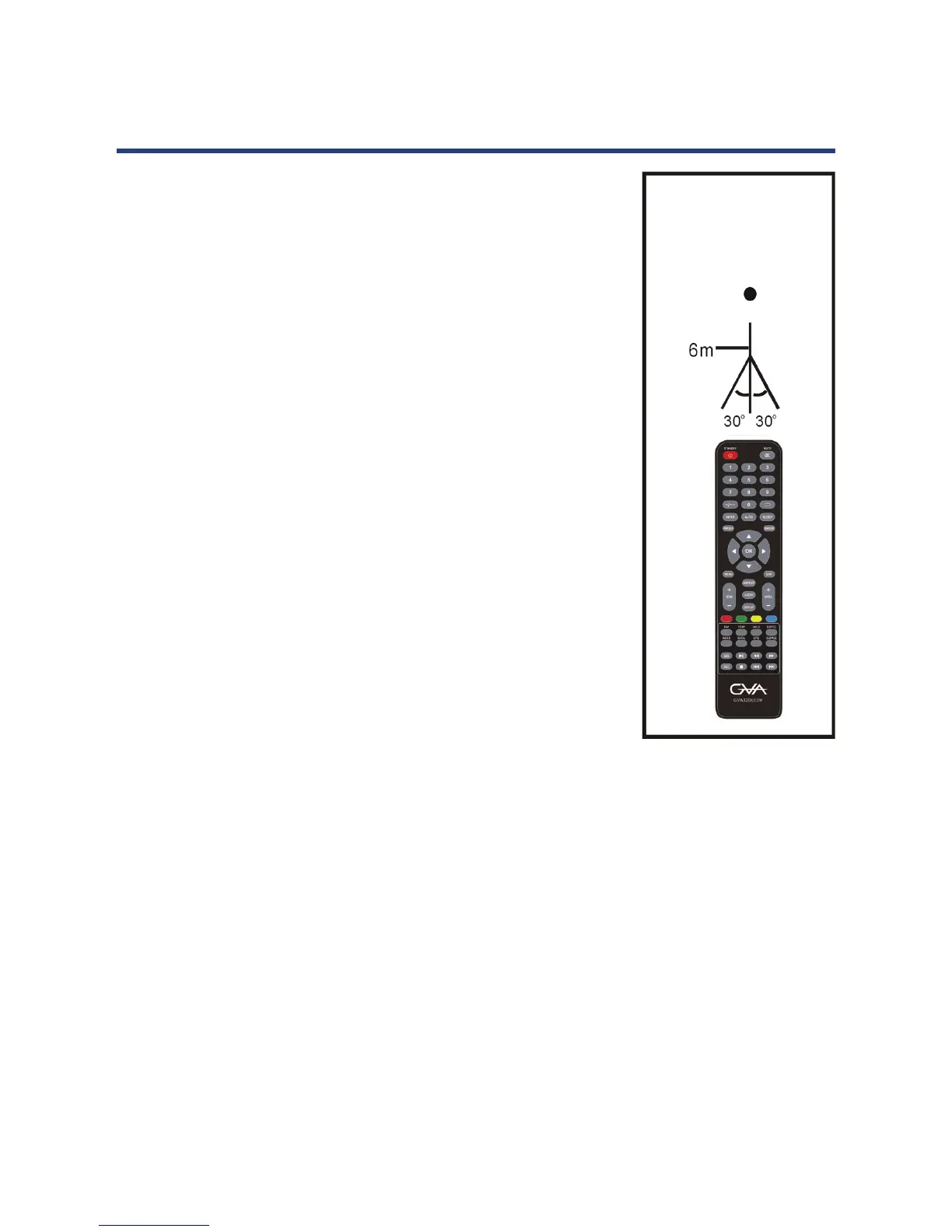
To use the remote control, point it towards the remote
sensor at the front of the television. The remote control
has a range of up to approximately six metres (6m) from
the TV at an angle of up to 30 degrees each to the right
and left of the sensor, as illustrated in Fig. 2, right.
The remote control will not operate if its path is blocked.
NOTES:
• Do not drop, step on or otherwise impact the
remote control. This may damage the parts or lead to
malfunction
• The operating distance may vary according to the
brightness of the room.
• Do not point bright light at the remote control sensor.
• Do not place objects between the remote control and
the remote control sensor.
• Do not use this remote control while simultaneously
operating a remote control of other devices.
Fig. 2
Remote control sensor
Remote Control (Cont.)
10
Remote Control
(Cont.)
SIZE: Switch TELETEXT size (TV) *.
SUBPAGE: Enter TELETEXT sub-page. *
: Start or pause playing.
33
: Move fast forward.
34
: Move fast backward.
35
36
: Stop playing.
: Play next le.
: Play the previous le.
* NOTE:
Teletext or Austext is no longer available, nor is
there any plan for a replacement teletext service
in Australia. For more information, please visit the
websites of the Australian channel providers.
However, one teletext option, “closed captions”,
is still working on most Australian television
channels. This service allows you to activate
subtitles while watching normal television
programs that provide it.
EPG: Display electronic program guide
information.
To start recording(In PVR Mode).REC:
37
38
39
40
41
42



 To Next Page