29
USB Mode (Cont.)
Movie
• Press the / buttons to select Movie in the menu, then press OK to enter. Movie les can
only be played in this menu category.
• Use the / / / buttons to select the desired folder or le, then press OK to open the
folder or start playing the le.
When playing movie les:
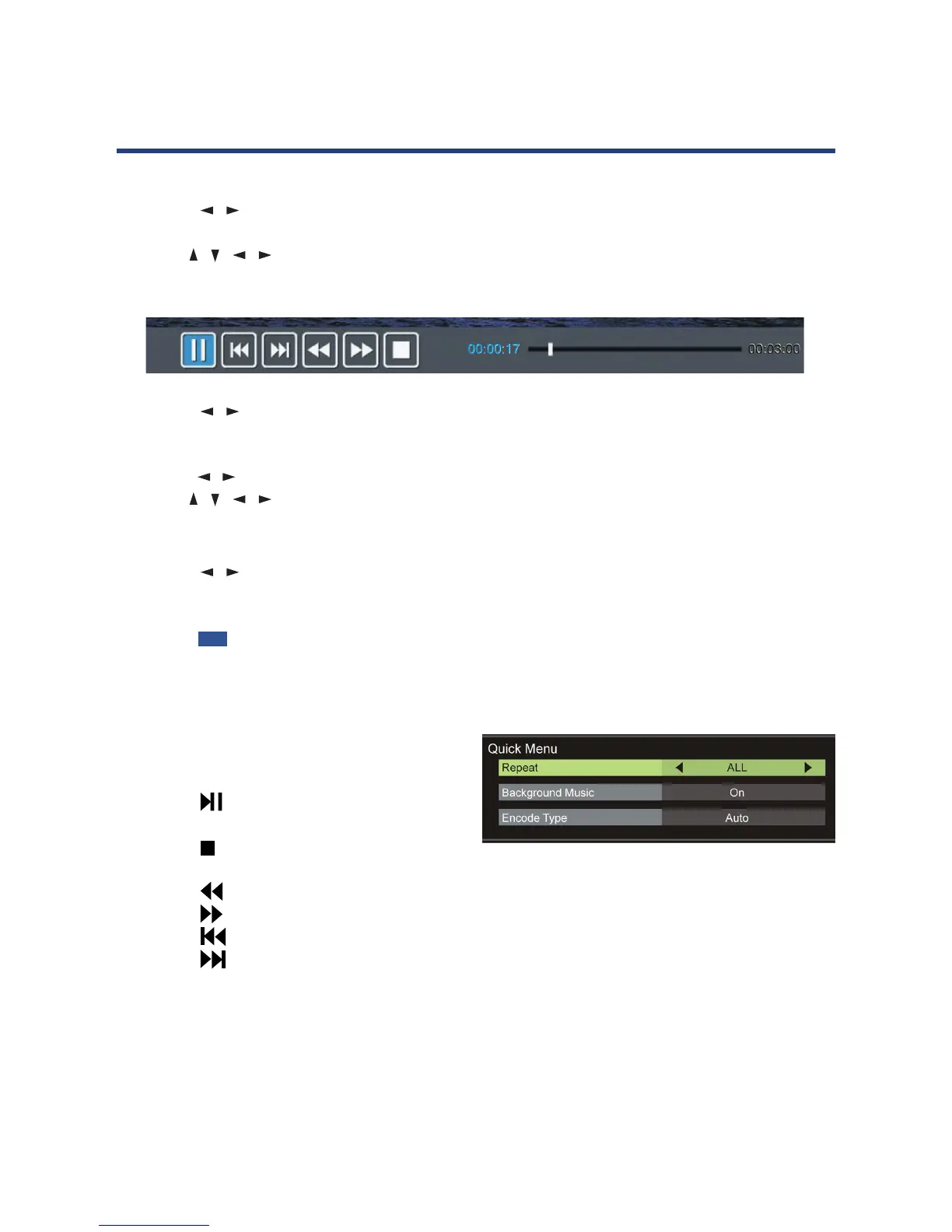
• Press the DISPLAY button on the remote control to hide/display the tool bar.
• Press the / buttons to select the preferred option, then press OK to conrm.
Text
• Press the / buttons to select Text in the main menu, then press OK to enter.
• Use the / / / buttons to select the desired folder or le, then press OK to open the
folder or start playing the le.
When playing text les:
• Press the / buttons to display the previous/next page.
• Input your desired page using the number buttons, then press OK to go to the desired
page.
• Press the BLUE button on the remote to display the Quick Menu, press it again to dismiss
the menu.
Repeat: Select the repeat mode.
Background Music: Turn on/o background music.
Encode Type: Select the encode type.
Remote operations when playing multimedia
les:
• Press the button on the remote control to
play or pause playing.
• Press the button on the remote control to
stop playing.
• Press the button on the remote control to move fast backward.
• Press the button on the remote control to move fast forward.
• Press the button on the remote control to play the previous le.
• Press the button on the remote control to play the next le.
NOTE: To play your multimedia les, make sure you have selected the correct icon in the main
media playback menu.



 To Next Page