22
Basic Operations (Cont.)
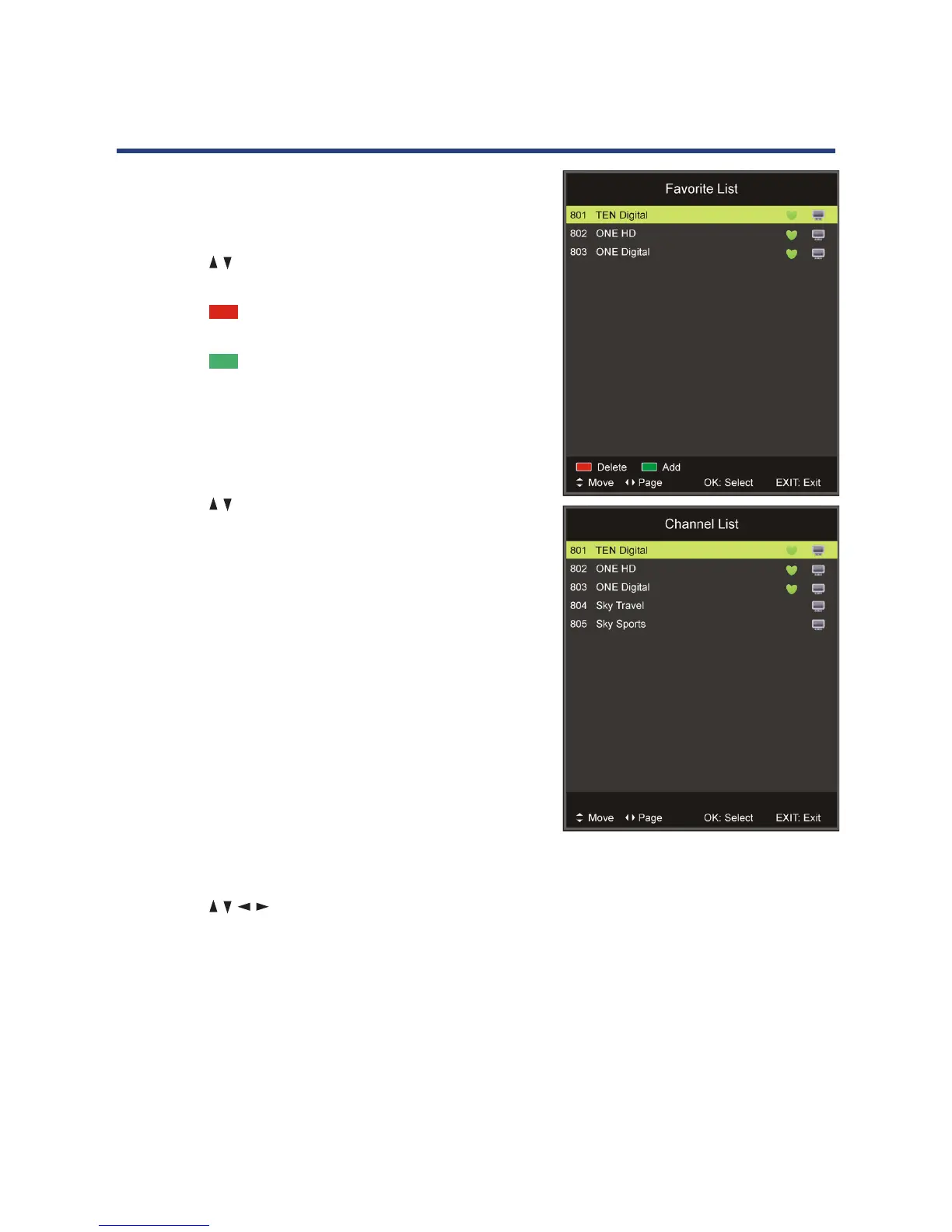
Favourites list
• Press the FAV button on the remote control to enter
the Favourites List.
• Press the / button to select the channel and press
OK to watch it.
• Press the RED button on the remote control to
remove the current channel from the Favourites List.
• Press the GREEN button to add the selected
channel to the Favourites List.
Quick select
• Press the OK button to enter the Channels List
directly.
• Press the / buttons to select the channel and press
OK to watch it.
Teletext
• Press the TEXT button on the remote control to view
the available teletext information. Press OK to hide
the information.
NOTE: See the note on page iii for important
information about teletext services in Australia.
TV/Radio (for DTV mode only)
• Press the TV/RADIO button on the remote control to
switch the unit between TV and radio mode.
Subtitle
• Press the SUBTITLE button on the remote control to
enter the subtitle menu, if available.
• Press the / / / buttons to select the desired
option, then press OK to confirm.
Freeze
• During normal playback, press the FREEZE button
to hold the picture, press it again to resume normal
playback.



 To Next Page