33
Menu (Cont.)
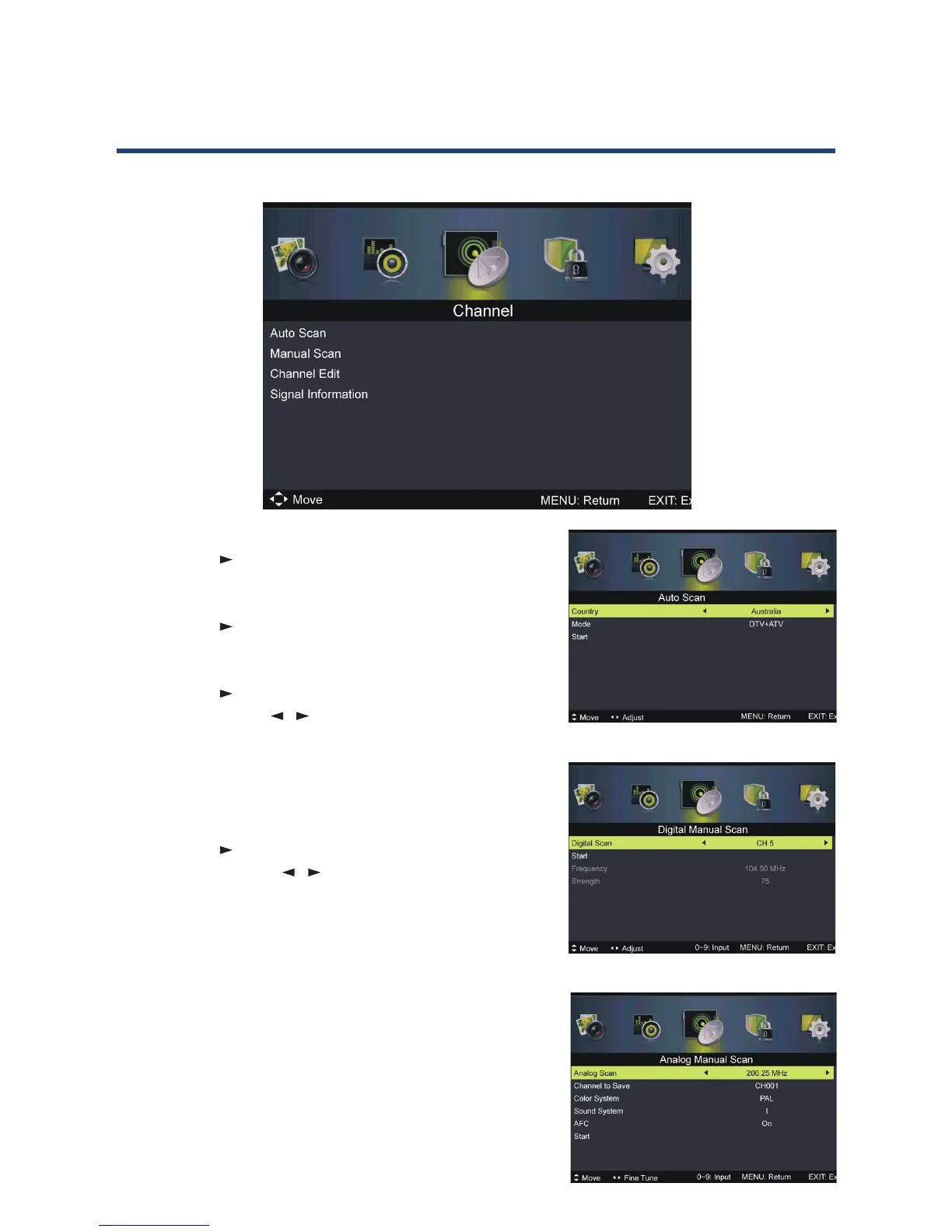
Auto Scan
• Press OK or to enter. Then select your country, scan
type and start scanning.
Manual Scan
• Press OK or to enter. Then select digital or analog
manual scan.
Digital Manual Scan
• Press OK or to enter.
Digital Scan: Press / to select the channel.
Start: Start scanning.
Frequency: This is not user adjustable.
Strength: This displays the signal strength of the
current channel. It is not user adjustable.
Analog Manual Scan
• Press OK or to enter.
Analog Scan: Press / to ne tune.
Channel to Save: Select the channel number to be
saved.
Colour System: Select the colour system (PAL in
Australia).
Sound System: Select the sound system.
AFC: Turn on/o automatic ne tuning.
Start: Start scanning.
NOTE: Colour System, Sound System and AFC can only be
adjusted if there is a signal.
Channel menu (DVT & ATV mode)



 To Next Page