8
ONYX Electrostatic Discharge Simulator
5.2 Parts
5.2.1 Trigger
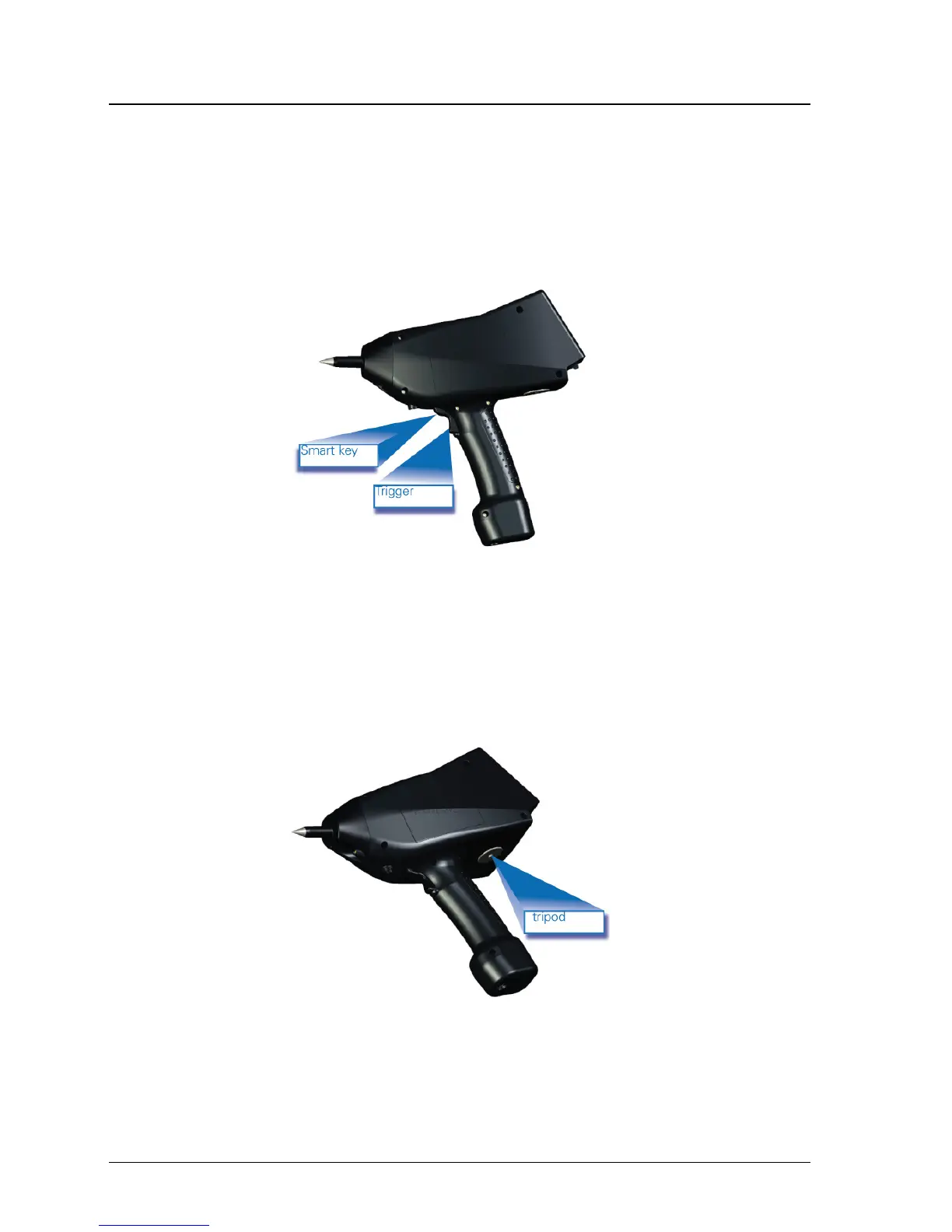
The trigger position can be seen in figure 4.
When performing a sequence discharge event (see example section "Sub-menu 1"), the trigger needs to be kept
pressed in order to run through the complete test sequence. By releasing the trigger during a sequence, the test will
automatically stop, and will continue when the trigger is activated again.
You may also choose to select the "Trigger Lock" function from sub-menu 2, in order to lock the trigger position for
long test events.
Fig. 4 trigger and smart key
5.2.2 Smart key
The smart key’s position can be seen in figure 4 and is integrated in top part of the trigger button.
Smart key functions are defined in the sub-menu 2.
5.2.3 Tripod
The ONYX connection position for the tripod is shown in figure 5. For continuous testing the use of a tripod is
recommended. Screw thread ¼ inch UNC.
Fig. 5 tripod position


 To Next Page