61
hager
GB
2.2 EIB configuration
• Carry out the EIB configuration of the Room
Controller first using the TX100 or the ETS soft-
ware.
• Next, configure the front face.
➜
TX 100 : see detailed descrip-
tion in the instructions
delivered with the
Tebis configuration
tool.
The Room Controller may be configured by:
➜
ETS : TX 450 application software.
60
Installation
2
2.1 Connection
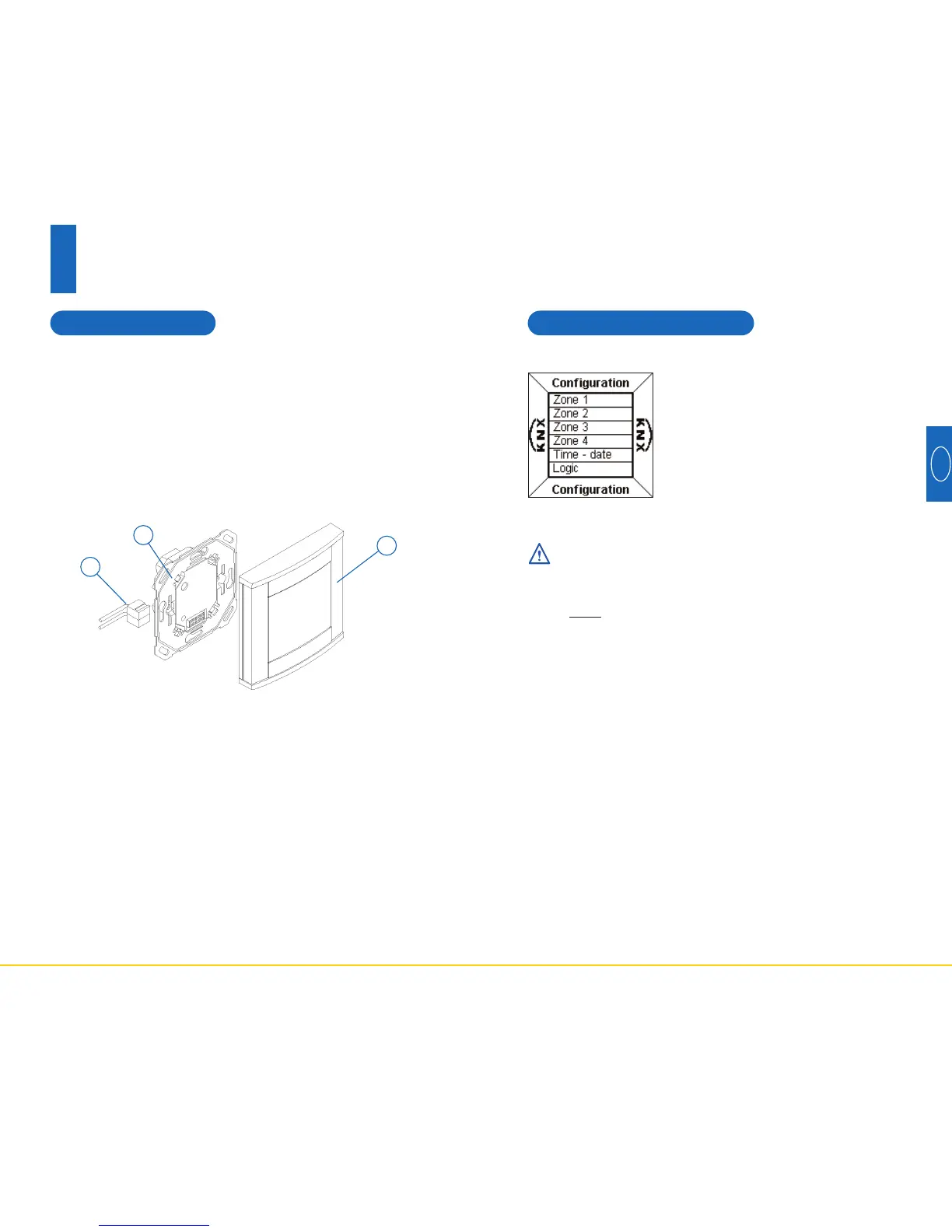
• Connect the BCU (2) to the EIB bus by means of EIB
connector (1).
• Screw the mounting plate (2) with the BCU to the hou-
sing.
• Clip the front face (3) to the BCU.
To ensure good visibility, install the Room Controller at a
height of between 1.30m and 1.50m.
1
2
3



 To Next Page