67
hager
GB
5.1 Time - date
• Set the time using the and
touch pads.
• Press the touch pad to confirm.
The cursor then moves to minutes.
• Proceed in the same way for the
minutes, the day, the month and
the year.
After setting the year, press the
touch pad to confirm the data and
return to the Settings screen.
The date and time can also be indicated by the Tebis
bus (clock or programmer).
In this case, the information will be displayed auto-
matically (manually input data is not used).
In the event of a power failure, the time and date are
saved for about 6 days (if the battery is fully charged).
66
Settings mode
5
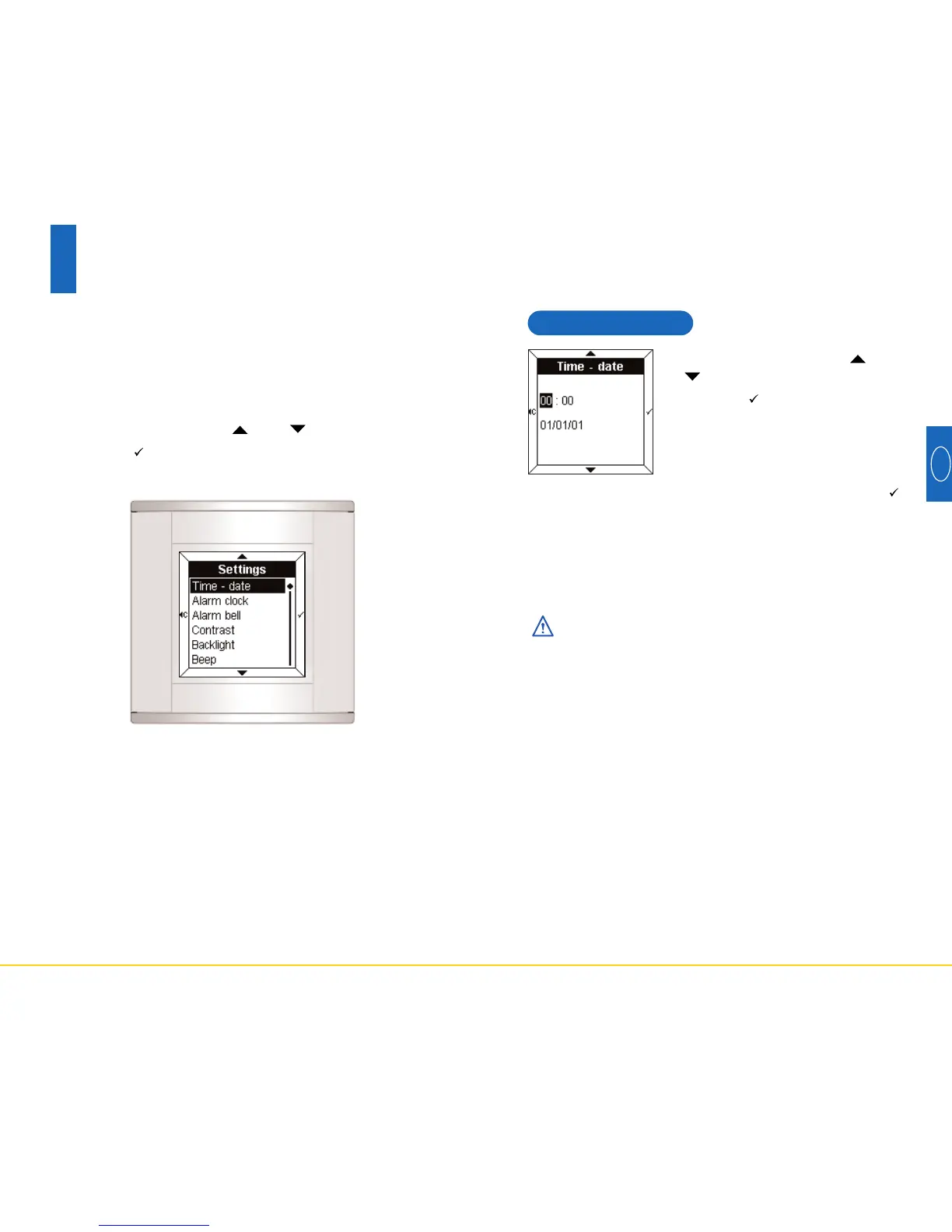
To access the Settings mode:
• Press two of the four touch pads simultaneously for 3
seconds.
• Release the touch pads when the Room Controller
emits an audible BEEP.
The Settings screen is displayed.
• Select a menu using the and touch pads.
• Press the touch pad to access the menu.



 To Next Page