GB
19
+ 2 Sec.
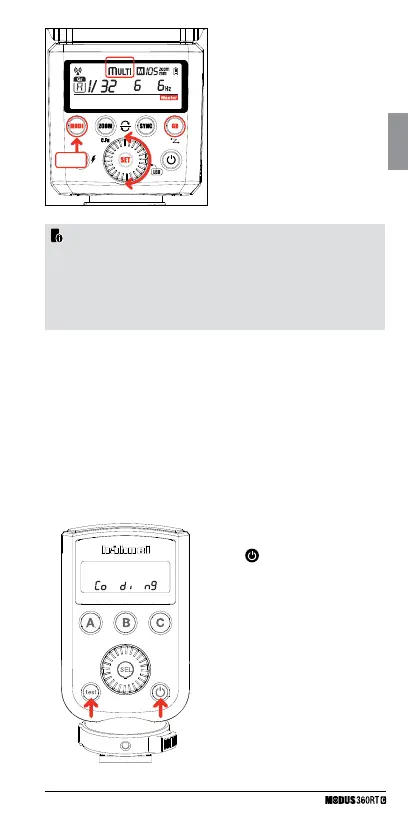
2) Press the <MODE> Button for
2 seconds to switch to Multi
(stroboscopic) Group Mode.
3) All groups switch to Multi mode.
4) Press the <MODE> Button for 2
seconds to exit Multi mode.
See page 16 for details and how to
set the multi values.
1. Press and hold the < test > button
while you switch on the unit,
<
> then release the
< test > button. The display will
show Co di ng
• The “Master” Unit is part of group “A”
• The settings selected on the “Master” unit will automatically be set
wirelessly on the corresponding “slave” units.
• You can assign several “Slave” units to the same group- they will all
have the same settings.
• All Three groups, A/B/C, can have their modes set independently.
Setting the DCM (Digital Channel Matching)
When they are shipped, the Modus360RT and Viper Mini are set to
a 2.4GHz “open channel” and can be used immediately. To avoid
interference with other flash systems, we recommend to DCM (Digital
Channel Match) your units on to a “closed” channel. DCM also allows
you to integrate other, different, units like the Modus600RT and Captur
range into your set up.
• DCM Master – Viper Mini or Modus 360RT



 To Next Page