GB
21
+ 2 Sec.
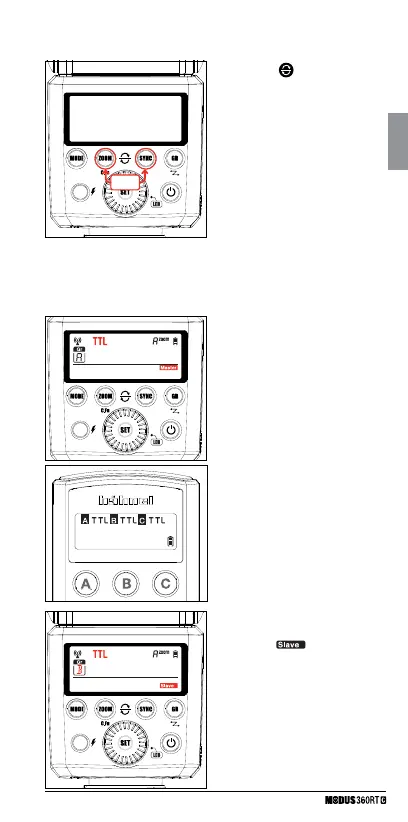
• To reset <
> the Modus 360RT
to factory default settings, press
<ZOOM> & <SYNC> buttons at
the same time and hold for more
than 2 seconds.
• When the Modus 360RT is reset
the DCM is also reset back to
“open channel” and the previous
DCM is lost
1 Master Unit Setting
• Attach 1st Modus 360RT (or Viper
Mini) to camera and set it as the
master unit. (Page 18)
• Check that <Group> A/B/C can be
set to TTL mode independently
2 Slave Unit Setting
• Set 2nd Modus 360RT as the
wireless “
” unit. (Page 18)
• Set the slave unit to <Group> A.
3 Position of camera and
speedlight
• Position the camera with the master
unit attached and the Modus slave
within radio range
• Modus 360 RT – Reset
TTL: Fully Automatic Wireless Flash Shooting
• TTL Autoflash Shooting with One Slave Unit



 To Next Page