GB
32
• The Wide Panel is in use or partially pulled out
Using the Wide panel disables Auto zoom and locks the zoom at
14mm. Check that Wide Pannel is pushed into housing all the way.
• The Zoom may be set to Manual Zoom
Change Speedlight zoom setting to Auto zoom.
The flash exposure is underexposed or overexposed.
• You used high-speed sync.
With high-speed sync, the effective flash range will be shorter. Make
sure the subject is within the effective flash range.
• You used Manual Flash mode.
Set the flash mode to TTL or modify the flash output.
Photos have dark corners or only parts of the target subject
are illuminated.
• The focal length of lens exceeds the flash coverage.
Check the flash coverage you set. This flash unit has coverage
between 24 and 105mm. Pull the wide panel out to extend the flash
coverage.
Firmware Upgrade
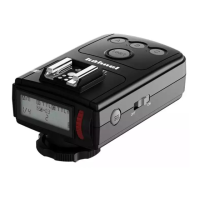
This flash supports firmware upgrade through the USB port. Update
information will be released on our official website www.hahnel.ie
Checking the version:
Hold down the <Test icon> button and the turn the flash on. Then,
the firmware update version (e.g. Version 2.0 will read U-2.0) will be
displayed on the LCD panel.
• Use the included USB cable to do the firmware update.
• For up to date compatibility of all camera models check www.hahnel.ie



 To Next Page