EasyManua.ls Logo

Haier HDW15F3S1 - User Manual

Haier HDW15F3S1
40 pages
Print Icon
To Next Page IconTo Next Page
Loading...
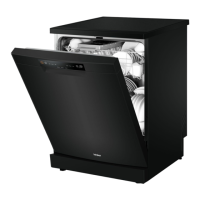
HDW15F3S1
HDW15F3B1
NZ AU
User Manual
Dishwasher

Questions and Answers

  • R
    Randy CarterAug 2, 2025
    Why are the dishes still wet after using my Haier Dishwasher?
    • P
      paulcookAug 3, 2025
      If your dishes are still wet after a cycle in your Haier Dishwasher, it might be because the program didn't include a drying phase or used a low-temperature drying phase. To help with drying, slightly open the dishwasher door (about 100 mm) and leave it ajar.
  • B
    bwhiteAug 7, 2025
    What to do if my Haier HDW15F3S1 Dishwasher programme does not start?
    • A
      Allen RobinsonAug 7, 2025
      If the program on your Haier Dishwasher isn't starting, make sure the appliance door is fully closed. Check if the delay start function is activated and refer to the displayed time. Ensure the power plug is securely connected to the power socket. Finally, verify that the fuse in your house circuit is not damaged; replace it if necessary.
  • J
    John PerezAug 11, 2025
    Why are the dishes not clean in my Haier Dishwasher?
    • T
      Tyler GreenAug 11, 2025
      If your dishes aren't coming out clean, the filters may be clogged. Clean them and make sure they are correctly assembled and installed. Also, ensure you're using the correct amount of detergent in the dispenser before starting a program. Using too little or too much detergent can both cause this issue.
  • M
    Mr. Steve Mcgee MDAug 16, 2025
    What to do if my Haier Dishwasher shows ALARMCODE Leak and the drain pump runs permanently?
    • J
      Jonathan RoblesAug 16, 2025
      If your Haier Dishwasher displays ALARMCODE Leak and the drain pump runs constantly, it indicates the anti-flood device is activated due to water leakages. Immediately close the water tap. Additionally, the water inlet valve might be open and blocked, so disconnect the appliance from the power supply. If the drainage is blocked you should contact service.
  • N
    nataliemonroeAug 20, 2025
    Why are my glasses and dishes have dry water drop stains after using Haier HDW15F3S1 Dishwasher?
    • V
      Victoria RiceAug 20, 2025
      If you notice dry water drop stains on your glasses and dishes after using your Haier Dishwasher, it could be due to a low rinse aid dosage. Try increasing the amount of rinse aid dispensed. Refer to section DIFFERENT SETTINGS FOR RINSE AID.
  • C
    Courtney BruceAug 25, 2025
    What to do if Rinse Aid Indicator is light in my Haier HDW15F3S1?
    • J
      jennifer17Aug 25, 2025
      If the Rinse Aid Indicator light is on in your Haier Dishwasher, it means the rinse aid dispenser is empty. Refill the rinse aid until it's full.
  • L
    Lisa LevineAug 28, 2025
    Why are the dishes wet and matte after using my Haier Dishwasher?
    • H
      htrevinoAug 28, 2025
      If the dishes are wet and matte after using your Haier Dishwasher, the rinse aid dispenser is likely empty. Refill the rinse aid dispenser and reset the rinse aid indicator.

Summary

Safety Information

Intended Use

Specifies the appliance's intended domestic use and restrictions on modifications.

Standards and Directives EC

States compliance with EC directives and harmonised standards for CE marking.

Before First Use Safety Checks

Lists essential checks and actions before initial operation.

Daily Use Safety Guidelines

Provides safety guidelines for operating the dishwasher during regular use.

Critical Safety Warnings

Critical safety warnings about detergent alkalinity, contact with skin/eyes, and door hazards.

Installation Guide

Installation Safety Warning

Essential safety warning that installation must be done by a qualified technician.

Free Standing Installation

Instructions for installing the appliance on a solid, level surface.

Installation Under Worktop

Steps for integrating the dishwasher into kitchen cabinetry, including recess dimensions.

Fresh Water Connection

Details on connecting the appliance to the water supply, including pressure requirements.

Drain Water Connection

Instructions for connecting the drain hose to a sink or wastewater pipe.

Power Connection and Safety

Guidelines for power connection and a caution regarding all connections.

Service Hole Dimensions

Provides dimensions and details for the service hole in cabinetry for connections.

Technical Data

Appliance Specifications

Lists key technical data like model, pressure, voltage, and power consumption.

Product Description

Included Accessories

Lists the accessories provided with the dishwasher.

Control Panel and Operation

Control Panel Overview

Explains the function of each button and indicator on the control panel.

Indicator Icons and Status

Details the meaning of various indicator icons and status lights.

Optional Functions

Describes features like Child Lock, Remote control, and Half load.

Programme Modifiers

Explains additional wash options like Intensive, Steam, Dry, and Delay.

Programmes

Programme Details

Describes each wash programme (Auto, Heavy, Medium, Eco, etc.) and its suitability.

Before First Use

Initial Setup Steps

Outlines initial steps before the first operation, including installation and initial wash.

Buzzer and Rinse Aid Settings

Instructions for adjusting the buzzer and rinse aid settings.

Detergent and Rinse Aid Dispenser

Information on using detergents and filling the rinse aid dispenser.

Powder Detergent Quantities

Table providing recommended powder detergent amounts for various wash programmes.

Adjusting Settings and Child Lock

Detailed instructions for adjusting rinse aid, buzzer, and child lock.

Dishwasher Operation and Rinse Aid Reset

Guides on operating the dishwasher and resetting the rinse aid indicator.

Daily Use

Loading the Baskets

Guidelines for correctly loading dishes, cutlery, and glassware into the baskets.

Basket and Rack Adjustments

Explains adjustments for the upper basket, cup racks, and tines.

Cutlery Tray and Tine Rack

Describes how to use the cutlery tray and fold tines for space.

Detergent Selection and Use

Information on choosing and using powder detergents and multi-tabs.

Starting and Managing Programmes

Instructions for starting, interrupting, and activating options for wash programmes.

Delayed Start Functionality

How to set, cancel, and manage delayed start times for programmes.

Programme End and Door Operations

Details automatic door opening, programme completion, and standby mode.

Wi-Fi Connection

Wi-Fi Setup and Mobile App

Initial steps for connecting the appliance to a home Wi-Fi network.

Remote Operation Setup

Instructions for connecting to Wi-Fi and enabling remote control via the app.

Care and Cleaning

Filter and Spray Arm Maintenance

Guides on cleaning the filter system and spray arms.

Spray Arm Cleaning Details

Specific instructions for cleaning the upper and lower spray arms.

Exterior Cleaning Precautions

Important cautions regarding cleaning agents and methods for the appliance exterior.

Troubleshooting

Pre-Maintenance Safety

Crucial safety advice to disconnect power before any maintenance.

Appliance Start and Operation Issues

Common problems and solutions when the dishwasher fails to start or stops mid-cycle.

Error Codes and Water Filling Problems

Explains error codes and troubleshooting for water filling problems.

Alarm Codes and Leak Detection

Troubleshooting steps for a specific alarm code indicating a leak or pump issue.

Washing Result Issues

Reasons and fixes for dishes not being cleaned properly or having streaks and spots.

Drying and Finish Quality Issues

Solutions for dishes remaining wet or having water spots after drying.

Economic and Environmental Usage

Tips for efficient and eco-friendly operation of the dishwasher.

Standards Test Information

Test Programme and Settings

Specifies wash programme, detergent, rinse aid, and basket settings used for standards testing.

Recommended Loading Patterns

Visual guides for optimal loading of baskets and cutlery.

Customer Service and Support

Initial Troubleshooting Steps

Recommends checking troubleshooting before contacting customer support.

Contacting Support Channels

Provides information on contacting local dealers and online support resources.

Haier HDW15F3S1 Specifications

General IconGeneral
BrandHaier
ModelHDW15F3S1
CategoryDishwasher
LanguageEnglish

Related product manuals