First Edition: March 31, 2007
2-1 Checking the Exterior (FX-951/FH-200)
Chapter 2 Procedure and Method of Repair
2-1 Checking the Exterior
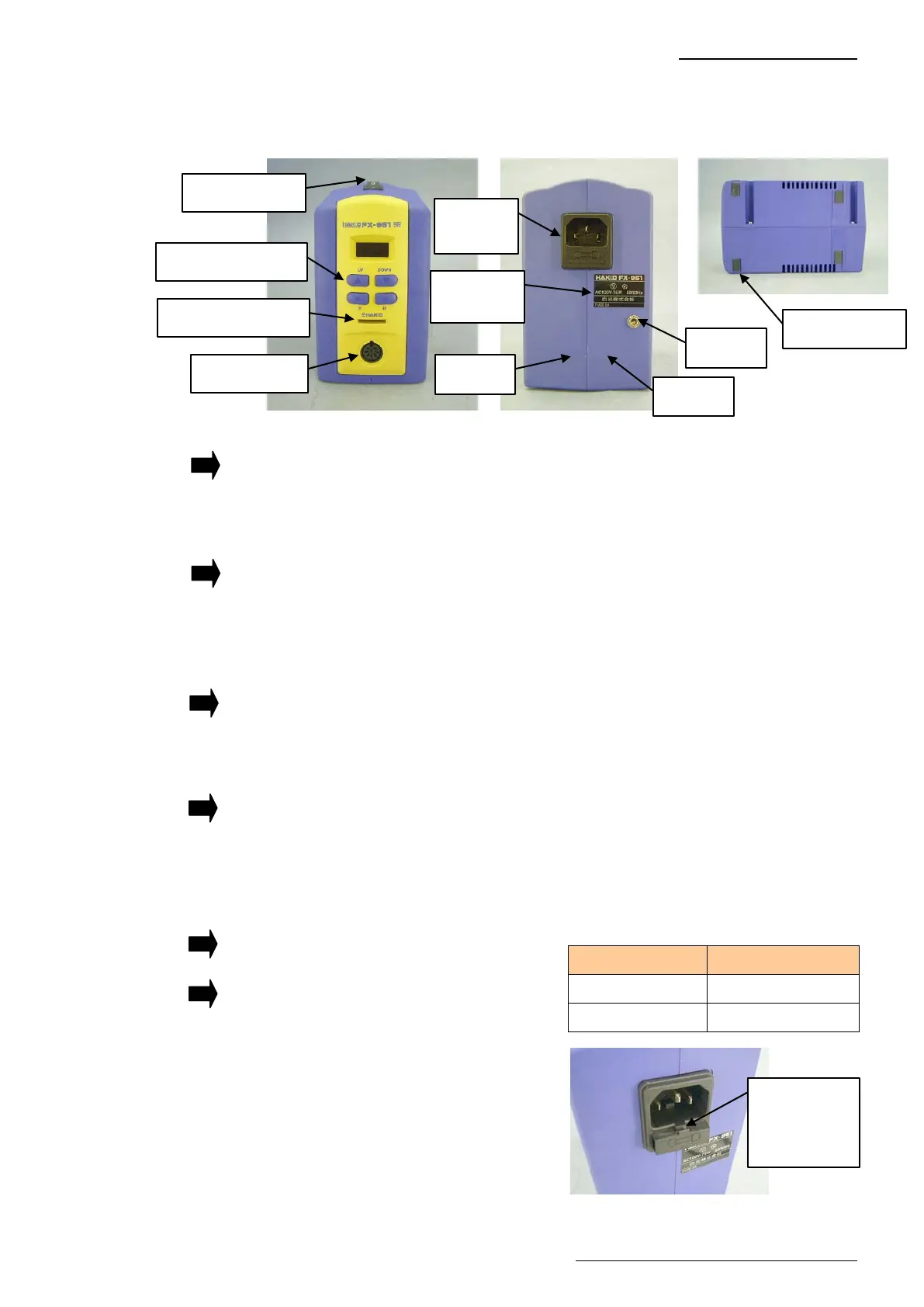
Check the exterior for the following points.
(1) Are the case R and case L damaged?
If the case R and case L are damaged:
Replace each case.
(2) Do the four operation buttons and card operate smoothly?
If operations are not smooth:
Installation of the P.W.B. (for control/connector) is faulty, or the P.W.B. itself is faulty.
Install the P.W.B. again or replace the P.W.B. (for control/connector).
(3) Does the receptacle allow smooth insertion and removal?
If the receptacle does not allow smooth insertion or removal:
Replace the P.W.B. (for control/connector).
(4) Are the rubber feet of the case R and case L chipped or damaged?
If the rubber feet of the case R and case L are chipped or damaged:
Mount a new rubber feet or replace them.
(5) Take out the fuse from the power receptacle and check that the fuse has not blown.
Check the rating of the fuse with reference to the table on the right.
If the fuse has blown:
Replace the fuse.
If the wrong fuse has been used:
Replace the fuse.
Rubber feet
Card insert slot
Receptacle
Power switch
Operation buttons
Hitch a tool
into this slot
and take out
the fuse.
Voltage Fuse rating
100V-110V 250V-2A
220V-240V 250V-1A
Rating
seal
Power
receptacle
Case R
Case L
Jack















 To Next Page