First Edition: March 31, 2007
2-5 Iron holder check (FX-951/FH-200)
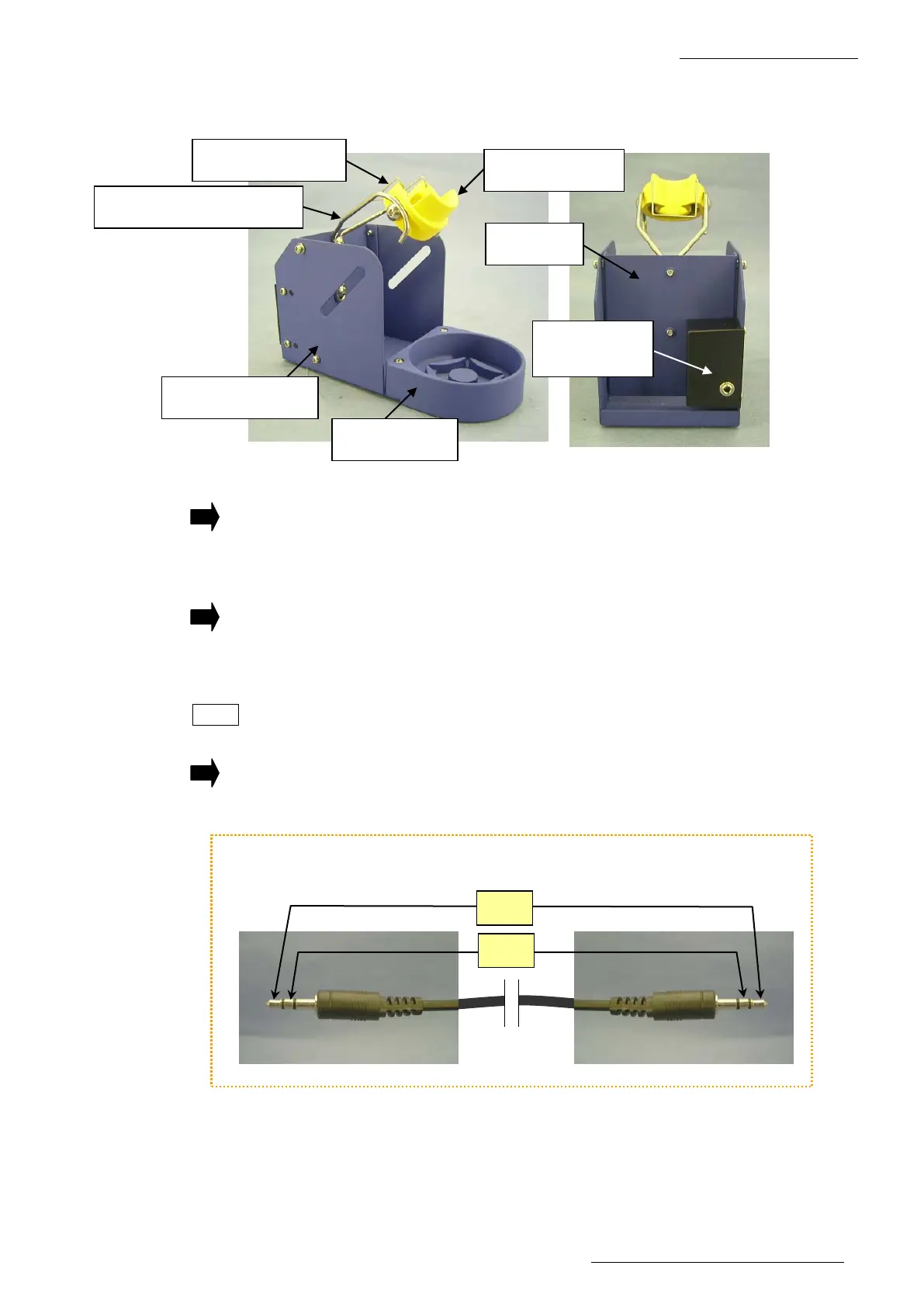
Iron receptacle
Tip holding spring
Holder for iron receptacle
Iron holder base
Cleaner base
Stay
Switch case
assembly
2-5 Iron Holder Check
Check the following points of the iron holder.
1. Are any of the rubber feet (4 feet) lost or damaged?
If lost or damaged:
Replenish or replace the rubber foot with a new one.
2. There are 11 screws in total securing the iron holder. Are any screws lost?
If lost:
Replenish the lost screw with a new one.
3. Check whether the connecting cable is broken.
NOTE Measure the resistance values in sections A and B. If each resistance value is “1Ω
or less”, the unit conditions are normal.
If the resistance value is ∞:
The connecting cable is broken. Replace the connecting cable with a new one.
Check the resistance values in the 2 sections A and B.















 To Next Page