Turn On And Play
43
Ex. Memorize to “2-D”
Recording Preset Keys
You can record your Drawbar registrations in the Preset Keys. You can also freely change the
preset data loaded as the factory default.
To record Drawbar registrations in the Preset Keys, refer to the control panel.
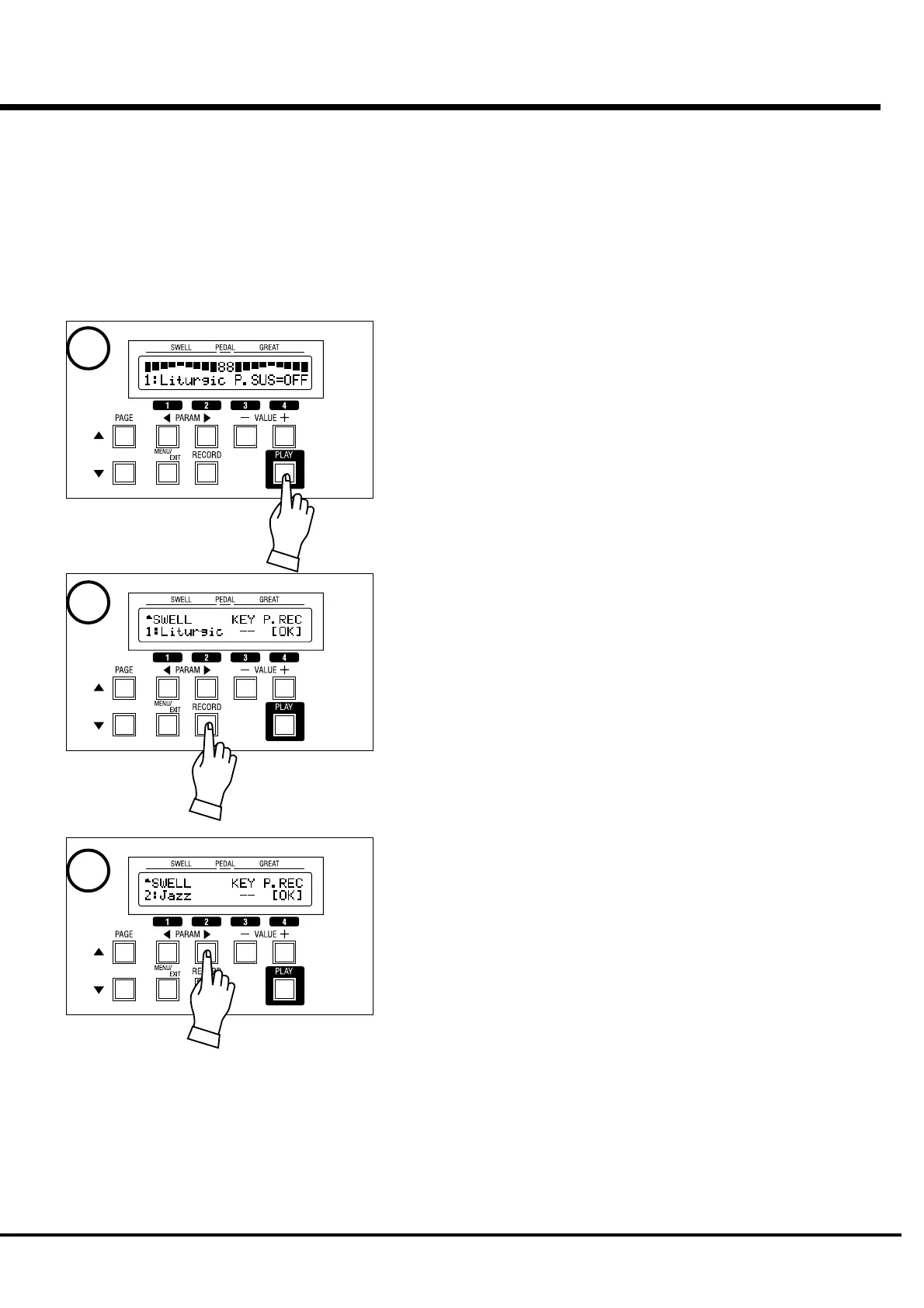
1. Go to the PLAY mode.
Press the [PLAY] button to go to the PLAY mode.
2. Go to the Record mode.
Press the [RECORD] button and go to that mode.
3. Designate the Bank.
Press the [PARAM] button and select the Bank to record. For this example select
“2”.
*to be continued to the next page.
1
2
3


 To Next Page