39
7.2.3 pH Calibration Error Messages
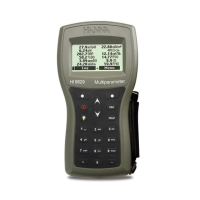
The HI 9829 displays a series of messages if an error has occurred during
calibration.
If the meter does not accept a pH calibration point, a short message is displayed
to indicate the possible error source. The following screens are examples:
These are the available messages:
• “Input out of scale”: the pH value is out of range. The pH sensor may
require replacement.
• “Check sensor”: the electrode may be broken, very dirty or the user has
attempted to calibrate the same buffer value twice.
• “Wrong buffer”: the displayed pH reading is too far from the selected buffer
value. This is often seen immediately after a buffer calibration has been
completed but before the pH sensor has been moved to the next buffer. Check
if the correct calibration buffer has been selected.
• “Invalid temperature”: the buffer temperature is outside the acceptable range.
• “Wrong buffer” / “Contaminated buffer” / “Check electrode”: the buffer is
contaminated or the sensor is broken or very dirty.
• “Check sensor” / “Clean sensor”: the electrode is broken or very dirty.
• “Wrong” / “Clear old calibration”: erroneous slope condition. These messages
appear if the slope difference between the current and previous calibration
exceeds the slope window (80% to 110%). Press the <Clear> softkey to cancel
the old data and continue the calibration procedure, or press ESC to quit the
pH calibration mode.


 To Next Page
 Loading...