Chapter 2: Installing ProStream X
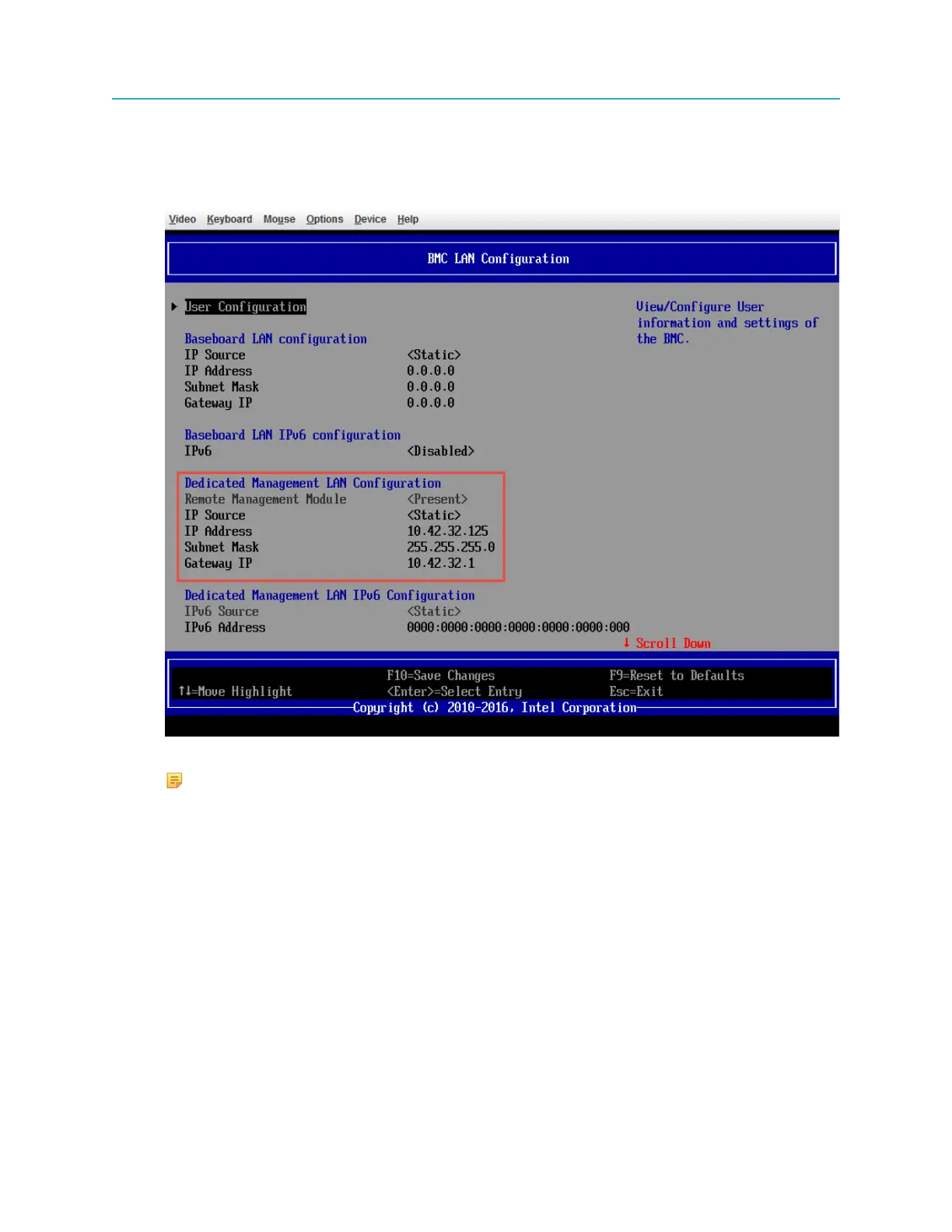
b. Scroll down to the bottom of the screen and select BMC LAN Configuration.
c. In the BMC LAN Configuration screen, configure the IP Address under Dedicated
Management LAN Configuration.
NOTE: Remote Management Module <present> means that the server can see the
RMM.
d. Configure IP Source, IP Address, Subnet Mask, and Gateway IP.
◦ IP Source: This is used for either static IP configuration or dynamic IP configuration using
DHCP server.
◦ IP Address: This is used for static IP configuration only.
◦ Subnet Mask: This is used for static IP configuration only.
◦ Gateway IP: This is used for static IP configuration only.
e. Scroll up to User Configuration.
f. Configure User ID and User Password as the login credentials to the BMC interface.
22


 To Next Page